Category: AI Marketing Tools

  • Best AI Email Marketing Tools for Small Business

    Small businesses usually need more than an AI subject-line generator. They need a reliable system for collecting consent, organizing contacts, building campaigns, automating follow-up, measuring results, and handing qualified leads to sales or service. The best choice depends on the workflow around the email, not the number of AI labels on a pricing page.

    Quick Verdict

    Mailchimp is a broad starting point for businesses that want email, forms, journeys, and familiar campaign tools. Brevo is attractive when email and transactional communication need to live together. ActiveCampaign is stronger for behavior-based automation and lead nurturing. Kit is designed around creator newsletters and digital products. HubSpot is the better fit when email must connect directly to CRM, sales, service, and reporting. No option is automatically best for every small business.

    Best For

    • Small businesses building newsletters, lead-nurture sequences, welcome campaigns, and customer updates.
    • Marketing teams that need segmentation, reusable templates, automation, reporting, and consent management.
    • Creators and service businesses that need forms, landing pages, and email delivery in one workflow.
    • Teams willing to maintain clean contact data and review AI-generated copy before sending.

    Not Best For

    • Businesses planning to send unsolicited bulk email or use purchased contact lists.
    • Teams that need a full sales CRM but are only evaluating newsletter features.
    • Organizations that cannot maintain consent records, suppression lists, and sender-domain configuration.
    • Businesses expecting AI to replace offer strategy, customer knowledge, or final editorial review.

    What This Article Evaluates

    This guide evaluates workflow fit, automation depth, contact management, AI assistance, reporting, integrations, pricing clarity, and operational burden. It does not claim inbox placement guarantees or invent campaign performance. Deliverability depends on sender reputation, consent, content, list hygiene, domain configuration, and recipient behavior.

    Our Evaluation Criteria

    Campaign creation

    The editor should make it practical to create, review, test, and reuse email content without locking the team into fragile layouts.

    Automation

    Useful automation should connect triggers, conditions, delays, messages, tags, and handoffs in a way a small team can understand and maintain.

    Segmentation

    The platform should make it possible to target customers by consent, behavior, lifecycle, interests, purchases, or other legitimate first-party data.

    AI quality

    AI should help with drafts, variations, summaries, or workflow setup while leaving claims, tone, compliance, and final approval with a human.

    Pricing clarity

    Buyers need to understand whether cost is driven by contacts, sends, users, features, credits, or a combination of those factors.

    Integrations and reporting

    The tool should connect with the forms, commerce, CRM, scheduling, or analytics systems that the business actually uses.

    Key Features And Capabilities

    Mailchimp

    Mailchimp combines email campaigns, audience tools, templates, forms, customer journeys, reporting, and AI-assisted marketing features. It is a reasonable generalist option, but businesses should model how contact count and feature tiers affect the bill.

    Brevo

    Brevo combines marketing email with transactional messaging, automation, contact management, and sales-related capabilities. It can suit businesses that need both campaigns and operational messages, provided they separate promotional consent from transactional communication.

    ActiveCampaign

    ActiveCampaign emphasizes automation, lifecycle messaging, segmentation, and CRM-connected follow-up. It is valuable when customer behavior should trigger different paths, but the automation map needs an owner and documentation.

    Kit

    Kit focuses on creators, newsletters, forms, visual automations, audience tagging, and selling digital products or subscriptions. It is less suitable when a company needs a broad service CRM or complex multi-department administration.

    HubSpot

    HubSpot connects marketing email to CRM records, forms, sales activity, service context, automation, and reporting. That unified view can be useful, though total cost and administration can grow as the company adopts more hubs and advanced tiers.

    Real Use Cases

    New lead welcome

    A service business can send a useful welcome sequence after a visitor submits a form, explain what happens next, route high-intent inquiries, and stop the sequence when a person books a call.

    Ecommerce follow-up

    A store can segment customers by legitimate purchase or browsing signals, send product education, request feedback, and avoid repeatedly promoting products a customer already bought.

    Creator newsletter

    A creator can publish a regular newsletter, tag subscribers by interests, deliver lead magnets, and introduce paid products without maintaining a separate marketing stack.

    Customer onboarding

    A SaaS or membership business can send setup guidance, role-specific education, reminders, and a clear human-support path when a customer becomes stuck.

    Re-engagement

    A team can identify inactive subscribers, ask whether they still want messages, reduce unnecessary sending, and protect list quality rather than chasing a larger but disengaged audience.

    Comparison Table

    Option Best For Main Strength Important Limitation
    Mailchimp General small-business marketing Broad campaign and audience workflow Costs and limits require plan modeling
    Brevo Email plus transactional communication Multi-channel communication workflow Feature depth varies by plan
    ActiveCampaign Behavior-based nurturing Automation and segmentation More setup and governance
    Kit Creators and newsletters Audience and creator workflow Less suited to broad CRM operations
    HubSpot CRM-connected marketing Unified customer context Can become expensive and complex

    Pricing

    Pricing is based on each vendor's official pricing page. Mailchimp, Brevo, ActiveCampaign, Kit, and HubSpot use different combinations of contacts, sends, users, features, billing periods, and product tiers. Because a single starting number would hide those differences, buyers should calculate cost with their real contact count, expected send volume, required automation, and number of users. Free or entry plans can be useful for validation, but advanced automation, reporting, CRM, or team controls may require paid tiers.

    Pricing last checked on June 25, 2026. Pricing may vary by billing period, region, usage, seat count, credits, or add-ons. The official pricing pages linked in this article are the authority for a purchase decision.

    Pros

    • A mature category with options for simple newsletters and advanced lifecycle automation.
    • AI assistance can reduce first-draft and campaign-setup time.
    • Forms, segmentation, reusable content, and reporting can live in one system.
    • Several tools can connect email activity with ecommerce or CRM records.

    Cons And Limitations

    • Pricing models are difficult to compare directly.
    • Poor contact hygiene and consent practices can undermine any platform.
    • Complex automations become hard to maintain without naming rules and ownership.
    • AI-generated copy can introduce weak claims, repetition, or the wrong tone.

    Alternatives

    Businesses that only need transactional delivery should evaluate a dedicated transactional email provider rather than a full marketing suite. Teams already standardized on a CRM should first test its native email tools. A simple newsletter service may be more economical for a small publication, while a customer-data platform may be necessary for complex multi-product segmentation.

    A Practical Evaluation Workflow

    Step 1: Choose one real workflow

    Do not evaluate software with a vague demo. Select one recurring workflow with a clear owner, real inputs, a defined output, and a known review step. A narrow pilot exposes whether the product fits daily work better than a long feature tour.

    Step 2: Record the current baseline

    Before introducing the tool, record how long the workflow takes, where handoffs fail, which work is repeated, and what quality checks already exist. The baseline prevents a team from confusing novelty with measurable improvement.

    Step 3: Use approved, low-risk data

    Start with public, synthetic, or appropriately approved information. Confirm data retention, access controls, and account permissions before using confidential customer, employee, financial, legal, or product information.

    Step 4: Review every output

    Assign a human reviewer. Check factual accuracy, tone, completeness, permissions, links, calculations, and whether the result actually satisfies the original task. AI assistance should shorten work without removing accountability.

    Step 5: Measure the full cost

    Include subscription fees, seats, credits, setup, training, integrations, review time, and the cost of correcting errors. A lower advertised price can be less economical when the workflow requires more manual cleanup.

    Step 6: Decide with written criteria

    At the end of the pilot, score workflow fit, output quality, ease of adoption, administration, pricing clarity, integration effort, and risk. Keep the decision record so the team can review it when plans or requirements change.

    Security, Governance, And Quality Control

    Use role-based access, multifactor authentication, documented consent sources, suppression lists, and an approval process for high-impact campaigns. Keep a record of who can export contacts, change sending domains, modify automation, or publish messages. Review AI-assisted text for accuracy, privacy, discrimination, regulated claims, and unsubscribe requirements.

    How To Measure Value

    Measure time saved in campaign production, automation maintenance, lead response, and reporting. Also track list growth quality, unsubscribe patterns, complaint rates, conversions tied to a defined offer, and the number of manual handoffs removed. Avoid judging the platform on opens alone because privacy features can make that metric unreliable.

    Common Buying Mistakes

    • Buying advanced automation before mapping the customer journey.
    • Importing low-quality contacts to make the audience look larger.
    • Comparing entry prices without modeling contacts, sends, seats, and add-ons.
    • Allowing AI to publish claims or promotions without human approval.
    • Building many automations without documentation, naming standards, or an owner.

    Detailed Decision Checklist

    Before selecting Best AI Email Marketing Tools for Small Business, write down the exact workflow that needs improvement. Name the person who starts the work, the information the tool receives, the output it should produce, the person who reviews that output, and the system where the approved result is stored. This prevents a purchase from becoming an open-ended experiment with no owner.

    Check data readiness next. List the documents, CRM records, meeting content, contact data, task history, writing samples, or knowledge sources the workflow depends on. Mark which information is public, internal, confidential, regulated, outdated, duplicated, or missing. AI features cannot compensate for contradictory records or unclear permission boundaries. Cleaning the source material may create more value than adding another subscription.

    Review the human handoff in detail. Define which actions the software may assist with, which actions need explicit approval, and which requests must always go to a qualified person. Customer complaints, employment matters, legal interpretations, financial commitments, security incidents, account exceptions, and public claims normally need a clear escalation route. A useful workflow makes that route visible instead of hiding uncertainty behind a confident answer.

    Model the full cost for twelve months. Include the base subscription, members, contact or usage growth, credits, recordings, storage, integrations, implementation, training, administrator time, and periodic quality review. Add a reasonable allowance for correcting mistakes and maintaining documentation. Compare that number with the value of time saved, errors avoided, faster response, or work that becomes possible. Do not assume every automated action creates equal value.

    Finally, confirm exit options. Determine how the team can export content, contacts, transcripts, tasks, documents, or configuration if the product no longer fits. Record who owns the account and billing relationship. A responsible software decision includes both adoption and a practical way to leave.

    30-Day Rollout Plan

    Week 1: Prepare

    Choose a bounded use case and collect the approved inputs. Document current steps, time, common errors, and escalation points. Configure the smallest necessary group of users. Review authentication, roles, integrations, retention, and billing controls. Create a short acceptance checklist that defines what a usable output looks like.

    Week 2: Run In Parallel

    Use the new workflow alongside the existing process. Do not remove the old control before the team understands failure modes. Review every output and label the type of correction required: factual, contextual, formatting, tone, permission, missing information, or incorrect action. This produces evidence that is more useful than a general opinion about whether the AI feels impressive.

    Week 3: Improve The System

    Update source documents, templates, prompts, routing rules, naming conventions, or permissions based on observed problems. Remove steps that add no value. If users are bypassing the workflow, ask why before adding enforcement. The cause may be poor fit, unclear training, slow performance, missing integration, or a review process that is heavier than the original task.

    Week 4: Decide

    Compare the pilot with the baseline. Review time saved, correction rate, adoption, user confidence, administrator workload, and expected annual cost. Decide whether to expand, keep the workflow limited, change configuration, test an alternative, or stop. Write down the decision and assumptions. Revisit it when pricing, product capabilities, data requirements, or business volume changes.

    Quality Review Questions

    Use these questions during the pilot:

    • Does the output answer the real task, or only produce plausible language?
    • Can a reviewer trace important claims to an approved source?
    • Are names, dates, prices, links, assignments, and calculations correct?
    • Does the workflow expose uncertainty and provide a human escalation path?
    • Can administrators see who has access and what the tool is doing?
    • Are users saving time after review, or only moving work to a different step?
    • Does the pricing model remain predictable at the expected volume?
    • Can the result be exported and used in the team's system of record?

    If the team cannot answer these questions, it is too early for a broad rollout. A smaller scope with clearer controls is usually more productive than adding more features.

    Final Recommendation

    Choose Mailchimp for a broad, familiar starting point; Brevo for combined marketing and transactional communication; ActiveCampaign for deeper behavior-based automation; Kit for creator-led newsletters and products; or HubSpot when CRM context is the central requirement. Run one welcome or nurture sequence end to end before committing to a long contract.

    Frequently Asked Questions

    What is the best AI email marketing tool for a small business?

    The answer depends on workflow fit. Mailchimp is a broad generalist, Brevo combines communication channels, ActiveCampaign emphasizes automation, Kit serves creators, and HubSpot connects email to CRM.

    Can AI write complete email campaigns?

    It can help draft and vary copy, but a person should verify the offer, facts, tone, links, audience, and compliance before sending.

    Do I need a CRM for email marketing?

    Not always. A newsletter business may not. A sales-led business benefits when email activity and lead status share reliable customer records.

    How should I compare pricing?

    Use your real contact count, monthly sends, users, automation needs, and required integrations. Read the official pricing and limit pages.

    Can these tools guarantee deliverability?

    No. Deliverability depends on consent, sender reputation, list hygiene, authentication, content, and recipient engagement.

    Is a free plan enough?

    It can be enough to validate forms, templates, and basic sending. Advanced automation, reporting, team access, or higher volumes usually require paid plans.

    Related Dailytimespro Guides

    See our AI marketing workflow for small business, AI sales follow-up workflow, and AI email response workflow.
  • Best AI Email Marketing Tools for Small Business

    Small businesses usually need more than an AI subject-line generator. They need a reliable system for collecting consent, organizing contacts, building campaigns, automating follow-up, measuring results, and handing qualified leads to sales or service. The best choice depends on the workflow around the email, not the number of AI labels on a pricing page.

    Quick Verdict

    Mailchimp is a broad starting point for businesses that want email, forms, journeys, and familiar campaign tools. Brevo is attractive when email and transactional communication need to live together. ActiveCampaign is stronger for behavior-based automation and lead nurturing. Kit is designed around creator newsletters and digital products. HubSpot is the better fit when email must connect directly to CRM, sales, service, and reporting. No option is automatically best for every small business.

    Best For

    • Small businesses building newsletters, lead-nurture sequences, welcome campaigns, and customer updates.
    • Marketing teams that need segmentation, reusable templates, automation, reporting, and consent management.
    • Creators and service businesses that need forms, landing pages, and email delivery in one workflow.
    • Teams willing to maintain clean contact data and review AI-generated copy before sending.

    Not Best For

    • Businesses planning to send unsolicited bulk email or use purchased contact lists.
    • Teams that need a full sales CRM but are only evaluating newsletter features.
    • Organizations that cannot maintain consent records, suppression lists, and sender-domain configuration.
    • Businesses expecting AI to replace offer strategy, customer knowledge, or final editorial review.

    What This Article Evaluates

    This guide evaluates workflow fit, automation depth, contact management, AI assistance, reporting, integrations, pricing clarity, and operational burden. It does not claim inbox placement guarantees or invent campaign performance. Deliverability depends on sender reputation, consent, content, list hygiene, domain configuration, and recipient behavior.

    Our Evaluation Criteria

    Campaign creation

    The editor should make it practical to create, review, test, and reuse email content without locking the team into fragile layouts.

    Automation

    Useful automation should connect triggers, conditions, delays, messages, tags, and handoffs in a way a small team can understand and maintain.

    Segmentation

    The platform should make it possible to target customers by consent, behavior, lifecycle, interests, purchases, or other legitimate first-party data.

    AI quality

    AI should help with drafts, variations, summaries, or workflow setup while leaving claims, tone, compliance, and final approval with a human.

    Pricing clarity

    Buyers need to understand whether cost is driven by contacts, sends, users, features, credits, or a combination of those factors.

    Integrations and reporting

    The tool should connect with the forms, commerce, CRM, scheduling, or analytics systems that the business actually uses.

    Key Features And Capabilities

    Mailchimp

    Mailchimp combines email campaigns, audience tools, templates, forms, customer journeys, reporting, and AI-assisted marketing features. It is a reasonable generalist option, but businesses should model how contact count and feature tiers affect the bill.

    Brevo

    Brevo combines marketing email with transactional messaging, automation, contact management, and sales-related capabilities. It can suit businesses that need both campaigns and operational messages, provided they separate promotional consent from transactional communication.

    ActiveCampaign

    ActiveCampaign emphasizes automation, lifecycle messaging, segmentation, and CRM-connected follow-up. It is valuable when customer behavior should trigger different paths, but the automation map needs an owner and documentation.

    Kit

    Kit focuses on creators, newsletters, forms, visual automations, audience tagging, and selling digital products or subscriptions. It is less suitable when a company needs a broad service CRM or complex multi-department administration.

    HubSpot

    HubSpot connects marketing email to CRM records, forms, sales activity, service context, automation, and reporting. That unified view can be useful, though total cost and administration can grow as the company adopts more hubs and advanced tiers.

    Real Use Cases

    New lead welcome

    A service business can send a useful welcome sequence after a visitor submits a form, explain what happens next, route high-intent inquiries, and stop the sequence when a person books a call.

    Ecommerce follow-up

    A store can segment customers by legitimate purchase or browsing signals, send product education, request feedback, and avoid repeatedly promoting products a customer already bought.

    Creator newsletter

    A creator can publish a regular newsletter, tag subscribers by interests, deliver lead magnets, and introduce paid products without maintaining a separate marketing stack.

    Customer onboarding

    A SaaS or membership business can send setup guidance, role-specific education, reminders, and a clear human-support path when a customer becomes stuck.

    Re-engagement

    A team can identify inactive subscribers, ask whether they still want messages, reduce unnecessary sending, and protect list quality rather than chasing a larger but disengaged audience.

    Comparison Table

    Option Best For Main Strength Important Limitation
    Mailchimp General small-business marketing Broad campaign and audience workflow Costs and limits require plan modeling
    Brevo Email plus transactional communication Multi-channel communication workflow Feature depth varies by plan
    ActiveCampaign Behavior-based nurturing Automation and segmentation More setup and governance
    Kit Creators and newsletters Audience and creator workflow Less suited to broad CRM operations
    HubSpot CRM-connected marketing Unified customer context Can become expensive and complex

    Pricing

    Pricing is based on each vendor's official pricing page. Mailchimp, Brevo, ActiveCampaign, Kit, and HubSpot use different combinations of contacts, sends, users, features, billing periods, and product tiers. Because a single starting number would hide those differences, buyers should calculate cost with their real contact count, expected send volume, required automation, and number of users. Free or entry plans can be useful for validation, but advanced automation, reporting, CRM, or team controls may require paid tiers.

    Pricing last checked on June 25, 2026. Pricing may vary by billing period, region, usage, seat count, credits, or add-ons. The official pricing pages linked in this article are the authority for a purchase decision.

    Pros

    • A mature category with options for simple newsletters and advanced lifecycle automation.
    • AI assistance can reduce first-draft and campaign-setup time.
    • Forms, segmentation, reusable content, and reporting can live in one system.
    • Several tools can connect email activity with ecommerce or CRM records.

    Cons And Limitations

    • Pricing models are difficult to compare directly.
    • Poor contact hygiene and consent practices can undermine any platform.
    • Complex automations become hard to maintain without naming rules and ownership.
    • AI-generated copy can introduce weak claims, repetition, or the wrong tone.

    Alternatives

    Businesses that only need transactional delivery should evaluate a dedicated transactional email provider rather than a full marketing suite. Teams already standardized on a CRM should first test its native email tools. A simple newsletter service may be more economical for a small publication, while a customer-data platform may be necessary for complex multi-product segmentation.

    A Practical Evaluation Workflow

    Step 1: Choose one real workflow

    Do not evaluate software with a vague demo. Select one recurring workflow with a clear owner, real inputs, a defined output, and a known review step. A narrow pilot exposes whether the product fits daily work better than a long feature tour.

    Step 2: Record the current baseline

    Before introducing the tool, record how long the workflow takes, where handoffs fail, which work is repeated, and what quality checks already exist. The baseline prevents a team from confusing novelty with measurable improvement.

    Step 3: Use approved, low-risk data

    Start with public, synthetic, or appropriately approved information. Confirm data retention, access controls, and account permissions before using confidential customer, employee, financial, legal, or product information.

    Step 4: Review every output

    Assign a human reviewer. Check factual accuracy, tone, completeness, permissions, links, calculations, and whether the result actually satisfies the original task. AI assistance should shorten work without removing accountability.

    Step 5: Measure the full cost

    Include subscription fees, seats, credits, setup, training, integrations, review time, and the cost of correcting errors. A lower advertised price can be less economical when the workflow requires more manual cleanup.

    Step 6: Decide with written criteria

    At the end of the pilot, score workflow fit, output quality, ease of adoption, administration, pricing clarity, integration effort, and risk. Keep the decision record so the team can review it when plans or requirements change.

    Security, Governance, And Quality Control

    Use role-based access, multifactor authentication, documented consent sources, suppression lists, and an approval process for high-impact campaigns. Keep a record of who can export contacts, change sending domains, modify automation, or publish messages. Review AI-assisted text for accuracy, privacy, discrimination, regulated claims, and unsubscribe requirements.

    How To Measure Value

    Measure time saved in campaign production, automation maintenance, lead response, and reporting. Also track list growth quality, unsubscribe patterns, complaint rates, conversions tied to a defined offer, and the number of manual handoffs removed. Avoid judging the platform on opens alone because privacy features can make that metric unreliable.

    Common Buying Mistakes

    • Buying advanced automation before mapping the customer journey.
    • Importing low-quality contacts to make the audience look larger.
    • Comparing entry prices without modeling contacts, sends, seats, and add-ons.
    • Allowing AI to publish claims or promotions without human approval.
    • Building many automations without documentation, naming standards, or an owner.

    Detailed Decision Checklist

    Before selecting Best AI Email Marketing Tools for Small Business, write down the exact workflow that needs improvement. Name the person who starts the work, the information the tool receives, the output it should produce, the person who reviews that output, and the system where the approved result is stored. This prevents a purchase from becoming an open-ended experiment with no owner.

    Check data readiness next. List the documents, CRM records, meeting content, contact data, task history, writing samples, or knowledge sources the workflow depends on. Mark which information is public, internal, confidential, regulated, outdated, duplicated, or missing. AI features cannot compensate for contradictory records or unclear permission boundaries. Cleaning the source material may create more value than adding another subscription.

    Review the human handoff in detail. Define which actions the software may assist with, which actions need explicit approval, and which requests must always go to a qualified person. Customer complaints, employment matters, legal interpretations, financial commitments, security incidents, account exceptions, and public claims normally need a clear escalation route. A useful workflow makes that route visible instead of hiding uncertainty behind a confident answer.

    Model the full cost for twelve months. Include the base subscription, members, contact or usage growth, credits, recordings, storage, integrations, implementation, training, administrator time, and periodic quality review. Add a reasonable allowance for correcting mistakes and maintaining documentation. Compare that number with the value of time saved, errors avoided, faster response, or work that becomes possible. Do not assume every automated action creates equal value.

    Finally, confirm exit options. Determine how the team can export content, contacts, transcripts, tasks, documents, or configuration if the product no longer fits. Record who owns the account and billing relationship. A responsible software decision includes both adoption and a practical way to leave.

    30-Day Rollout Plan

    Week 1: Prepare

    Choose a bounded use case and collect the approved inputs. Document current steps, time, common errors, and escalation points. Configure the smallest necessary group of users. Review authentication, roles, integrations, retention, and billing controls. Create a short acceptance checklist that defines what a usable output looks like.

    Week 2: Run In Parallel

    Use the new workflow alongside the existing process. Do not remove the old control before the team understands failure modes. Review every output and label the type of correction required: factual, contextual, formatting, tone, permission, missing information, or incorrect action. This produces evidence that is more useful than a general opinion about whether the AI feels impressive.

    Week 3: Improve The System

    Update source documents, templates, prompts, routing rules, naming conventions, or permissions based on observed problems. Remove steps that add no value. If users are bypassing the workflow, ask why before adding enforcement. The cause may be poor fit, unclear training, slow performance, missing integration, or a review process that is heavier than the original task.

    Week 4: Decide

    Compare the pilot with the baseline. Review time saved, correction rate, adoption, user confidence, administrator workload, and expected annual cost. Decide whether to expand, keep the workflow limited, change configuration, test an alternative, or stop. Write down the decision and assumptions. Revisit it when pricing, product capabilities, data requirements, or business volume changes.

    Quality Review Questions

    Use these questions during the pilot:

    • Does the output answer the real task, or only produce plausible language?
    • Can a reviewer trace important claims to an approved source?
    • Are names, dates, prices, links, assignments, and calculations correct?
    • Does the workflow expose uncertainty and provide a human escalation path?
    • Can administrators see who has access and what the tool is doing?
    • Are users saving time after review, or only moving work to a different step?
    • Does the pricing model remain predictable at the expected volume?
    • Can the result be exported and used in the team's system of record?

    If the team cannot answer these questions, it is too early for a broad rollout. A smaller scope with clearer controls is usually more productive than adding more features.

    Final Recommendation

    Choose Mailchimp for a broad, familiar starting point; Brevo for combined marketing and transactional communication; ActiveCampaign for deeper behavior-based automation; Kit for creator-led newsletters and products; or HubSpot when CRM context is the central requirement. Run one welcome or nurture sequence end to end before committing to a long contract.

    Frequently Asked Questions

    What is the best AI email marketing tool for a small business?

    The answer depends on workflow fit. Mailchimp is a broad generalist, Brevo combines communication channels, ActiveCampaign emphasizes automation, Kit serves creators, and HubSpot connects email to CRM.

    Can AI write complete email campaigns?

    It can help draft and vary copy, but a person should verify the offer, facts, tone, links, audience, and compliance before sending.

    Do I need a CRM for email marketing?

    Not always. A newsletter business may not. A sales-led business benefits when email activity and lead status share reliable customer records.

    How should I compare pricing?

    Use your real contact count, monthly sends, users, automation needs, and required integrations. Read the official pricing and limit pages.

    Can these tools guarantee deliverability?

    No. Deliverability depends on consent, sender reputation, list hygiene, authentication, content, and recipient engagement.

    Is a free plan enough?

    It can be enough to validate forms, templates, and basic sending. Advanced automation, reporting, team access, or higher volumes usually require paid plans.

    Related Dailytimespro Guides

    See our AI marketing workflow for small business, AI sales follow-up workflow, and AI email response workflow.
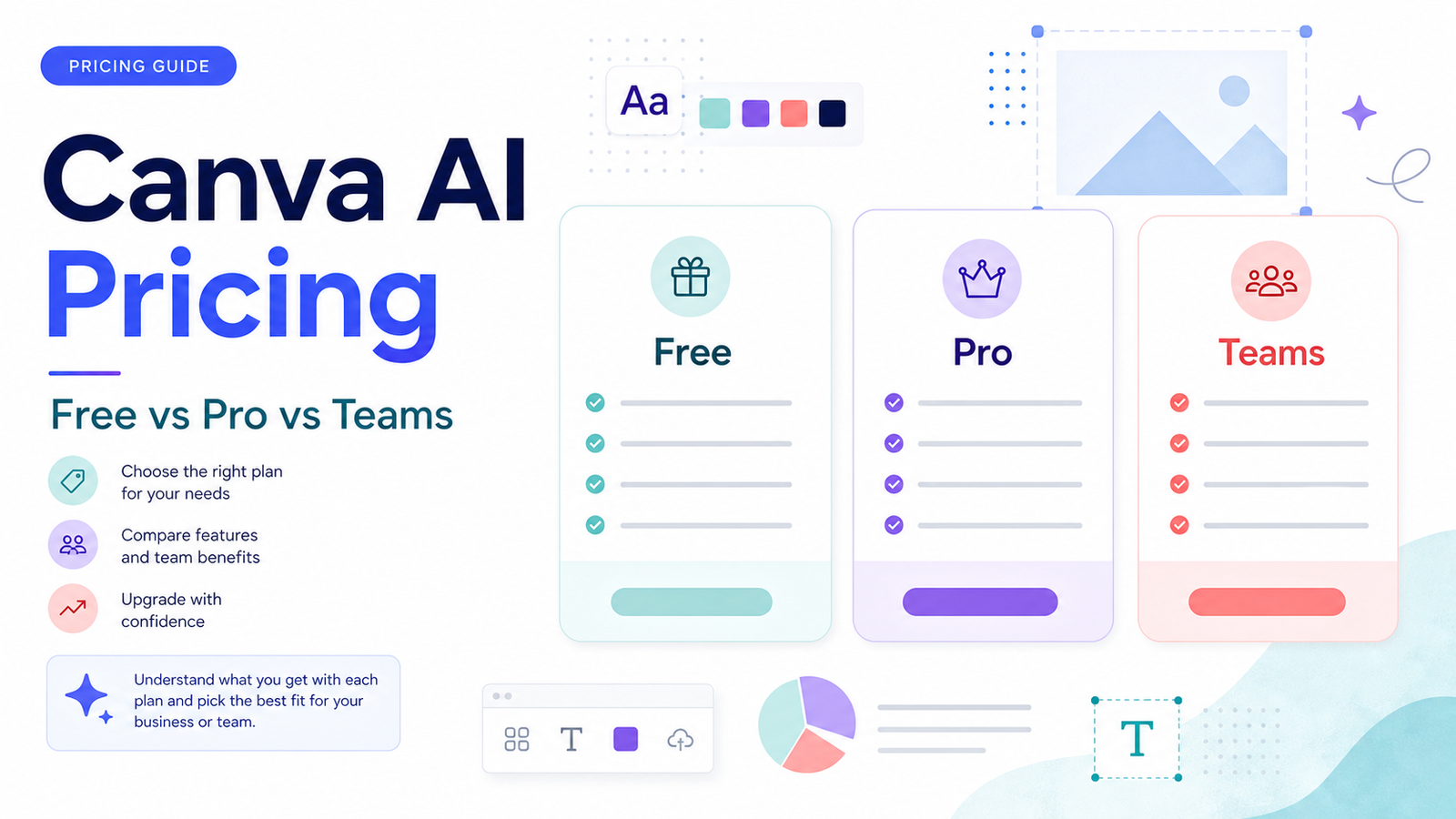
  • Canva AI Pricing Explained: Free vs Pro vs Teams

    Canva AI Pricing Explained: Free vs Pro vs Teams

    Canva AI pricing is really a Canva plan decision. The question is not only whether AI features exist, but whether Free, Pro, Teams, Business, or Enterprise gives your workflow the right mix of design assets, brand control, collaboration, storage, and AI-assisted creation.

    Quick Answer

    Canva Free is best for light personal design and basic testing. Canva Pro is usually the fit for solo creators and small business owners who need more premium design tools. Canva Teams or Canva Business is more relevant when several people need shared brand assets, approvals, and collaboration. Enterprise is for larger organizations with advanced management needs.

    Best For

    • Creators comparing Free and Pro.
    • Small businesses choosing between Pro and team plans.
    • Marketing teams evaluating AI design workflows.
    • Agencies deciding whether Canva is enough for client content production.

    Not Best For

    • Teams that need a full professional design stack for complex brand systems.
    • Users who only need one or two occasional graphics.
    • Businesses that need advanced creative review outside Canva.
    • Teams expecting AI design to replace brand strategy or designer review.

    Pricing Snapshot

    Canva's public pricing pages may vary by region and plan path. Canva's own public resources list Canva Free at US$0/year for one person, Canva Pro at US$120/year for one person, and Canva Teams at US$100/year for one person in one official Canva resource. Canva's pricing page and business billing pages should be used for the current checkout price for your account and region.

    Pricing last checked on June 24, 2026.

    Plan Comparison

    Plan Best For Main Value Limitation
    Free Casual design Basic design access and templates Limited premium assets and brand controls
    Pro Solo creators and small businesses More premium creative workflow features Single-user fit may not solve team governance
    Teams / Business Small teams Collaboration, brand, and team workflow Pricing depends on seats and plan path
    Enterprise Large organizations Governance and advanced needs Sales process and higher complexity

    What Canva AI Adds

    Canva AI is most useful when design work happens repeatedly: social graphics, presentations, simple videos, ads, thumbnails, product visuals, content repurposing, and brand-aligned templates. AI can help ideate, rewrite, generate design directions, or speed small tasks. It does not guarantee brand-safe output.

    Real Use Cases

    Social Media Content

    A small marketing team could use Canva AI features to draft social post visuals, resize creative, prepare thumbnails, and create simple campaign variations. A human should still check brand fit, copy accuracy, and platform rules.

    Presentations

    Canva is useful for pitch decks, internal reports, sales enablement slides, and webinar decks. AI can help with first drafts, but teams should review data, claims, and visual consistency.

    Brand Kits And Templates

    Teams benefit when brand assets are centralized. Instead of every employee making one-off visuals, the team can work from approved templates and brand controls.

    Small Business Marketing

    A local business could use Canva for menus, flyers, ads, email graphics, and basic videos. The upgrade decision depends on how often premium assets, brand kits, and team collaboration are needed.

    When Free Is Enough

    Free is enough when you create occasional graphics, do not need premium assets, do not manage a team, and can work within basic templates. It is also enough for testing whether Canva fits your workflow before upgrading.

    When Pro Makes Sense

    Pro is worth considering when one person creates a lot of marketing assets, needs more creative flexibility, uses brand assets frequently, or wants a smoother design workflow than the free plan provides.

    When Teams Or Business Makes Sense

    A team plan is more useful when multiple people create content and the business needs shared templates, brand consistency, review habits, and collaboration. The value is not only AI. It is reducing inconsistent design work across the company.

    Common Mistakes

    The first mistake is upgrading because of one AI feature without checking whether the full plan fits the workflow. The second is letting every team member generate off-brand visuals. The third is relying on AI-generated creative without checking spelling, claims, layout, accessibility, and brand rules.

    Alternatives

    Tool Best For Main Strength Limitation
    Canva General marketing design Easy templates and team creative workflow Not a full pro design replacement
    Adobe Express Brand-friendly lightweight design Adobe ecosystem fit Different workflow from Canva
    Figma Product and interface design Collaborative design systems More complex for casual marketers
    VistaCreate Social graphics Simple creative templates Smaller ecosystem than Canva

    Final Recommendation

    Use Canva Free if your design needs are occasional. Choose Pro if one person creates frequent marketing assets. Choose Teams or Business if brand consistency and collaboration matter. For larger organizations, Enterprise is the route to evaluate. The strongest buying signal is repeated design work, not curiosity about AI.

    For related content, see our Canva AI vs Adobe Firefly comparison and Gamma vs Canva AI guide.

    FAQs

    Is Canva AI free?

    Some Canva features can be explored on free access, but paid plans are usually relevant when premium assets, brand workflows, and team collaboration matter.

    How much does Canva Pro cost?

    A public Canva resource lists Canva Pro at US$120/year for one person. Checkout pricing can vary by region and plan path, so use the official Canva pricing page for your account before purchase.

    What is Canva Teams best for?

    Canva Teams or Business is best when multiple people need brand assets, templates, collaboration, and more controlled creative workflows.

    Is Canva AI worth paying for?

    It can be worth it if your team repeatedly creates marketing visuals and benefits from faster drafts, brand assets, and collaboration. It is less useful for occasional one-off graphics.

    Can Canva replace a designer?

    No. Canva can help non-designers create solid marketing assets, but brand strategy, advanced design systems, and high-stakes creative still need skilled review.

    Which plan should small businesses choose?

    Start with Free if needs are light. Choose Pro for a solo creator or owner. Choose a team plan when several people create and approve assets.

    Does Canva pricing vary?

    Yes. Canva pricing and plan availability can vary by account, region, billing path, and business plan. Always confirm inside the official Canva checkout flow.

    What should teams test before upgrading?

    Test brand kit usage, template workflow, AI-assisted drafts, approval habits, export needs, storage, and whether team members actually use the shared workflow.

    Implementation Notes

    Run a one-month design audit. Count how many assets the team creates, who creates them, how often brand fixes are needed, and where approval slows down. If Canva reduces repeated design friction, a paid plan may make sense.

    How To Estimate Canva Value

    Canva pricing should be judged against repeated design work. Count how many assets the team creates each month: social posts, ad graphics, presentation slides, thumbnails, flyers, short videos, and client materials. Then estimate how much time is spent finding templates, resizing designs, fixing brand issues, and getting approval.

    If Canva reduces repeated design friction, a paid plan can be valuable even if the team still uses professional designers for high-stakes creative. If the team only creates a few simple images each quarter, Free may be enough.

    What AI Changes In The Buying Decision

    AI features make Canva more useful for ideation, first drafts, copy variations, visual concepts, and quick layout exploration. They do not remove the need for brand judgment. A small business should still check spelling, claims, image suitability, accessibility, and whether the asset matches the offer.

    For teams, the bigger value may be shared workflow rather than AI alone. Brand kits, templates, shared folders, and approval habits can reduce inconsistent content across departments. AI is useful when it supports that system instead of creating random assets.

    Free vs Pro vs Teams Decision

    Free is the right starting point when design needs are light and the user wants to test the interface. Pro is more relevant when one person creates frequent assets and needs more creative flexibility. Teams or Business makes sense when multiple people need shared brand assets, collaboration, and a cleaner workflow.

    The upgrade decision should be based on bottlenecks. If the bottleneck is lack of templates, premium creative assets, or frequent resizing, Pro may help. If the bottleneck is inconsistent brand output across people, a team plan may be more relevant.

    Agency And Client Workflow Notes

    Agencies should be careful with Canva AI. It can speed drafts, but clients still expect brand accuracy. Agencies should maintain approved templates, lock critical brand elements when possible, and separate draft exploration from client-approved assets. AI output should not be sent directly to clients without review.

    When To Avoid Upgrading

    Avoid upgrading if nobody owns the design workflow. A paid plan cannot fix unclear messaging, weak offers, or unapproved brand rules. Start by cleaning up templates, naming conventions, asset folders, and approval responsibilities. Then upgrade when the plan unlocks a workflow the team will actually use.

    How To Compare Canva With Alternatives

    Compare Canva against alternatives by job, not by feature list. If the team creates social graphics and presentations, Canva is often convenient. If the team creates product interfaces, Figma may be a better fit. If the team needs lightweight Adobe ecosystem work, Adobe Express may be worth comparing. The right tool depends on the asset type and review workflow.

    Canva's strength is accessibility. Non-designers can create usable marketing assets quickly. Its limitation is that ease of use can also create inconsistent output when brand rules are weak. A team plan helps only when the team actually maintains templates, brand assets, and approval habits.

    Budget Planning

    Budget planning should include seats, design volume, approval time, asset reuse, and whether Canva replaces other tools. If a team already pays for a design stack, Canva may be an additional convenience rather than a full replacement. If the team has no design workflow, Canva can become the central creative workspace.

    For solo users, the question is simpler: do premium assets, brand controls, and workflow features save enough time to justify Pro? For teams, the question is whether collaboration reduces rework and off-brand creative.

    Governance For Teams

    Teams should define who can create templates, who can approve brand assets, and who can publish final creative. AI features make governance more important because drafts can be created quickly. Without review, a team can produce many assets that look polished but contain weak copy, wrong claims, or inconsistent branding.

    Practical Upgrade Test

    Before upgrading broadly, run a practical test. Create a social campaign, a presentation, a flyer, and one short video. Track how long each asset takes, how many edits are needed, and whether the final creative follows the brand. If the paid workflow saves time and improves consistency, the upgrade has a stronger case.

    Final Buying Advice

    Do not buy Canva AI access only because AI is available. Buy the plan that solves the actual production problem: solo design speed, team consistency, asset management, or organization-level governance. If no clear bottleneck exists, stay on Free until the need is visible.

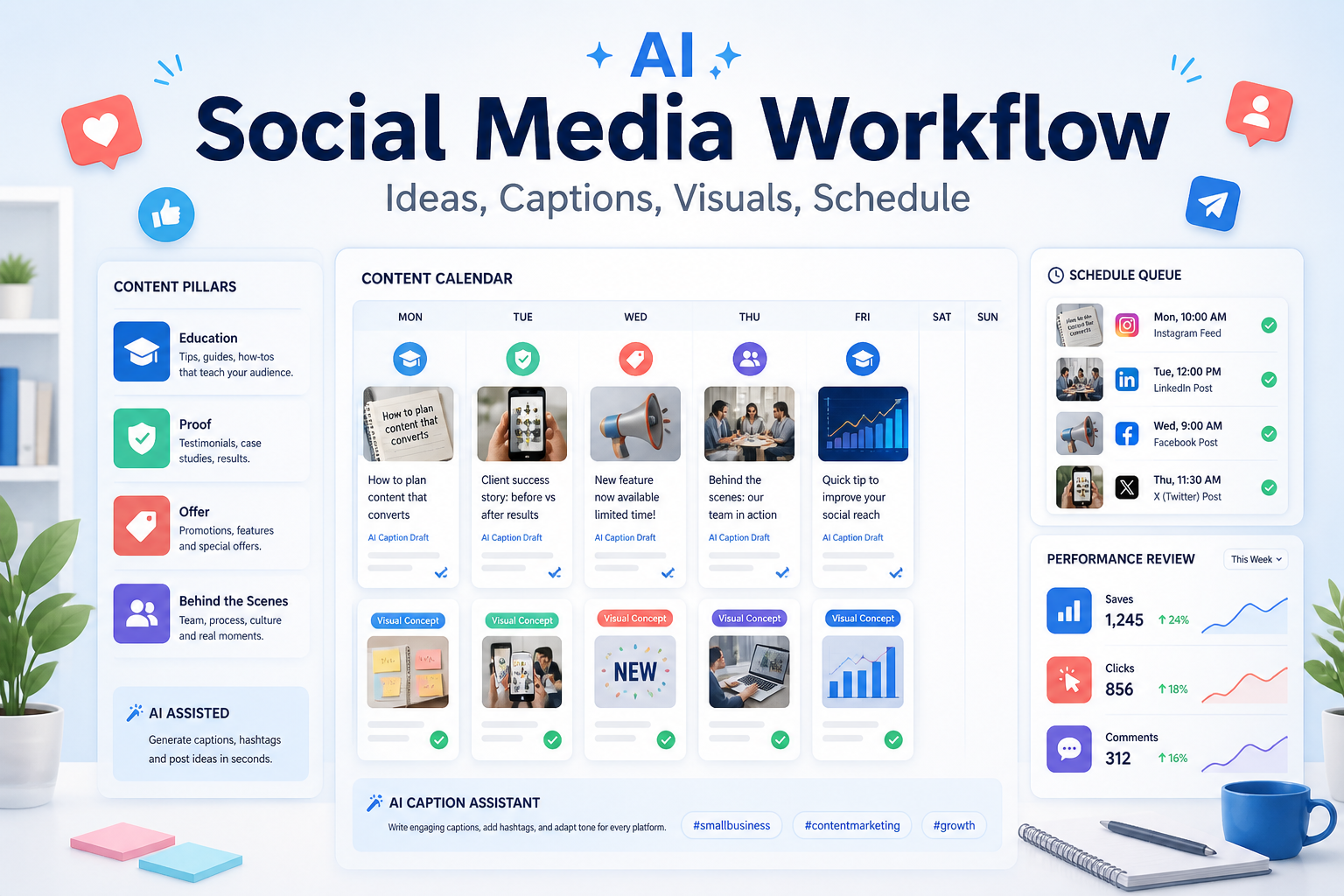
  • How to Build an AI Social Media Content Workflow for Small Business

    How to Build an AI Social Media Content Workflow for Small Business

    Small businesses often struggle with social media for a simple reason: the work repeats every week. You need ideas, captions, visuals, approvals, scheduling, and performance review. An AI social media content workflow helps by turning that repeatable work into a system. It should not turn your channels into generic posts that could belong to any business.

    The tools are already moving in this direction. Buffer describes creation, organization, repurposing, and AI Assistant support for social content. Canva AI supports design and writing work inside Canva’s creative suite. Hootsuite OwlyWriter AI focuses on captions and content ideas. Sprout AI positions AI around social insights and smarter action. A good workflow can use one of these tools or combine a few, but the process matters more than the stack.

    The Social Content Workflow

    Stage AI role Human role
    Content pillars Suggest post angles Choose what matches the brand
    Drafting Create captions and variants Add real examples and voice
    Visual planning Suggest creative concepts Approve on-brand direction
    Scheduling Repurpose and format by channel Check timing and relevance
    Review Summarize performance patterns Decide what to repeat or stop

    Start With Content Pillars

    AI works better when it has boundaries. For a small business, content pillars might include education, proof, offers, behind-the-scenes, customer questions, and local relevance. Pick three to five pillars instead of trying to post about everything.

    For each pillar, define the audience, purpose, and examples. Education posts answer common questions. Proof posts show results or testimonials. Offer posts explain why someone should act now. Behind-the-scenes posts create trust. Local posts connect the business to a place or community.

    Once pillars are clear, ask AI to generate post ideas for each one. Reject ideas that are too broad, too trendy, or disconnected from customer needs. The best content calendar is not the one with the most ideas. It is the one your team can publish consistently.

    Draft Captions In Batches

    Batching is where AI saves the most time. Instead of prompting for one caption at a time, create a weekly batch. Give AI the pillar, audience, offer, proof point, tone, channel, and call to action. Ask for several variants: short, story-based, educational, and direct-response.

    Then edit. Good social content usually needs specificity. Add the product, customer scenario, location, objection, or result that AI could not know. Remove phrases that sound inflated. Keep the first line clear because it carries the post.

    For broader marketing workflow context, see AI marketing workflow for small business and best AI writing tools for marketing teams.

    Create Visual Direction Before Designing

    AI can help with visual concepts, but small businesses should avoid random image generation. Create visual rules first: brand colors, product shots, customer context, typography style, safe zones, and what should never appear.

    Tools like Canva can help turn ideas into social visuals, while social platforms can help schedule and repurpose posts. Keep visuals tied to the post’s purpose. An educational post may need a simple carousel. A product post may need a real product image. A testimonial may need a quote layout. A local business post may need an actual location photo.

    Do not use fake logos, fake customer photos, or invented before-and-after results. Trust is more valuable than visual novelty.

    Schedule With Channel Differences

    AI can repurpose content across channels, but each channel needs a different treatment. LinkedIn posts can carry more context. Instagram needs stronger visual hooks. Facebook may work well for local updates and community proof. Short-form video needs a sharper opening.

    Create one core idea, then adapt it. Do not paste the same caption everywhere. Ask AI to preserve the message while changing length, tone, and format for the channel.

    A simple weekly rhythm might include one educational post, one proof post, one offer or lead-generation post, one behind-the-scenes post, and one repurposed insight from a blog or customer question.

    Review Performance Without Chasing Noise

    AI can summarize performance trends, but the team should decide what the numbers mean. A post with low likes may still bring qualified leads. A post with high reach may attract the wrong audience.

    Track saves, comments, clicks, profile visits, leads, and customer conversations. Then ask AI to find patterns: which pillars create engagement, which hooks work, which offers get clicks, and which topics should be repeated.

    FAQ

    What is an AI social media content workflow?

    It is a repeatable process for using AI to plan content pillars, draft captions, create visual concepts, schedule posts, and review performance.

    Is AI good for small business social media?

    Yes, when it helps with consistency and repurposing. It is weaker when used to create generic trend posts with no brand context.

    Which tool should I start with?

    Start with your bottleneck. Buffer helps with planning and scheduling, Canva helps with creative work, Hootsuite helps with captions and management, and Sprout supports broader social intelligence.

    Can AI write all captions?

    AI can draft captions, but a human should add real examples, customer language, and brand voice.

    How many content pillars should I use?

    Three to five pillars are enough for most small businesses.

    Should AI create images?

    It can support visual ideation, but use real product, team, venue, or customer-approved assets when authenticity matters.

    How often should I batch content?

    Weekly batching works well because it keeps content current without forcing daily ideation.

    What should I measure?

    Track saves, comments, clicks, profile visits, leads, and conversations rather than likes alone.

    Can AI repurpose blog posts into social content?

    Yes. It can turn a blog into short posts, carousels, questions, and email snippets, but each format needs review.

    What is the biggest limitation?

    AI does not know your customer relationships, local context, or proof unless you provide it.

    Final Decision

    Use this workflow if your team already has the core business process in place and wants AI to remove drafting, summarizing, sorting, and follow-up friction. Do not use it as a substitute for human review, legal approval, customer-sensitive judgment, or final publishing decisions. The best setup is simple: one source of truth, one review owner, a short list of approved prompts, and a weekly check of what the AI helped create.

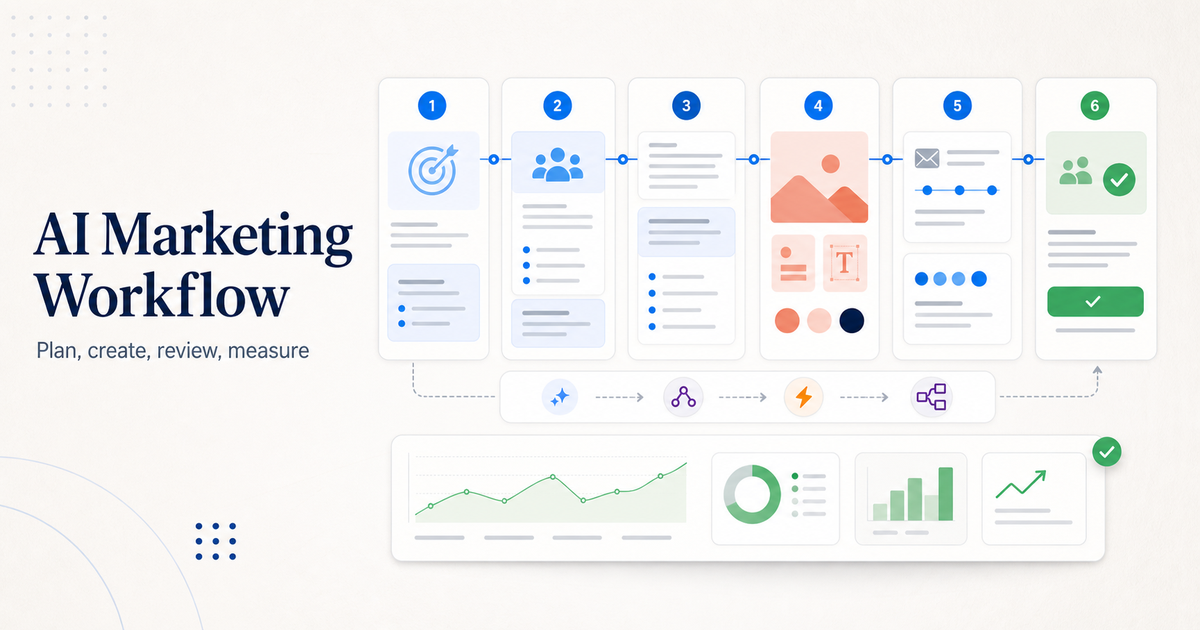
  • How to Build an AI Marketing Workflow for Small Business

    How to Build an AI Marketing Workflow for Small Business

    An AI marketing workflow helps a small business turn one idea into a usable campaign without losing control of the message. The workflow should not be "ask AI for content and publish whatever comes out." A better process starts with a goal, gathers customer context, creates campaign assets, reviews everything against the brand, schedules the work, measures performance, and improves the next cycle.

    The simplest strong workflow uses five roles: ChatGPT for planning and draft support, Canva AI for visual assets, Mailchimp or another email platform for campaigns, Buffer for social scheduling, and an automation tool such as Zapier or Make when handoffs become repetitive. You do not need all of those tools on day one. You need a repeatable process that makes marketing easier without creating low-quality AI content.

    If your marketing workflow connects to customer follow-up, our best AI CRM tools for small business guide can help you choose where leads and contacts should live. If your team also needs support workflows, read the AI customer support workflow.

    Quick Workflow Summary

    Step Purpose Recommended Tool Role
    1. Define campaign goal Decide what the campaign must achieve Planning doc or ChatGPT
    2. Collect customer context Gather audience, offer, objections, and proof CRM, notes, research docs
    3. Draft message angles Create several possible campaign directions ChatGPT for ideation
    4. Create visual assets Turn approved direction into usable designs Canva AI
    5. Build email flow Create launch, nurture, or follow-up emails Mailchimp with Intuit AI features
    6. Schedule social posts Repurpose campaign ideas into channel posts Buffer AI Assistant
    7. Review and approve Check accuracy, brand voice, and claims Human editor
    8. Measure and improve Compare performance and update next cycle Analytics, CRM, campaign reports

    1. Start With One Campaign Goal

    The workflow starts by choosing one campaign goal. That goal might be more demo bookings, more email signups, more product trials, more local appointments, or more repeat purchases. If the goal is vague, AI output becomes vague.

    Write the goal in one sentence:

    • Get more demo requests from small business owners.
    • Bring past customers back with a seasonal offer.
    • Turn website visitors into email subscribers.
    • Promote a new service to existing customers.
    • Reuse one webinar into email and social content.

    This sounds basic, but it prevents the biggest AI marketing mistake: generating random content before deciding what the content needs to accomplish.

    2. Collect Customer Context Before Prompting AI

    AI tools work better when they have context. Before writing prompts, collect the useful facts:

    • Target audience
    • Main offer
    • Customer pain points
    • Objections
    • Proof points
    • Brand tone
    • Products or services included
    • Deadline or campaign window
    • Channels to use
    • Follow-up action

    Do not give AI private customer data unless your tools, permissions, and policies allow it. Use summarized, non-sensitive context where possible. A small business can usually get strong results from customer personas, offer details, and approved examples without uploading sensitive records.

    3. Use ChatGPT For Planning And Draft Options

    ChatGPT for Business is useful for campaign planning, message angles, draft outlines, customer objections, and content repurposing. OpenAI describes business plans as giving teams access to advanced models, tools, and capabilities, including agents and shared workflows.

    Use ChatGPT to create options, not final truth. Ask for three campaign angles, then review them like a marketer:

    • Which angle is clearest?
    • Which claim is safest?
    • Which idea matches the customer problem?
    • Which version sounds most like the brand?
    • Which call to action is specific?

    Avoid asking for "a full campaign" in one prompt. Break the work into planning, positioning, draft copy, email subject lines, social variations, and review checks.

    4. Create Visual Assets With Canva AI

    Canva AI can help small teams turn ideas into visual assets. Canva describes its AI assistant as a way to visualize ideas, generate text, and produce designs in one place.

    Use Canva AI after the message direction is approved. That order matters. If you create designs before the offer and angle are clear, the team may waste time editing visuals that do not support the campaign.

    Good Canva AI tasks include:

    • Drafting social graphics from a campaign theme
    • Creating variations for different platforms
    • Turning a text offer into a visual layout
    • Adapting an existing brand template
    • Generating simple supporting visuals for blog or email assets

    Keep a human review step for brand consistency, legal claims, offer details, spelling, and accessibility.

    5. Build The Email Flow In Mailchimp

    Mailchimp's Intuit AI flow templates can help teams start marketing automation flows with designed, on-brand emails. Mailchimp describes these templates as using pre-selected triggers, steps, and branches for specific marketing goals.

    For a small business, email automation should stay simple at first:

    1. Welcome email 2. Offer or education email 3. Proof or objection-handling email 4. Reminder email 5. Follow-up based on click or signup behavior

    Do not create ten-email sequences just because AI can draft them quickly. More messages are not automatically better. The workflow should match the buying cycle and the audience's tolerance for follow-up.

    6. Repurpose The Campaign With Buffer

    Buffer AI Assistant helps brainstorm ideas, rewrite content, and create platform-specific posts. Buffer's official page positions it as a social media sidekick for content creation and refinement.

    Use Buffer after the main offer and email flow are clear. The social content should support the same campaign, not introduce a separate message.

    A practical repurposing flow:

    • Turn the campaign goal into one announcement post.
    • Turn the customer problem into one educational post.
    • Turn the proof point into one trust-building post.
    • Turn the offer into one deadline or call-to-action post.
    • Turn a common objection into one FAQ-style post.

    Review every post for platform fit. LinkedIn, Instagram, X, Facebook, and TikTok do not need identical wording.

    7. Add Automation Only After The Workflow Works Manually

    Automation is useful after the manual workflow is clear. If your team is still changing the process every week, automating it too early can create confusion.

    Use automation when the handoff is repetitive:

    • Website form to CRM
    • CRM lead to email segment
    • Webinar signup to reminder sequence
    • Published post to social queue
    • Customer support tag to follow-up campaign
    • New lead to sales notification

    For automation platform choice, see our Zapier vs Make comparison. Zapier is often easier for straightforward app-to-app workflows, while Make can suit more visual, multi-step operations.

    8. Create A Human Review Gate

    Every AI marketing workflow needs a human review gate. This is where the team checks:

    • The offer is accurate
    • The copy matches the brand
    • The claims are supported
    • The design is readable
    • The email links work
    • The call to action is clear
    • The content does not sound generic
    • The audience data is handled properly

    This review step protects quality. AI can help produce more options, but the business is still responsible for what gets published.

    Common Mistakes To Avoid

    The first mistake is publishing AI output too quickly. Fast content that weakens trust is not a win.

    The second mistake is using too many tools before the workflow is stable. A small business does not need a complex stack to create useful campaigns.

    The third mistake is letting every channel say something different. Email, social, website, and CRM follow-up should point toward the same offer and customer action.

    The fourth mistake is forgetting measurement. If you do not review opens, clicks, replies, bookings, signups, or sales conversations, the next AI campaign will not be smarter than the last one.

    AI Marketing Workflow Template

    Use this template for a simple campaign:

    1. Write the campaign goal. 2. List the target audience and offer. 3. Collect customer objections and proof points. 4. Ask ChatGPT for 3 campaign angles. 5. Choose one angle and revise it manually. 6. Create email copy and social post drafts. 7. Build visuals in Canva AI. 8. Build the email journey in Mailchimp. 9. Schedule social posts in Buffer. 10. Review everything before publishing. 11. Track results. 12. Save lessons for the next campaign.

    The workflow becomes stronger each time because the team improves prompts, templates, and review criteria.

    Final Recommendation

    Use AI to speed up campaign planning, drafting, design, and repurposing, but keep strategy and approval human. Start with ChatGPT for planning, Canva AI for visuals, Mailchimp for email automation, Buffer for social scheduling, and Zapier or Make only when the handoff is clear enough to automate.

    The best AI marketing workflow is not the one with the most tools. It is the one that helps a small team publish clearer campaigns, follow up consistently, and learn from each launch.

    FAQs

    What is an AI marketing workflow?

    An AI marketing workflow is a repeatable process for using AI tools to plan campaigns, draft copy, create visuals, build email flows, schedule social posts, review content, and measure results.

    Which AI tool is best for small business marketing?

    There is no single best tool for every task. ChatGPT is useful for planning and drafts, Canva AI for visual assets, Mailchimp for email campaigns, Buffer for social content, and Zapier or Make for automation.

    Can AI replace a marketing team?

    No. AI can speed up planning, writing, design, and repurposing, but humans still need to set strategy, approve claims, understand customers, and judge what should be published.

    Should small businesses use AI for email marketing?

    Yes, when there is a clear offer, audience, and review process. AI can help draft emails and automation flows, but the business should check accuracy, tone, links, and compliance before sending.

    How do I avoid generic AI marketing content?

    Use specific customer context, real objections, approved proof points, brand examples, and clear campaign goals. Then edit the output manually instead of publishing the first draft.

    Which tasks should not be fully automated?

    Do not fully automate legal claims, pricing promises, customer-sensitive messages, crisis communication, or final approval. These need human judgment.

    How many AI marketing tools should I use?

    Start with two or three tools. Add more only when there is a clear workflow gap. Too many tools can slow a small team down.

    Can AI help with social media?

    Yes. AI can help brainstorm ideas, rewrite posts, adapt content for different platforms, and create variations. A human should still review tone, accuracy, and timing.

    What should I measure in an AI marketing workflow?

    Measure the result tied to the campaign goal: signups, bookings, replies, clicks, purchases, demo requests, or qualified leads. Do not measure only content output volume.

    What is the biggest mistake with AI marketing?

    The biggest mistake is treating AI as a publishing shortcut instead of a workflow assistant. AI should help the team think, draft, design, and review faster, not remove quality control.