Category: AI Website Builders

  • Webflow vs Framer: Which AI Website Builder Should You Choose?

    Webflow vs Framer: Which AI Website Builder Should You Choose?

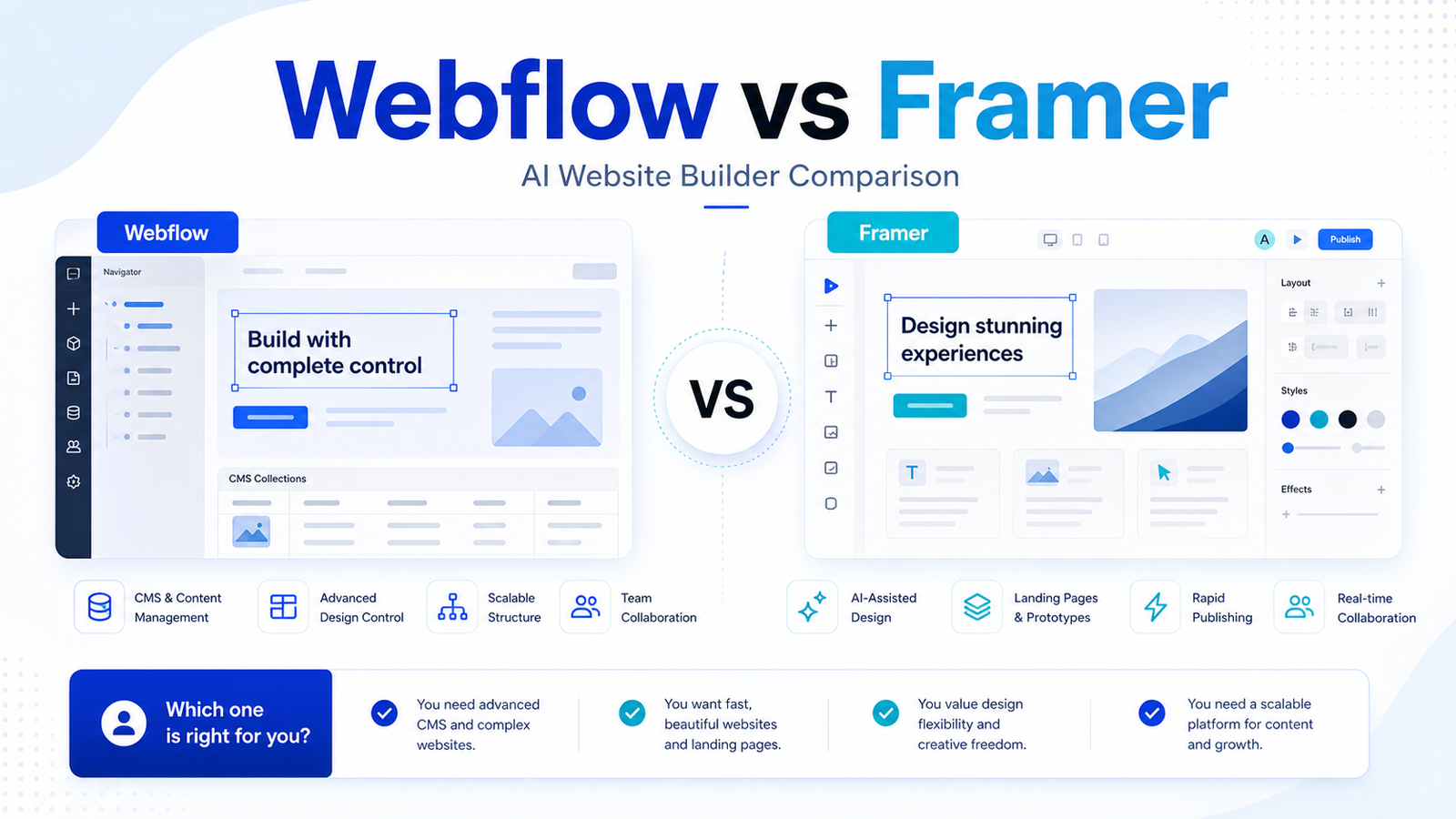
    Webflow and Framer both help teams build polished websites, but they are not identical tools. Webflow is stronger for structured sites, CMS needs, governance, and larger marketing operations. Framer is often faster for design-led landing pages, startup sites, and lightweight publishing.

    Quick Verdict

    Choose Webflow if your team needs a scalable marketing site, CMS, publishing workflows, governance, or advanced platform features. Choose Framer if your priority is speed, design quality, fast landing pages, and a lighter creative workflow. Both can support AI-assisted website work, but the best choice depends on the website you are building.

    Best For

    • Webflow: content-rich sites, marketing teams, CMS workflows, governance, and larger organizations.
    • Framer: startup landing pages, portfolio-style sites, design-led marketing pages, and quick publishing.

    Not Best For

    • Webflow may be too much for a simple one-page site.
    • Framer may be too light for complex content operations.
    • Neither tool replaces brand strategy, SEO planning, or content governance.
    • Teams with strict developer-owned infrastructure may prefer custom builds.

    Comparison Table

    Factor Webflow Framer
    Best fit Scalable marketing sites and CMS Design-led websites and landing pages
    Free plan Starter site plan is free Free plan exists
    Entry paid site plan Basic $15/mo billed yearly Basic $10/mo
    Higher self-serve site plan Premium $25/mo billed yearly Pro $30/mo
    Enterprise path Team starts at $2,500/mo annual contract; Enterprise custom Enterprise custom
    CMS Stronger CMS focus CMS collections available by plan
    AI Webflow AI listed in site plans Agents and AI features use credits
    Collaboration Stronger platform/governance direction Additional editors available
    Best for marketers Strong when site operations are complex Strong when speed and design matter
    Main limitation More platform complexity Less enterprise marketing-site depth

    Pricing last checked on June 24, 2026.

    Webflow Overview

    Webflow is a website platform for design, CMS, hosting, SEO, collaboration, publishing workflows, localization, and enterprise site operations. Its official pricing page lists Starter as free, Basic at $15/month billed yearly, Premium at $25/month billed yearly, Team at $2,500/month with annual contract, and Enterprise as sales-assisted.

    Webflow is best when the site is a business asset with content workflows, multiple stakeholders, governance, and ongoing updates. It has more operational depth than a lightweight landing page builder.

    Framer Overview

    Framer is a design-led website builder with fast publishing, CMS collections, hosting, SEO, credits for agents and AI features, and an Enterprise option. Its pricing page lists Basic at $10/month, Pro at $30/month, and Enterprise as custom. It also states that every plan includes credits for agents and other AI features, with free-plan credit limits and paid plan credits.

    Framer is best when a team wants to build a polished page quickly. It is especially useful for founders, designers, product marketers, and startups that need a high-quality web presence without a heavy site operations workflow.

    Real Use Cases

    Startup Launch Site

    Framer is often the faster choice for a launch site, waitlist page, product page, or campaign page where visual polish and speed matter.

    Content-Rich Marketing Site

    Webflow is stronger when the site has a blog, CMS collections, multi-page structure, SEO operations, localization, or multiple people involved in publishing.

    Agency Workflow

    Agencies can use both. Framer can help with fast design-led builds. Webflow can be better for clients that need CMS, governance, and long-term site operations.

    Enterprise Marketing

    Webflow has a clearer enterprise platform story with governance, workflows, and enterprise-grade controls. Framer has Enterprise as well, but many teams will evaluate it more for design-led production first.

    Pros And Cons

    Webflow Pros

    • Strong CMS and marketing-site platform.
    • Free Starter plan and clear paid site plans.
    • More suitable for content-rich sites.
    • Platform features support teams and governance.
    • Good fit for larger site operations.

    Webflow Cons

    • More complex than Framer for a simple landing page.
    • Platform plans can become expensive.
    • Teams need process for CMS, publishing, and design governance.

    Framer Pros

    • Fast, design-led site creation.
    • Lower entry price for Basic.
    • Useful AI credits and agent workflow.
    • Good fit for startups and polished landing pages.
    • Simple path for visual publishing.

    Framer Cons

    • Less mature fit for complex content operations.
    • Credit usage needs planning.
    • Enterprise needs custom evaluation.
    • Designers still need content and SEO discipline.

    Which One Should You Choose?

    Choose Webflow if the website is a long-term marketing platform with CMS, SEO, publishing, governance, and multiple stakeholders. Choose Framer if the website is a fast-moving design asset: launch page, startup site, product page, portfolio, or campaign page. If your team has both needs, use Webflow for the core site and Framer for fast experiments only when governance allows it.

    For related coverage, see our Lovable vs Bolt comparison and AI WordPress content workflow.

    FAQs

    Is Webflow better than Framer?

    Webflow is better for larger marketing sites, CMS workflows, governance, and structured content. Framer is better for fast design-led pages and simpler publishing.

    Is Framer cheaper than Webflow?

    Framer Basic is listed at $10/month, while Webflow Basic is listed at $15/month billed yearly. Pricing last checked on June 24, 2026.

    Which is better for landing pages?

    Framer is often faster for design-led landing pages. Webflow is better when the landing page belongs to a larger CMS or marketing-site system.

    Which is better for CMS?

    Webflow generally has the stronger CMS and site-operations fit. Framer supports CMS collections, but Webflow is more commonly chosen for content-rich marketing sites.

    Do Webflow and Framer include AI?

    Webflow lists Webflow AI in site plans. Framer says agents and other AI features consume credits. Teams should check plan details before buying.

    Which is better for agencies?

    Agencies can use either. Framer is good for fast visual projects. Webflow is better for clients with CMS, governance, localization, and ongoing publishing needs.

    Can either replace developers?

    Not fully. Both can reduce development dependency for marketing sites, but technical review may still be needed for integrations, analytics, forms, accessibility, and custom code.

    What should I test first?

    Build one real page in each tool: a homepage, landing page, or CMS page. Compare speed, editing, publishing, SEO setup, collaboration, and maintenance.

    Implementation Notes

    Before switching website builders, document your current site needs: number of pages, CMS collections, forms, analytics, SEO workflow, localization, approval process, and who edits the site. A tool that feels faster on day one may not be easier after 100 content updates.

    How To Choose By Website Type

    For a one-page launch site, Framer may be the faster and simpler choice. For a content-rich marketing site with a blog, CMS collections, SEO workflows, forms, and multiple editors, Webflow is usually the stronger fit. The difference becomes clearer as the website grows.

    A founder might start with Framer to validate positioning and collect signups. Later, if the company needs a larger content system, localization, governance, and more structured publishing, Webflow may become more practical. The right choice can change as the business grows.

    Migration And Maintenance

    Before choosing either platform, list the current and future site requirements. Include page count, CMS collections, custom forms, analytics, SEO controls, redirects, localization, approval workflow, custom code, and who will edit pages. A tool that feels faster during design can become harder if the maintenance workflow does not fit the team.

    If migrating from another builder, avoid rebuilding everything at once. Start with the most important pages: homepage, product page, pricing page, and one content template. Test editing, publishing, redirects, forms, and analytics before moving the whole site.

    AI Features In Context

    AI features can help with page ideas, content drafts, layouts, and workflow acceleration. They should not decide the platform. The platform decision should be based on CMS needs, publishing workflow, team roles, design control, hosting, SEO, and long-term maintenance.

    For example, Framer credits and agents may be attractive for fast iteration. Webflow AI and platform features may be more useful when the team needs a structured site operation. In both cases, AI output needs human review.

    Common Mistakes

    The first mistake is choosing based only on visual demos. A beautiful prototype is not the same as an maintainable website. The second mistake is ignoring the editor experience. If marketers cannot update content safely, the website becomes a bottleneck. The third mistake is skipping SEO and analytics setup until after launch.

    Practical Test

    Build the same page in both tools. Include a hero section, form, CMS-driven section, mobile layout, SEO title, meta description, analytics script, and one update from a non-designer. Compare not only design speed but also editing, publishing, and maintenance confidence.

    Team Workflow Differences

    Webflow tends to fit teams that need a more structured website operation. Marketers, designers, content editors, and stakeholders may all be involved in updates. That makes roles, permissions, CMS structure, and publishing workflow important. Webflow is not only a design canvas; it can become the operating layer for a marketing site.

    Framer tends to fit smaller or faster-moving teams. A designer or founder can create polished pages quickly and publish without a heavy process. That makes it attractive for launches, portfolios, product pages, and campaign experiments. The tradeoff is that complex content operations may need more planning.

    SEO And Content Considerations

    Both platforms can support SEO basics, but the workflow matters. A content-heavy site needs templates, metadata rules, redirects, internal links, image handling, analytics, and repeatable publishing. Webflow's CMS orientation can help here. Framer can still work well for simpler content needs, but teams should test their exact content process before committing.

    Cost Beyond The Plan Price

    Plan prices are only part of the cost. Consider the cost of migration, redesign, content entry, training, maintenance, custom code, integrations, and future rebuilds. A cheaper monthly plan may be less attractive if it creates extra maintenance work. A more expensive platform can be worth it if it reduces friction for the team.

    Agency Considerations

    Agencies should choose based on client needs. A startup client that needs a fast launch page may be happier with Framer. A B2B client with a large blog, many landing pages, localization, and approval needs may be better served by Webflow. Agencies should also consider handoff. If the client cannot maintain the site, the project will create ongoing support pressure.

    Final Decision Matrix

    Choose Webflow for CMS depth, site operations, governance, and larger marketing sites. Choose Framer for speed, visual polish, lighter sites, and quick iteration. If both seem viable, build one real page and have the actual future editor update it. The editor experience often reveals the right answer faster than a feature list.

  • Best AI Landing Page Builders for Marketing Teams

    Best AI Landing Page Builders for Marketing Teams

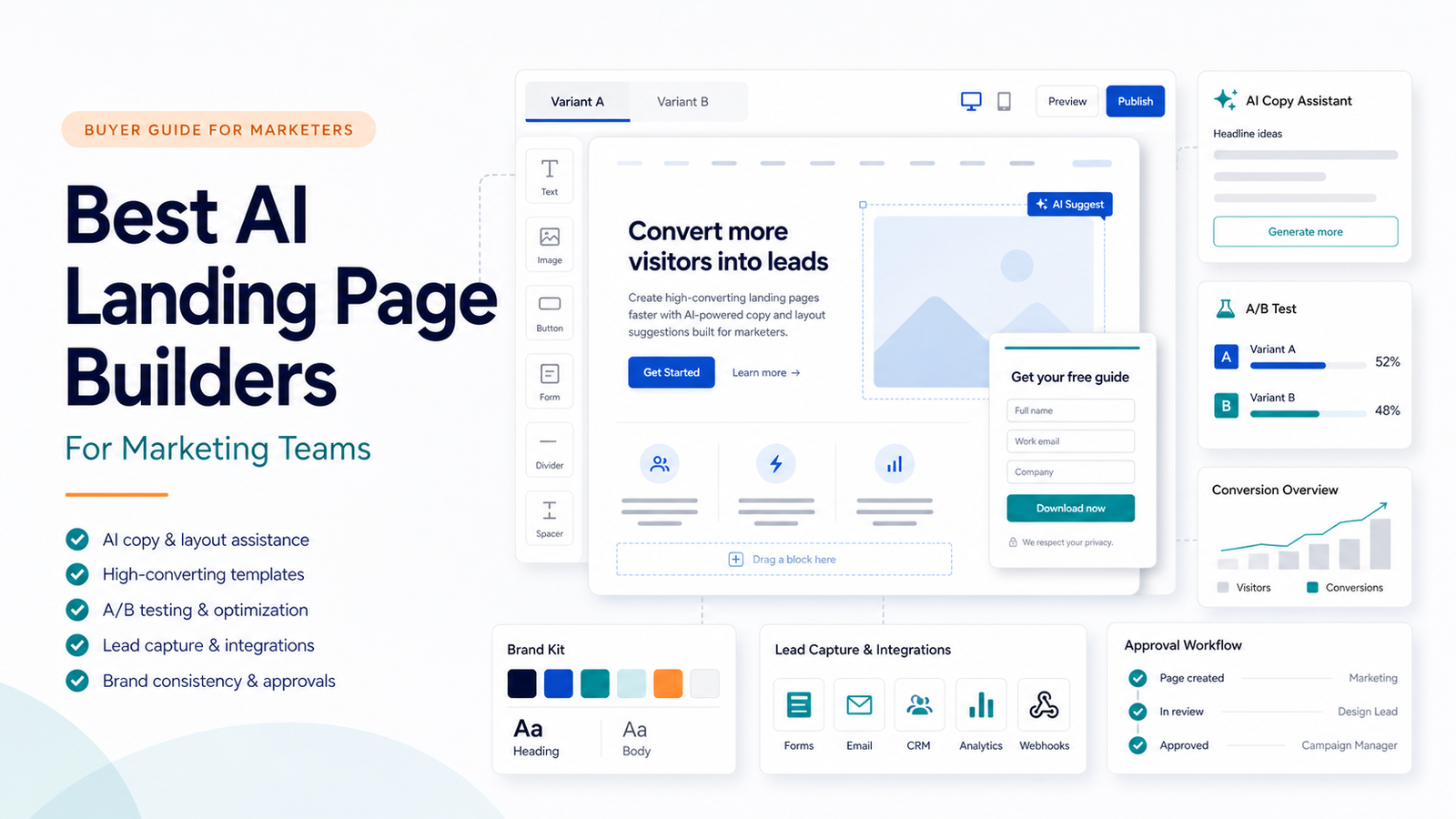
    Marketing teams do not need another generic page builder. They need a landing page workflow that can move from campaign idea to published page, form capture, testing, approval, and reporting without slowing the team down. The best AI landing page builders help with parts of that workflow, but they are not all built for the same job.

    Quick Answer

    Unbounce is the strongest fit when conversion testing and campaign pages are the priority. Leadpages is simpler for small teams that want landing pages and lead capture without a heavy system. Instapage is better for teams that need more optimization and post-click campaign control. Framer is useful when design quality and fast publishing matter. Lovable is not a classic landing page builder, but it can help product-minded teams prototype app-like landing experiences.

    Best For

    • Marketing teams running paid campaigns, lead magnets, and webinar pages.
    • Agencies that need repeated campaign pages with approval workflow.
    • Founders who need landing pages before a full website build.
    • Content teams that need forms, testing, and clean publishing.

    Not Best For

    • Teams that only need a simple blog or brochure site.
    • Businesses with no traffic source or campaign plan.
    • Teams that need a full CRM rather than a page builder.
    • Anyone expecting AI to replace offer strategy, copy review, or conversion analysis.

    Our Evaluation Criteria

    The tools were evaluated by campaign workflow fit, page-building speed, AI assistance, form and lead capture, testing features, integrations, pricing clarity, collaboration, limits, and value for small marketing teams. This article uses official product and pricing information, not hands-on testing.

    Comparison Table

    Tool Best For Main Strength Limitation Official Pricing Snapshot
    Unbounce Conversion campaigns Landing pages, A/B testing, AI copy, Smart Traffic Higher cost than simple page tools Starter $22/mo annually, Build $74/mo annually, Experiment $112/mo annually, Optimize $187/mo annually
    Leadpages Simple lead capture Fast pages, forms, unlimited traffic and leads Less advanced campaign optimization Standard $37/mo shown on official pricing page
    Instapage Post-click optimization Unlimited pages/conversions/contacts and optimization plans More expensive entry point Create $79/mo annually, Optimize $159/mo annually, Convert custom
    Framer Design-led landing pages High-quality visual site building and AI credits Less campaign-specific than Unbounce or Instapage Basic $10/mo, Pro $30/mo, Enterprise custom
    Lovable App-like prototypes AI-assisted product and app creation Not a dedicated landing page testing platform Free plan includes build credits; paid plan details should be read from official page before purchase

    Pricing last checked on June 24, 2026.

    Tool Overviews

    Unbounce

    Unbounce is built for marketers and agencies that need landing pages, A/B testing, Smart Traffic, AI copywriting, templates, integrations, forms, and conversion-focused workflows. Its official pricing page lists plan tiers for Starter, Build, Experiment, Optimize, Concierge, and Agency. The key decision is whether your team needs testing and optimization enough to justify the higher spend.

    In a typical small business workflow, Unbounce fits paid search pages, webinar registration pages, campaign-specific offers, lead magnets, and service landing pages. A marketer can publish pages without waiting for a developer, then route leads into an email platform or CRM.

    Leadpages

    Leadpages is a simpler path for teams that need landing pages and lead capture without a large optimization platform. Its official pricing page lists Standard at $37 USD/month and shows landing pages, unlimited traffic and leads, one custom domain, integrations, A/B testing, sales and payments, and monetization-related features.

    Leadpages is best for founders, coaches, creators, and small service teams that want pages up quickly. It may be less compelling for teams that need advanced experimentation, personalization, or high-volume campaign management.

    Instapage

    Instapage positions itself as an AI-powered digital marketing platform for acquiring, engaging, and growing customers. Its official plans page lists Create, Optimize, and Convert. Create is shown at $79 per month annually, Optimize at $159 per month annually, and Convert as custom. All plans include unlimited pages, unlimited conversions, and unlimited contacts.

    Instapage is strongest when the team cares deeply about post-click experience and optimization. It is less attractive if the business only needs a few simple forms and does not have enough traffic to learn from testing.

    Framer

    Framer is better understood as a design-led website builder with AI credits, CMS, hosting, SEO, and fast publishing. Its pricing page lists Basic at $10/month, Pro at $30/month, and Enterprise as custom. Framer is useful for landing pages that need polished design and fast iteration, especially for startups and product marketers.

    The tradeoff is that Framer is not a dedicated landing page optimization suite. If the team needs campaign testing and lead-volume workflows, a conversion platform may be a better fit.

    Lovable

    Lovable is not a conventional landing page builder. It is more useful when a founder or product team wants to create an app-like prototype or product experience. Its official pricing page says starting to build is free and that the free plan includes daily build credits, monthly Cloud credits, and credits for AI features built into user apps.

    Lovable belongs in this discussion only for teams whose landing page is close to a product demo or interactive MVP. It is not the right first choice for routine lead-generation campaigns.

    Real Use Cases

    Paid Search Landing Pages

    A small marketing team could use Unbounce or Instapage to create campaign-specific landing pages for paid search. The workflow should include message match, form testing, thank-you page behavior, CRM routing, and conversion review.

    Webinar And Lead Magnet Pages

    Leadpages is often enough for webinar signups, ebook downloads, waitlists, and simple lead capture. The important part is not only page design. The team also needs a follow-up email sequence and a clean handoff to sales or support.

    Startup Launch Pages

    Framer works well when visual polish and speed matter. A startup can create a launch page, waitlist page, or product announcement quickly. If the campaign becomes performance-heavy, the team may later move the highest-value pages into a dedicated testing platform.

    Product Prototype Pages

    Lovable can help when the page needs to feel closer to a product prototype than a static landing page. This is useful for early product validation, but final claims and user flows still need review.

    Common Mistakes

    The first mistake is choosing the tool with the most AI features instead of the tool that fits the campaign workflow. The second is buying an expensive optimization platform before the business has enough traffic to learn from tests. The third is treating landing page AI copy as final copy. Offers, claims, legal wording, testimonials, and pricing must still be reviewed.

    Final Recommendation

    Choose Unbounce if conversion testing, AI copy, and campaign optimization are central. Choose Leadpages if the team needs straightforward landing pages and lead capture. Choose Instapage if post-click optimization is important and the budget supports it. Choose Framer if design quality and fast publishing matter more than campaign experimentation. Consider Lovable only for product-like prototypes.

    For related context, see our Webflow vs Framer comparison and AI marketing workflow guide.

    FAQs

    What is the best AI landing page builder for marketing teams?

    Unbounce is the strongest fit when campaign optimization and A/B testing matter. Leadpages is simpler for small teams. Instapage is stronger for post-click optimization. Framer is better for design-led pages.

    Do AI landing page builders replace marketers?

    No. AI can assist with copy, layouts, and page variations, but marketers still need to define the offer, audience, traffic source, testing plan, and final claims.

    Which tool is cheapest?

    Among the tools compared, Framer has a low site-plan entry price and Leadpages has a straightforward small-business plan. Price alone should not decide the tool because campaign features and limits vary.

    Does every landing page need A/B testing?

    No. A/B testing is most useful when the page receives enough relevant traffic. Low-traffic teams should focus first on offer clarity, message match, and lead follow-up.

    Can Framer be used for landing pages?

    Yes. Framer can be a strong fit for polished launch pages, startup pages, and design-led campaigns. It is less specialized for conversion testing than Unbounce or Instapage.

    Is Lovable a landing page builder?

    Not in the traditional sense. Lovable is more useful for app-like prototypes and product experiences, so it fits only specific landing page use cases.

    What should a small business test first?

    Test the headline, offer, form length, call to action, traffic source match, and follow-up process before obsessing over design details.

    Should agencies use a dedicated platform?

    Agencies often benefit from Unbounce or Instapage because repeatable campaign pages, approvals, variants, and client separation matter more at scale.

    Implementation Checklist

    Before buying, map one real campaign from ad or email to landing page, form, thank-you page, CRM update, and follow-up email. Then test each tool against that campaign. Check whether the tool supports your page volume, expected traffic, integrations, team workflow, and approval process.

    How To Choose By Team Type

    Small business owners should start with the simplest tool that supports the actual campaign. If the goal is a single ebook download or webinar signup, Leadpages may be enough. If the business is spending money on ads every week, Unbounce or Instapage can become more valuable because testing, traffic handling, and optimization matter more.

    Agencies should think differently. A tool that works for one internal page may not work for many clients. Agencies need repeatable templates, client separation, review steps, predictable pricing, and clean handoff. They should also check whether the tool can support different domains, campaign types, and approval workflows without creating administrative clutter.

    Startup teams should separate launch pages from growth pages. A launch page needs speed and polish. A growth page needs testing, forms, analytics, and follow-up. Framer may be excellent for the first job, while Unbounce or Instapage may be stronger for the second.

    What Matters More Than AI

    AI assistance is useful, but it is not the main reason a landing page converts. The offer, audience, traffic source, headline, proof, form length, page speed, and follow-up workflow matter more. AI can draft copy and layouts, but it cannot know whether your offer is compelling or whether the lead handoff works.

    Before choosing a tool, write down the campaign goal. Is the page collecting demo requests, trial signups, event registrations, newsletter subscribers, or ecommerce leads? Each goal changes the form, copy, layout, integrations, and success metric. A good landing page builder supports that whole path instead of only producing a nice-looking page.

    Practical Buying Checklist

    Check how many landing pages you expect to publish each month, how many visitors those pages may receive, whether you need A/B testing, whether leads must sync to a CRM, whether the page needs custom scripts, and who approves copy before launch. Also check whether the tool handles mobile layouts cleanly, because many paid campaigns send a large share of traffic from mobile.

    If your team cannot answer these questions yet, start with a cheaper or simpler plan and run a real campaign. Upgrade only when you hit clear limits such as traffic volume, testing needs, integration gaps, or collaboration issues.

    When To Avoid A Dedicated Landing Page Builder

    Avoid a separate landing page platform if your existing website builder already handles the job well. For example, a team using Webflow, WordPress, or Framer may not need another tool for simple campaign pages. Add a dedicated platform only when the marketing workflow needs testing, lead routing, traffic limits, or campaign management that the main website stack does not handle.

    Final Selection Notes

    If two tools look similar, choose the one your team will actually maintain. Landing pages fail when ownership is unclear. Assign one owner for copy, one owner for design, one owner for tracking, and one owner for lead follow-up. The software is only one part of that system.

  • How to Build an AI Knowledge Base Workflow

    An AI knowledge base workflow helps a small business turn scattered information into reviewed, searchable answers. The goal is not to let AI invent company policy. The goal is to use AI to organize source material, draft helpful summaries, and make human review faster.

    This workflow is useful for support teams, operations teams, agencies, SaaS companies, and founders who keep answering the same questions in chats, emails, meetings, and documents.

    Quick Answer

    Build the workflow in six stages: collect sources, clean and label them, summarize with AI, review with a human owner, publish into a searchable knowledge base, and update it on a fixed schedule.

    Best For

    • Support teams handling repeated FAQs.
    • Small businesses with scattered policies and SOPs.
    • Agencies onboarding new team members.
    • SaaS teams documenting product answers.
    • Operations teams standardizing internal processes.

    Not Best For

    • Companies with no trusted source documents.
    • Teams that want AI to invent policies.
    • Sensitive legal, HR, or financial answers without review.
    • Knowledge bases with no owner or update process.

    The Workflow

    1. Collect Source Material

    Start with existing material: help docs, support tickets, call notes, onboarding guides, SOPs, pricing rules, product docs, policy PDFs, and Slack or email answers that are already approved.

    Do not begin with a blank AI prompt. Begin with real company sources.

    2. Clean And Label Sources

    Remove duplicates, outdated notes, private customer details, and uncertain claims. Label each source by topic, owner, date, and trust level.

    3. Use AI To Summarize

    Use AI to create draft answers, short summaries, decision trees, and FAQ outlines. The AI should cite or refer back to source material wherever possible.

    4. Review With Human Owners

    Assign a person to approve each topic. Support answers may need a support lead. Pricing answers may need sales or finance. Policy answers may need operations or HR.

    5. Publish Into A Searchable System

    Publish only reviewed material into a tool your team actually uses. This may be Notion, Guru, Slite, Zendesk, Intercom, Help Scout, SharePoint, Google Drive, or another knowledge base.

    6. Update On A Schedule

    Every answer needs an owner and review date. Product changes, pricing updates, policy changes, and repeated customer confusion should trigger updates.

    Real Use Cases

    Customer Support FAQs

    Support teams can turn repeated questions into approved macros and knowledge base articles. This reduces inconsistent answers and helps new agents learn faster.

    Billing Questions

    Billing topics need careful review. AI can draft summaries, but finance or operations should approve refunds, invoices, cancellation rules, and plan limits.

    Onboarding Support

    New employees can use a knowledge base to find setup steps, tool access, process notes, and internal policies without asking the same questions repeatedly.

    Human Handoff

    AI should not answer every question alone. The knowledge base should include escalation rules for legal issues, angry customers, account risks, refunds, security concerns, and unclear product behavior.

    For related workflows, see our AI customer support workflow and AI customer feedback analysis workflow.

    Quality Checklist

    Check Why It Matters
    Source linked Prevents unsupported answers
    Owner assigned Gives someone responsibility
    Review date set Prevents stale content
    Escalation rule included Keeps sensitive issues safe
    Customer-facing language reviewed Protects brand trust
    Internal-only notes separated Reduces accidental sharing

    Common Mistakes

    • Letting AI create policy from memory.
    • Mixing draft notes with approved answers.
    • Publishing answers without owners.
    • Forgetting to review pricing or legal language.
    • Letting old screenshots and outdated docs stay in the source folder.

    Final Recommendation

    Start with one high-volume category, such as support FAQs or onboarding. Build the review process before scaling the tool. A small, accurate knowledge base is more valuable than a large one full of unverified AI summaries.

    FAQs

    What is an AI knowledge base workflow?

    It is a repeatable process for collecting company information, cleaning it, summarizing it with AI, reviewing it with humans, publishing it, and keeping it updated.

    What tools can support this workflow?

    Teams may use Notion, Google Drive, Microsoft SharePoint, Help Scout, Intercom, Zendesk, Slite, Guru, NotebookLM, ChatGPT Business, Claude Team, or similar systems depending on their stack.

    Can AI write the whole knowledge base?

    AI can draft and summarize, but humans should review accuracy, policy details, customer-facing language, and sensitive information.

    What should go into a small business knowledge base?

    FAQs, support macros, product docs, onboarding notes, SOPs, pricing rules, internal policies, troubleshooting steps, and customer handoff notes.

    How do you avoid outdated answers?

    Assign owners, review dates, source links, and update triggers whenever products, pricing, policies, or processes change.

    Should customer support teams use AI knowledge bases?

    Yes, when the workflow includes reviewed answers, escalation rules, and clear limits on what AI can say.

    Can this help onboarding?

    Yes. New employees can find approved answers faster when the knowledge base is structured and searchable.

    What is the biggest risk?

    The biggest risk is publishing confident but outdated or unsupported information.

    How often should content be reviewed?

    High-impact policies and customer-facing answers should be reviewed more often than low-risk internal notes.

    What is the first step?

    Start by collecting the top repeated questions and the source documents that already answer them.

    Recommended Tool Stack

    The workflow can be built with many tools. A simple small-business version might use Google Drive or SharePoint for source files, Notion or Guru for approved internal answers, Zendesk or Intercom for customer-facing support content, and ChatGPT Business, Claude Team, or NotebookLM for drafting and summarizing.

    The tool stack matters less than the review process. A knowledge base with clear ownership in a simple tool is better than an advanced AI system with unreviewed answers.

    Governance Rules

    Every article or answer should have an owner, source link, review date, audience label, and escalation rule. Audience labels are important because internal notes, customer-facing answers, sales talk tracks, and policy language should not be mixed casually.

    Use labels such as internal only, customer facing, draft, approved, needs legal review, needs product review, and outdated. These labels help AI-assisted workflows stay controlled.

    Example Workflow For Support Teams

    1. Export the top repeated support questions. 2. Match each question to the best official source. 3. Ask AI to draft a short answer and a longer troubleshooting note. 4. Have a support lead review the answer. 5. Publish it to the help center or internal knowledge base. 6. Track whether the answer reduces repeat tickets. 7. Update it when the product, pricing, or policy changes.

    Example Workflow For Operations

    Operations teams can use the same approach for SOPs, onboarding, expense policies, vendor processes, access requests, and recurring administrative questions. AI can help turn messy notes into a clean first draft, but the process owner should approve the final version.

    Quality Standard

    A good knowledge base answer is short enough to use, specific enough to be trusted, and sourced enough to be checked. If the answer cannot point back to a source, it should not be treated as approved.

    Final Warning

    The worst knowledge base is not an empty one. It is a confident, outdated one. Build update reviews into the workflow from day one.

    What To Include In The Knowledge Base

    A useful AI knowledge base starts with repeated questions, not with a blank tool. Look for support tickets, onboarding questions, sales objections, billing questions, product setup steps, policy explanations, and internal SOPs that people already ask about every week.

    For customer support, include FAQs, troubleshooting steps, account setup instructions, refund or billing rules, onboarding guidance, and escalation instructions. For sales, include positioning notes, product limits, competitor comparison notes, qualification questions, and approved talk tracks. For operations, include vendor processes, expense rules, access requests, hiring steps, and recurring administrative tasks.

    Each answer should include a source, owner, review date, and audience. Without those fields, the knowledge base slowly becomes a pile of confident but unverified answers.

    Review Roles

    An AI knowledge base should not be owned by AI. It should be owned by people with clear review roles.

    Role Responsibility
    Source owner Confirms the original policy, product detail, or process
    Knowledge editor Turns the source into a clear answer
    Support or operations lead Approves the answer for real workflow use
    Reviewer Checks outdated answers on a regular schedule

    Small businesses do not need a complex governance department. They need one clear owner per content area. Billing answers should have a billing owner. Product answers should have a product owner. HR answers should have an HR owner.

    AI Prompting Workflow

    Use AI to draft from approved sources, not from memory. A safe prompt might ask the AI to summarize a source document into a customer-facing answer, list assumptions, identify missing information, and flag anything that requires human approval. This keeps the assistant focused on transforming known material instead of inventing policy.

    Do not ask AI to create a policy from scratch unless a human subject-matter owner will review it carefully. For sensitive topics such as refunds, legal terms, employment rules, security, pricing, or medical and financial information, AI should be a drafting assistant only.

    Maintenance Schedule

    Set a review rhythm before publishing the first batch of answers. Product setup articles may need review after every major release. Billing and pricing answers should be checked whenever plans change. HR and policy documents should be reviewed on a fixed schedule. Support FAQs should be reviewed when ticket volume shows repeated confusion.

    The goal is not to create a large knowledge base. The goal is to create a trusted one. A small set of accurate answers is more valuable than hundreds of stale articles.

    Success Metrics

    Track whether the workflow reduces repeated questions, improves first-response quality, speeds up onboarding, and helps new employees find approved answers. Avoid made-up precision. A small business can start with simple signals: fewer repeated support tickets, fewer internal Slack questions, faster onboarding, and better consistency in customer replies.

    Common Failure Points

    The most common failure is publishing AI-written answers without source ownership. The second is mixing internal and customer-facing content. Internal notes often include shortcuts, exceptions, or informal language that should not appear in a public help center. The third is letting old answers stay live after pricing, product features, policies, or support processes change.

    Another failure point is using AI to answer questions from memory instead of approved sources. That creates confident-sounding content that may not match the business policy. The better workflow is source first, AI draft second, human review third, publication last.

    Example Article Template

    Every knowledge base article can follow a simple structure:

    Section Purpose
    Short answer Gives the user a direct answer quickly
    When to use this Explains the scenario or audience
    Steps Shows the process in order
    Exceptions Lists cases where the answer changes
    Escalation Tells the reader when to contact a human
    Source and owner Keeps the answer auditable

    This template works for customer FAQs, internal SOPs, onboarding articles, sales enablement notes, and support troubleshooting guides. The wording can change by audience, but the approval structure should stay consistent.

    Final Implementation Advice

    Start with the top 20 repeated questions, not every possible article. Publish only reviewed answers. After two weeks, look at support tickets, internal messages, and onboarding questions to see which answers helped and which need revision. Then expand the knowledge base in small batches.

    AI can make the drafting process faster, but trust comes from source links, ownership, and review. That is the difference between a useful AI-assisted knowledge base and another folder of stale documents.

  • Lovable vs Bolt: Which AI App Builder Should You Choose?

    Lovable vs Bolt: Which AI App Builder Should You Choose?

    Lovable Vs Bolt is a practical comparison for founders, creators, and developers choosing an AI app builder for fast product prototypes and web apps. The right choice depends on the work you need to finish, the amount of control you want, the level of technical skill on your team, and how often you will rely on paid features.

    This comparison uses official product positioning and pricing pages as the safest source of truth. You can review Lovable on its official website and check Lovable plans on the official pricing page. You can also review Bolt on its official website and check Bolt plans from the official pricing page.

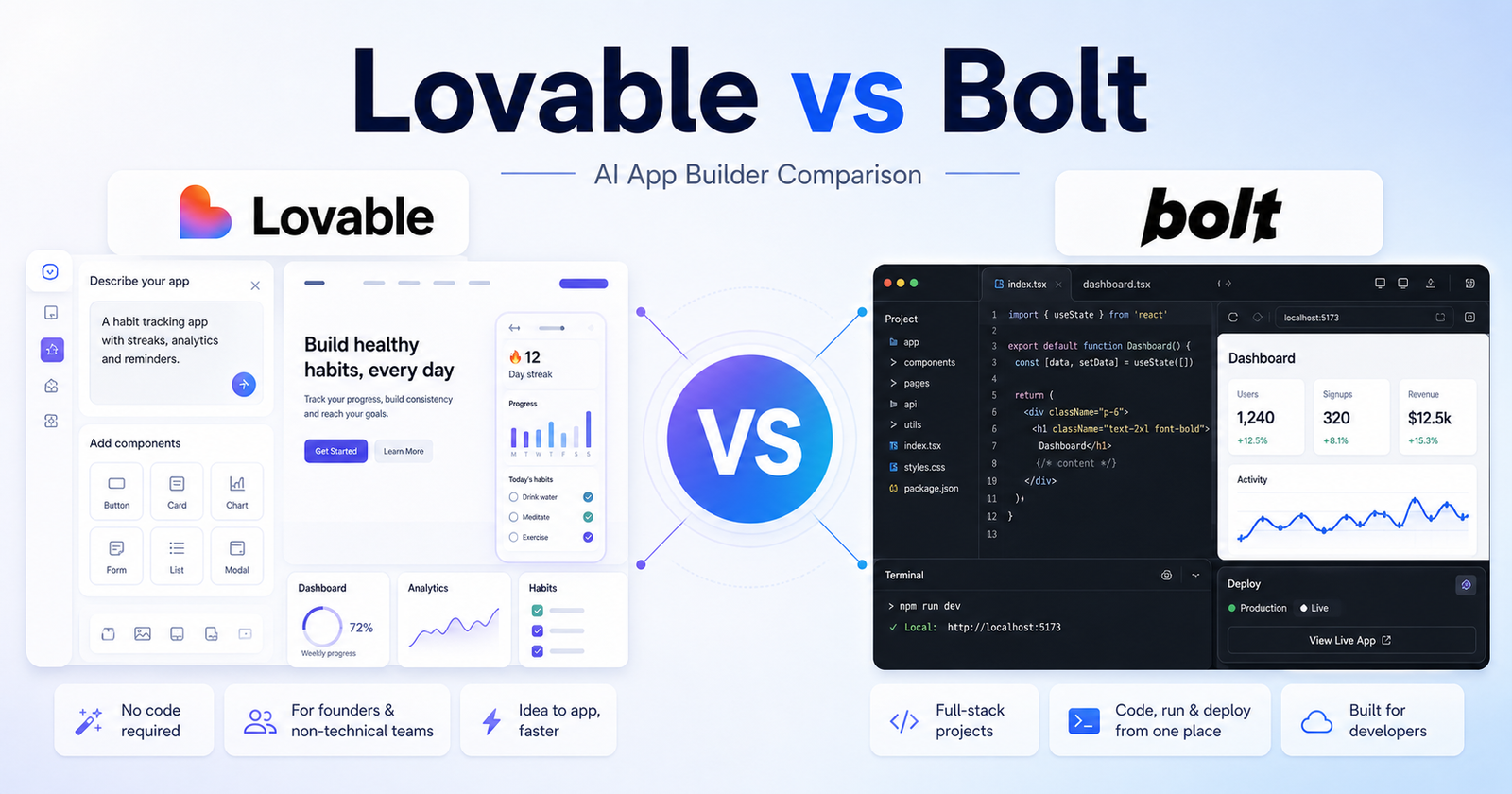
    The short version: Lovable is usually easier for non-technical founders who want to describe a product and shape it quickly. Bolt is often a better fit for users who want a more developer-facing browser workspace with code, app execution, and deployment closer together. The better tool is not the one with the loudest feature list. It is the one that matches your daily workflow and reduces the amount of cleanup you need after the AI output.

    Quick Verdict

    Choose Lovable if your work matches these needs: startup landing pages and MVPs, non-technical product builders, fast app ideation from plain language. Choose Bolt if your work matches these needs: developer-guided prototypes, full-stack web app experiments, browser-based coding sessions. If your budget allows, compare both with the same small project before committing to a paid plan.

    For most buyers, the cleanest decision is to start with the tool that removes the biggest bottleneck. If your bottleneck is startup landing pages and MVPs, Lovable deserves the first look. If your bottleneck is developer-guided prototypes, Bolt deserves the first look.

    Lovable vs Bolt: Quick Comparison

    Comparison Point Lovable Bolt
    Main workflow Lovable turns product descriptions into app and website builds with a founder-friendly flow. Bolt combines AI prompting with a browser development environment for running and editing web apps.
    Best audience Founders, creators, marketers, and non-technical users who want quick MVPs. Developers, technical founders, and builders who want to stay closer to code.
    Ease for beginners Very approachable if you can describe the product clearly. Approachable, but more comfortable for people who understand app structure.
    Creative control Strong at shaping product screens and flows from prompts. Strong when the user wants to inspect code and make technical adjustments.
    Writing support Useful for app copy, onboarding screens, and page text during product building. Useful for technical prompts, code explanations, and feature instructions.
    Research support Not a research tool; use official docs and product pages for facts. Not a research tool; use official docs and product pages for facts.
    Coding or technical help Helpful, but less code-first in feel. A central part of the experience for many users.
    Templates or starting points Works well from a clear product idea, user flow, or landing-page brief. Works well from a technical prompt, repository idea, or full-stack app request.
    Collaboration fit Good for founders and small teams shaping product direction. Good for technical teams that want faster browser-based prototyping.
    Business use Strong for MVPs, demos, validation pages, and small SaaS ideas. Strong for prototypes, technical experiments, and deployable web app tests.
    Learning curve Lower for non-technical users. Medium for non-technical users, lower for developers.
    Pricing risk Credits, projects, and plan limits should be checked on official pricing. Credits, tokens, projects, and deployment limits should be checked on official pricing.
    Best free-plan use Testing an idea and seeing whether prompt-to-app fits your workflow. Testing a small app build and understanding the browser coding workflow.
    Paid-plan value Best when you build several product ideas or client prototypes. Best when you create and revise technical web app builds frequently.
    Main limitation Complex apps may still need developer review before production. Non-technical users may need help when code or deployment issues appear.

    Pricing Comparison

    Lovable and Bolt both use usage-based AI capacity, but they package it differently. Lovable prices individual and team app-building capacity around credits shared across users, while Bolt prices around token allowances for app and website generation.

    Pricing Point Lovable Bolt
    Free plan Free users can start public projects with limited AI credits. Free plan at $0.
    Free usage limit 5 credits per day, up to 30 credits per month. 300,000 token daily limit and 1 million tokens per month.
    Cheapest paid plan Pro at $25 per month, shared across unlimited users. Pro at $25 per month billed monthly.
    Paid usage allowance Pro includes 100 monthly credits plus 5 daily credits, up to 150 per month. Pro starts at 10 million tokens per month.
    Credit or token rollover Pro includes credit rollover. Paid tokens roll over for one additional month.
    Custom domains Pro includes custom domains and removal of the Lovable badge. Pro includes custom domain support and no Bolt branding on websites.
    Team plan Business at $50 per month, shared across unlimited users. Teams at $30 per month per member billed monthly.
    Team controls Business adds SSO, team workspace, personal projects, role-based access, and security center. Teams adds centralized billing and team-level access management.
    Workspace or project controls Business includes team workspace and personal projects. Teams provides shared workspaces; tokens are allocated per paid member.
    Enterprise plan Enterprise uses a platform fee based on company size and includes volume-based credit pricing. Enterprise is available for flexible billing, procurement, governance, retention, onboarding, and training.
    Usage overages Paid plans can add funds for additional usage-based Cloud and AI billing beyond included usage. Paid plans can use token rollover; team users receive their own allotment.
    Official pricing page Lovable pricing Bolt pricing

    Plan-by-Plan Pricing

    Tool Plan Monthly Price Annual Price Best For Key Limits
    Lovable Free $0 $0 Trying public projects 5 credits per day, 30 credits per month
    Lovable Pro $25/month Annual billing available on the pricing page Fast-moving teams building together 100 monthly credits, daily credits up to 150/month, custom domains
    Lovable Business $50/month Annual billing available on the pricing page Growing departments 100 monthly credits, SSO, role-based access, security center
    Lovable Enterprise Platform fee Custom Large organizations Volume-based credit pricing, onboarding, governance
    Bolt Free $0 $0 Trying app and website generation 300K tokens daily, 1M tokens monthly, Bolt branding
    Bolt Pro $25/month Yearly billing option shown on pricing page Solo builders and regular app projects Starts at 10M tokens/month, custom domains, no Bolt branding
    Bolt Teams $30/member/month Yearly billing option shown on pricing page Collaborative product teams Everything in Pro plus centralized billing and team access controls
    Bolt Enterprise Custom Custom Organizations needing governance Flexible billing, data governance, retention policies, onboarding

    For solo builders, Lovable Pro and Bolt Pro both start at $25 per month, but Lovable is easier to compare by monthly credits while Bolt is easier to compare by tokens. For teams, Lovable Business is a shared $50 monthly plan, while Bolt Teams is priced per member.

    Pricing last checked: June 12, 2026. For the latest details, visit the Lovable official pricing page and Bolt official pricing page.

    What Is Lovable?

    Lovable presents itself as a way to build apps and websites through natural-language product instructions, with a strong focus on turning ideas into usable software quickly. In this comparison, Lovable matters because it gives users a particular way to move from an idea to useful output. That output might be a draft, design, app, research structure, or workflow depending on the tool category.

    The main advantage of Lovable is fit. It is strongest when a user can describe the desired outcome clearly and when the product?s default workflow matches the user?s work style. A tool can be powerful and still be the wrong choice if every result needs heavy correction.

    Lovable is best evaluated with a real task, not a vague demo prompt. A good test is to give it one project that resembles your everyday work, review how much manual cleanup remains, and then compare that effort against the subscription cost.

    What Is Bolt?

    Bolt.new, from StackBlitz, focuses on prompting, running, editing, and deploying web applications in a browser-based development environment. That positioning makes Bolt useful for a different type of buyer. Some users want the fastest possible first draft. Others want more control, broader features, or a workspace that connects with the tools they already use.

    The main advantage of Bolt is that it can be a stronger fit when the user?s workflow lines up with its product design. If a team already thinks in the same way the tool works, adoption becomes easier and the final output usually needs less explanation.

    Like Lovable, Bolt should be tested with a realistic project. Avoid judging either tool only by social media clips, old screenshots, or one impressive demo. AI products move quickly, and plan limits can shift without old third-party posts being updated.

    Feature Comparison

    Output quality

    For output quality, Lovable works best when the user wants startup landing pages and MVPs and can guide the tool with specific instructions. Bolt works best when the user wants developer-guided prototypes and is comfortable shaping the result inside its workflow.

    The practical question is not whether Lovable or Bolt can complete a task once. The practical question is which one gives repeatable results after five, ten, or twenty similar tasks. Repeatability matters more than novelty when a tool becomes part of daily work.

    Speed

    For speed, Lovable works best when the user wants startup landing pages and MVPs and can guide the tool with specific instructions. Bolt works best when the user wants developer-guided prototypes and is comfortable shaping the result inside its workflow.

    The practical question is not whether Lovable or Bolt can complete a task once. The practical question is which one gives repeatable results after five, ten, or twenty similar tasks. Repeatability matters more than novelty when a tool becomes part of daily work.

    Control

    For control, Lovable works best when the user wants startup landing pages and MVPs and can guide the tool with specific instructions. Bolt works best when the user wants developer-guided prototypes and is comfortable shaping the result inside its workflow.

    The practical question is not whether Lovable or Bolt can complete a task once. The practical question is which one gives repeatable results after five, ten, or twenty similar tasks. Repeatability matters more than novelty when a tool becomes part of daily work.

    Collaboration

    For collaboration, Lovable works best when the user wants startup landing pages and MVPs and can guide the tool with specific instructions. Bolt works best when the user wants developer-guided prototypes and is comfortable shaping the result inside its workflow.

    The practical question is not whether Lovable or Bolt can complete a task once. The practical question is which one gives repeatable results after five, ten, or twenty similar tasks. Repeatability matters more than novelty when a tool becomes part of daily work.

    Learning curve

    For learning curve, Lovable works best when the user wants startup landing pages and MVPs and can guide the tool with specific instructions. Bolt works best when the user wants developer-guided prototypes and is comfortable shaping the result inside its workflow.

    The practical question is not whether Lovable or Bolt can complete a task once. The practical question is which one gives repeatable results after five, ten, or twenty similar tasks. Repeatability matters more than novelty when a tool becomes part of daily work.

    Scalability

    For scalability, Lovable works best when the user wants startup landing pages and MVPs and can guide the tool with specific instructions. Bolt works best when the user wants developer-guided prototypes and is comfortable shaping the result inside its workflow.

    The practical question is not whether Lovable or Bolt can complete a task once. The practical question is which one gives repeatable results after five, ten, or twenty similar tasks. Repeatability matters more than novelty when a tool becomes part of daily work.

    Export or handoff

    For export or handoff, Lovable works best when the user wants startup landing pages and MVPs and can guide the tool with specific instructions. Bolt works best when the user wants developer-guided prototypes and is comfortable shaping the result inside its workflow.

    The practical question is not whether Lovable or Bolt can complete a task once. The practical question is which one gives repeatable results after five, ten, or twenty similar tasks. Repeatability matters more than novelty when a tool becomes part of daily work.

    Reliability

    For reliability, Lovable works best when the user wants startup landing pages and MVPs and can guide the tool with specific instructions. Bolt works best when the user wants developer-guided prototypes and is comfortable shaping the result inside its workflow.

    The practical question is not whether Lovable or Bolt can complete a task once. The practical question is which one gives repeatable results after five, ten, or twenty similar tasks. Repeatability matters more than novelty when a tool becomes part of daily work.

    Best Use Cases for Lovable

    Startup Landing Pages And Mvps

    Lovable is a strong fit for startup landing pages and MVPs because its workflow supports users who want to move quickly without rebuilding every step manually. This is especially useful when the task is repeated often and the user can provide clear instructions.

    A sensible way to test this use case is to prepare one realistic brief, run it through Lovable, and measure the amount of editing, checking, or technical cleanup required before the result is ready to use.

    Non-Technical Product Builders

    Lovable is a strong fit for non-technical product builders because its workflow supports users who want to move quickly without rebuilding every step manually. This is especially useful when the task is repeated often and the user can provide clear instructions.

    A sensible way to test this use case is to prepare one realistic brief, run it through Lovable, and measure the amount of editing, checking, or technical cleanup required before the result is ready to use.

    Fast App Ideation From Plain Language

    Lovable is a strong fit for fast app ideation from plain language because its workflow supports users who want to move quickly without rebuilding every step manually. This is especially useful when the task is repeated often and the user can provide clear instructions.

    A sensible way to test this use case is to prepare one realistic brief, run it through Lovable, and measure the amount of editing, checking, or technical cleanup required before the result is ready to use.

    Teams That Want Less Setup Friction

    Lovable is a strong fit for teams that want less setup friction because its workflow supports users who want to move quickly without rebuilding every step manually. This is especially useful when the task is repeated often and the user can provide clear instructions.

    A sensible way to test this use case is to prepare one realistic brief, run it through Lovable, and measure the amount of editing, checking, or technical cleanup required before the result is ready to use.

    Design-Led Web App Experiments

    Lovable is a strong fit for design-led web app experiments because its workflow supports users who want to move quickly without rebuilding every step manually. This is especially useful when the task is repeated often and the user can provide clear instructions.

    A sensible way to test this use case is to prepare one realistic brief, run it through Lovable, and measure the amount of editing, checking, or technical cleanup required before the result is ready to use.

    Best Use Cases for Bolt

    Developer-Guided Prototypes

    Bolt is a strong fit for developer-guided prototypes because its workflow is better aligned with users who need that type of control or output. It may not be the simplest option for every buyer, but it can be the better option when the project demands its strengths.

    A useful test is to run the same project brief through Bolt, compare the result with Lovable, and ask which output is closer to production-ready after a normal amount of review.

    Full-Stack Web App Experiments

    Bolt is a strong fit for full-stack web app experiments because its workflow is better aligned with users who need that type of control or output. It may not be the simplest option for every buyer, but it can be the better option when the project demands its strengths.

    A useful test is to run the same project brief through Bolt, compare the result with Lovable, and ask which output is closer to production-ready after a normal amount of review.

    Browser-Based Coding Sessions

    Bolt is a strong fit for browser-based coding sessions because its workflow is better aligned with users who need that type of control or output. It may not be the simplest option for every buyer, but it can be the better option when the project demands its strengths.

    A useful test is to run the same project brief through Bolt, compare the result with Lovable, and ask which output is closer to production-ready after a normal amount of review.

    Users Who Want To Inspect And Edit Code

    Bolt is a strong fit for users who want to inspect and edit code because its workflow is better aligned with users who need that type of control or output. It may not be the simplest option for every buyer, but it can be the better option when the project demands its strengths.

    A useful test is to run the same project brief through Bolt, compare the result with Lovable, and ask which output is closer to production-ready after a normal amount of review.

    Teams That Care About Run-Preview-Deploy Loops

    Bolt is a strong fit for teams that care about run-preview-deploy loops because its workflow is better aligned with users who need that type of control or output. It may not be the simplest option for every buyer, but it can be the better option when the project demands its strengths.

    A useful test is to run the same project brief through Bolt, compare the result with Lovable, and ask which output is closer to production-ready after a normal amount of review.

    Pros and Cons

    Lovable Pros

    • Good fit for startup landing pages and MVPs.
    • Approachable for users who match its core workflow.
    • Can reduce setup time when the brief is clear.
    • Useful for repeated work in its strongest category.

    Lovable Cons

    • May still require review before business-critical use.
    • Paid value depends on real usage volume.
    • Not every impressive demo reflects everyday results.
    • Users should verify current pricing and terms.

    Bolt Pros

    • Good fit for developer-guided prototypes.
    • Useful when users want its specific workflow style.
    • Can be more suitable for teams already aligned with its ecosystem.
    • Worth testing for projects that need its strongest capabilities.

    Bolt Cons

    • May have a steeper learning curve for some users.
    • May be more than casual users need.
    • Plan limits should be checked before buying.
    • Outputs still need human review.

    Which One Should You Choose?

    Choose Lovable if your work mainly involves startup landing pages and MVPs, non-technical product builders, fast app ideation from plain language, teams that want less setup friction. It will make more sense when you want the simplest path from a clear request to a useful result and when the tool?s defaults match your expectations.

    Choose Bolt if your work mainly involves developer-guided prototypes, full-stack web app experiments, browser-based coding sessions, users who want to inspect and edit code. It will make more sense when you need the product?s specific workflow, stronger control in its category, or better alignment with your existing process.

    For teams, the decision should include more than features. Consider who will own the tool, who will review output, how often it will be used, whether results can be exported or handed off, and how much training is required before the team gets consistent value.

    If your app-builder shortlist overlaps with developer tools, our Replit vs GitHub Copilot comparison and Cursor vs Windsurf comparison comparisons can help you decide how much coding control you really need.

    Final Verdict

    Lovable is usually easier for non-technical founders who want to describe a product and shape it quickly. Bolt is often a better fit for users who want a more developer-facing browser workspace with code, app execution, and deployment closer together. That does not make the other tool weak. It means the best choice depends on the job. AI tools are most valuable when they remove a specific bottleneck rather than adding another app to manage.

    If you are unsure, start with the free or lowest-risk option, run one real project in Lovable, run the same project in Bolt, and compare the result by quality, time saved, cleanup required, and total cost. That practical test will tell you more than a feature checklist.

    FAQs

    Is Lovable better than Bolt?

    Lovable is better if your priority is startup landing pages and MVPs. Bolt is better if your priority is developer-guided prototypes. The best choice depends on workflow fit, budget, and the type of output you need.

    Is Bolt better than Lovable?

    Bolt can be better for users who need developer-guided prototypes or prefer its product workflow. Lovable may still be better for users who want startup landing pages and MVPs.

    Does Lovable have a free plan?

    Check the official Lovable pricing page because free access, included features, and usage limits can change. Do not rely on old screenshots or third-party pricing posts.

    Does Bolt have a free plan?

    Check the official Bolt pricing page because free access, included features, and usage limits can change. Plan details should be verified before subscribing.

    Which tool is better for beginners?

    Lovable may be easier for beginners whose work matches startup landing pages and MVPs. Bolt may be easier for beginners whose work matches developer-guided prototypes. The interface matters less than whether the workflow feels natural.

    Which tool is better for teams?

    Teams should choose the tool that matches their review process, collaboration needs, budget, and output standards. A team should test the same real project in both tools before rolling one out widely.

    Can I use both Lovable and Bolt?

    Yes. Many users combine tools when each one handles a different part of the workflow. The risk is paying for overlapping subscriptions without using both enough to justify the cost.

    Which tool gives better output quality?

    Output quality depends on the task, prompt quality, plan limits, source material, and how carefully a human reviews the result. Run a realistic task in both tools before deciding.

    Are Lovable and Bolt safe for business work?

    Business users should review official privacy, security, and data-use terms before adding confidential material. This article does not replace a legal, security, or procurement review.

    What is the fastest way to choose between Lovable and Bolt?

    Pick one real project, run it in both tools, compare cleanup time and final quality, then check current official pricing. The winner is the tool that gives the best useful output for the lowest ongoing friction.