Category: Uncategorized

  • Test post

    Test post

    this is the test post content this is the test post content  this is the test post content

    this is the test post content

    this is the test post content this is the test post content  this is the test post content this is the test post content this is the test post content this is the test post content this is the test post content this is the test post content this is the test post content

  • Midjourney vs Leonardo AI: Which AI Image Generator Should You Choose?

    Midjourney vs Leonardo AI: Which AI Image Generator Should You Choose?

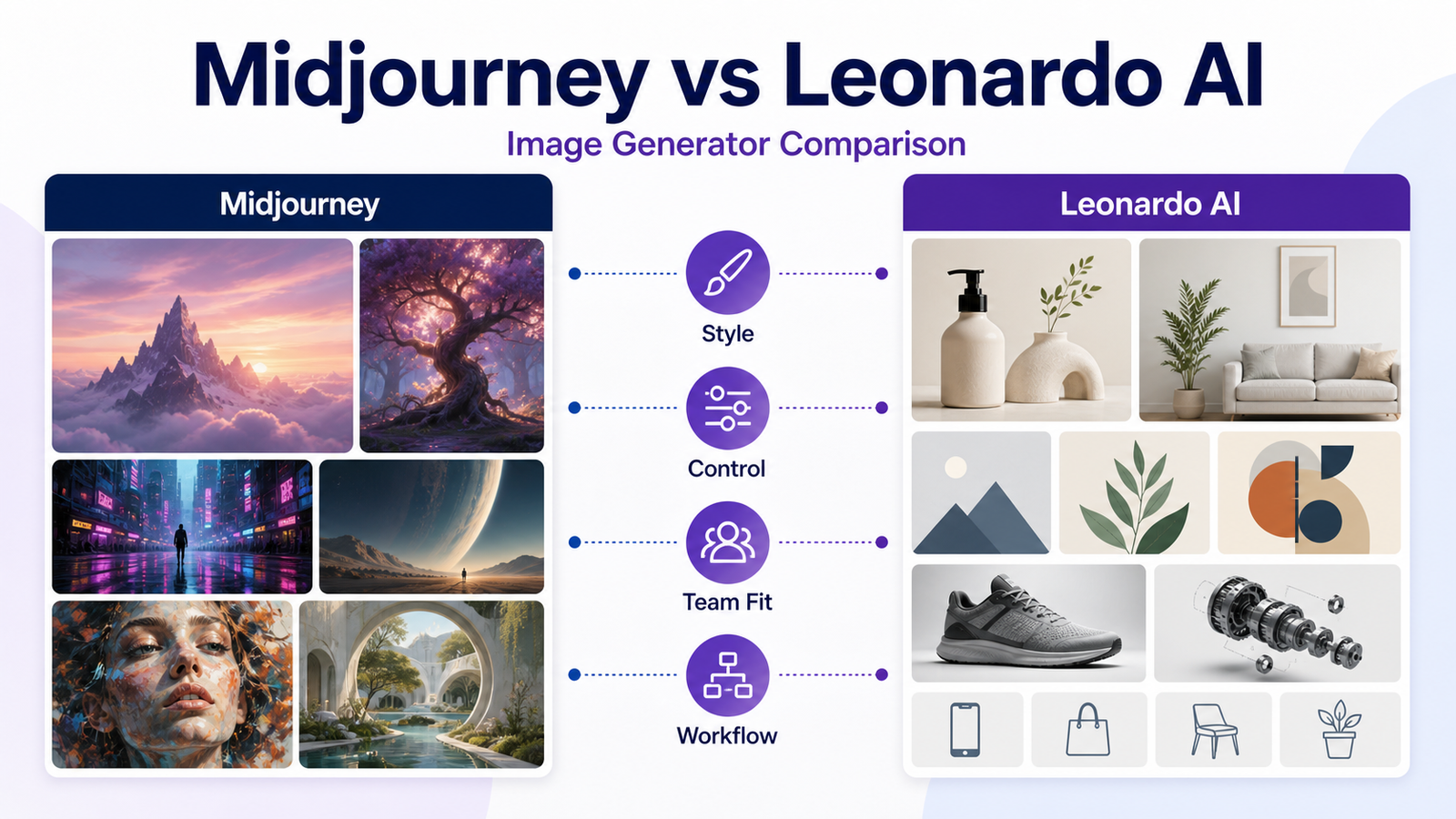
    Midjourney and Leonardo AI are both popular AI image generation tools, but they fit different creative workflows. Midjourney is known for prompt-led creative exploration and polished visual style. Leonardo AI is positioned more like a broader creative production platform with image, video, design, tokens, private generations on paid plans, team plans, and API options.

    This comparison is written for creators, marketers, small businesses, agencies, and design teams choosing between the two.

    Quick Verdict

    Choose Midjourney if your priority is high-quality creative exploration, mood boards, art direction, and prompt-led visuals. Choose Leonardo AI if your priority is production workflow, tokens, private generations on paid plans, model training, team options, and API paths.

    Quick Comparison

    Category Midjourney Leonardo AI
    Best for Creative image exploration Production-oriented creative workflows
    Free plan Not listed in official plan comparison Free plan listed
    Entry paid plan Basic at $10/month Essential at $12/month before tax
    Higher tiers Standard, Pro, Mega Premium, Ultimate, Team, API
    Privacy Stealth Mode on Pro and Mega Private creations on paid solo plans
    Team/API path Plan and terms dependent Team and API plans listed
    Workflow style Prompt-led creative direction Token-based production workspace

    Pricing last checked on June 23, 2026.

    Midjourney Overview

    Midjourney offers subscription tiers named Basic, Standard, Pro, and Mega. Its official plan comparison lists monthly prices of $10, $30, $60, and $120, with annual prices that reflect a 20% discount.

    Midjourney is best for creative exploration: campaign mood boards, product concept visuals, editorial images, social creative, and brand inspiration. Its strengths are visual quality and creative direction. The tradeoff is that teams need a clear workflow for prompts, approvals, storage, licensing review, and final editing.

    Leonardo AI Overview

    Leonardo AI lists Free, Essential, Premium, Ultimate, Team, and API plan paths. Its official pricing page lists Essential at $12/month, Premium at $30/month, and Ultimate at $60/month before tax for solo users, with higher team and API options.

    Leonardo AI is best when the team needs more structured asset production. Its pricing page references tokens, private generations on paid plans, personal AI models, simultaneous generation limits, queue limits, relaxed generation on selected models, team tokens, and API paths.

    Best For

    Choose Midjourney If

    • You need strong creative exploration.
    • You create mood boards, ad concepts, and editorial visuals.
    • You prefer prompt-led image creation.
    • You value polished art direction.
    • You do not need a heavy production dashboard.

    Choose Leonardo AI If

    • You want token-based production planning.
    • You need private generations on paid plans.
    • You want model training or production controls.
    • You are comparing team or API use.
    • You need a broader creative platform beyond simple prompts.

    Not Best For

    Midjourney is not ideal when the team needs a conventional business dashboard, formal asset workflow, or API-first production. Leonardo AI is not ideal when the team only wants the simplest possible art-direction tool and does not want to manage tokens or production settings.

    Pricing Comparison

    Plan Area Midjourney Leonardo AI
    Free Not listed in official plan comparison Free at $0/month before tax
    Entry paid Basic $10/month Essential $12/month before tax
    Mid tier Standard $30/month Premium $30/month before tax
    Higher solo tier Pro $60/month, Mega $120/month Ultimate $60/month before tax
    Team/API Terms and subscription dependent Team and API plans listed

    Pricing last checked on June 23, 2026.

    Real Use Cases

    Marketing Concepts

    A marketing team could use Midjourney to explore visual campaign directions and Leonardo AI to produce more controlled asset variations. The final creative should still be reviewed for brand fit and rights.

    Social Content

    Creators can use either tool to create non-branded visual ideas for posts, thumbnails, or campaign drafts. Avoid using generated images as factual product screenshots.

    Product Mockups

    Small businesses can create concept imagery for pitches, landing pages, and ads. The image should not misrepresent a real product feature or customer result.

    Agency Workflows

    Agencies should document prompt history, client approval, usage rights, and brand constraints. Using AI images for clients requires more process than using them for internal ideation.

    Pros And Cons

    Midjourney Pros

    • Strong creative output and art-direction fit.
    • Clear subscription tiers in official plan comparison.
    • Useful for concept art, mood boards, and campaign visuals.
    • Annual discount is documented in official plan information.
    • Stealth Mode is listed for Pro and Mega plans.

    Midjourney Cons

    • No free plan is listed in the official plan comparison.
    • Teams must manage workflow and approval outside the image generator.
    • Pro or Mega may be needed for privacy-sensitive commercial contexts.
    • Not ideal for teams needing API-style production workflows.

    Leonardo AI Pros

    • Free plan and multiple paid plan paths.
    • Token, bank, private generation, model, team, and API details are visible on official pricing.
    • Paid plans can fit creators, small businesses, and production teams.
    • Team and API options are clearer on the pricing page.

    Leonardo AI Cons

    • Token and queue limits require planning.
    • The broader feature set may feel heavier than a simple prompt tool.
    • Some relaxed generation language applies only to selected models.
    • Teams still need rights and review processes.

    Final Recommendation

    Choose Midjourney for creative exploration and visual polish. Choose Leonardo AI for structured production, private paid workflows, model options, team needs, and API paths. If your team creates client assets, test both with the same brief and compare usable outputs, revision speed, review process, and rights fit.

    For related design coverage, see Canva AI vs Adobe Firefly and Gamma vs Canva AI.

    FAQs

    Is Midjourney better than Leonardo AI?

    Midjourney is often a better fit for art direction and polished creative exploration, while Leonardo AI is stronger for users who want a broader production workspace with tokens, private generations on paid plans, model training, and team/API options.

    Which is cheaper, Midjourney or Leonardo AI?

    Midjourney's official plan comparison lists Basic at $10/month, Standard at $30/month, Pro at $60/month, and Mega at $120/month. Leonardo's official pricing lists Free, Essential at $12/month, Premium at $30/month, and Ultimate at $60/month before tax.

    Does Midjourney have a free plan?

    Midjourney's official plan comparison lists paid subscription tiers. Leonardo AI lists a Free plan with daily fast tokens.

    Which is better for small businesses?

    Leonardo AI may fit small businesses that need private generations, production controls, and team/API options. Midjourney may fit creative teams that prioritize artistic output and prompt-based exploration.

    Which is better for marketing visuals?

    Both can help with marketing concepts. Midjourney is strong for high-quality concept imagery, while Leonardo AI may be better when a team needs production controls and asset workflows.

    Can I use images commercially?

    Commercial use depends on the plan and terms. Midjourney's official plan article references usage rights and revenue-related plan requirements. Leonardo AI's official pricing FAQ describes ownership differences between paid and free users.

    Which has better control?

    Leonardo AI is generally positioned around more production controls, tokens, model options, and team/API paths. Midjourney remains strong for prompt-led creative direction.

    Should agencies use both?

    Some agencies may use both: Midjourney for concept exploration and Leonardo AI for production-oriented asset workflows. Most small teams should start with one and measure actual usage.

    What alternatives should I compare?

    Canva AI, Adobe Firefly, Ideogram, DALL-E through ChatGPT, and Stable Diffusion-based tools are common alternatives depending on workflow.

    What should I test first?

    Test brand-safe prompts, image consistency, editing controls, privacy needs, licensing terms, prompt workflow, and how many usable outputs your team gets from a normal project brief.

    Practical Test Brief

    Use the same creative brief in both tools. Ask for a product campaign concept, a social post background, a website hero visual, and a style-consistent variation. Compare prompt effort, number of usable outputs, privacy settings, editing controls, export workflow, and review time.

    Rights And Review

    AI image workflows need rights review. Check plan terms, privacy settings, client restrictions, and whether generated visuals could imply real product features, partnerships, or customer outcomes. For commercial work, keep prompt records and approval notes.

    Workflow Comparison For Business Users

    Midjourney and Leonardo AI can both create strong visuals, but they fit different operating styles. Midjourney is often better for fast creative exploration, mood boards, campaign directions, and visually polished concepts. Leonardo AI is often better when a team wants more production structure, token planning, private paid workflows, model-related options, team paths, or API-related planning.

    A marketing team could use Midjourney to explore the creative direction for a campaign before asking a designer to refine final assets. A product team could use Leonardo AI to generate controlled variations for concept exploration. An agency could test both tools with the same client brief and compare how many outputs are usable after review.

    Review Criteria

    Compare the tools by prompt effort, number of usable outputs, revision process, privacy options, team controls, licensing fit, and how easily the output moves into the rest of the design workflow. A tool that creates beautiful images but creates confusion around rights, storage, or client approval may not be the best commercial choice.

    Practical Recommendation

    For pure creative direction, Midjourney is usually the simpler recommendation. For teams that care about production planning, private paid generations, token management, team use, and API paths, Leonardo AI deserves a closer look. For serious commercial work, test both using one real brief and record prompt history, usable output rate, revision time, and approval feedback.

    How Teams Should Test Both Tools

    A fair test should use the same brief, same brand constraints, and same success criteria. Ask both tools for a website hero direction, a social campaign visual, a product concept background, and several style variations. Then measure how many outputs are usable after review, how long revisions take, and whether the workflow fits the team's approval process.

    Do not judge only the most impressive image. Judge consistency, control, privacy, export process, and how easy it is to reproduce a style. A small business may need predictable visuals more than one dramatic concept image. An agency may care more about client approval, prompt records, and rights review.

    Commercial Use Considerations

    For commercial use, teams should review each platform's current terms and plan details. Keep records of prompts, outputs, approvals, and where generated assets are used. Avoid generating visuals that imply real partnerships, real product screens, real customer outcomes, or factual claims unless those claims are true and approved.

    Which One Should You Choose?

    Choose Midjourney when the top priority is creative exploration and polished visual direction. Choose Leonardo AI when the team wants a broader production environment with token planning, private paid generations, model options, team paths, or API-related planning. If your work is client-facing, run a paid pilot before committing to either workflow.

    Implementation Notes

    Whichever tool you choose, create a small brand prompt guide. Include visual style, colors, subject rules, forbidden claims, output use cases, and approval steps. This helps team members avoid random prompts that produce inconsistent assets.

    For client or commercial work, keep generated assets in organized folders with prompt notes and approval status. Do not treat AI images as finished just because they look polished. Review them for brand accuracy, legal risk, misleading product details, and suitability for the channel where they will appear.

    Practical Recommendation For Small Businesses

    If your business needs occasional creative direction, start with the simpler workflow and test whether the outputs help your campaigns. If you need repeatable production across many assets, compare controls, privacy options, and team workflow more seriously. The best tool is the one that helps the team produce approved visuals consistently, not the one that creates the flashiest sample image.

    For agencies, the final decision should include client review speed. If clients approve Midjourney concepts faster, that matters. If Leonardo AI gives the team more control over production variations, that matters too. A fair test uses one real brief, one deadline, one approval path, and one final decision-maker.

  • Elementor AI Pricing Explained: Free Trial, Plans, and Credits

    Elementor AI Pricing Explained: Free Trial, Plans, and Credits

    Elementor AI pricing is not just a normal monthly software question. Elementor's current AI and One offerings involve credits, site-building workflows, Elementor Editor access, and different ways to use AI inside WordPress.

    This guide explains Elementor AI pricing for small businesses, freelancers, and agencies that build WordPress websites with Elementor.

    Quick Answer

    Elementor AI is worth evaluating if you already build WordPress sites in Elementor and want AI help inside the editor. The buying decision should be based on credit usage, site count, and whether you need Elementor One's shared credit pool. Do not buy it only because it says AI. Buy it when text, code, image, or layout generation saves real production time.

    What Elementor AI Does

    Elementor AI is designed to help inside the Elementor website-building workflow. Official Elementor sources describe AI features for text, code, image generation, and container layout generation. This makes it different from a general AI writing tool because it is tied to building WordPress pages.

    How Credits Work

    Official Elementor AI materials describe a credit system. For standalone Elementor AI, Elementor states that one text prompt uses 1 credit, one code prompt uses 1 credit, one image prompt uses 33 credits, and one container prompt uses 40 credits.

    Elementor One uses a broader shared credit pool. Official Elementor One materials say the subscription includes Editor Pro plus connected services powered by credits, such as AI generation, image optimization, email delivery, accessibility tools, site management, and future tools.

    Elementor One And AI

    Elementor One is relevant because it bundles Editor Pro with shared credits for multiple connected services. Elementor's official pricing and One pages describe credit pools that can be used across AI and other supported capabilities.

    For small businesses, this matters because the cost is not only for AI writing. It may also include the broader site-building and management stack. That can be useful for users who already want Elementor Pro-style building capabilities.

    Pricing Notes

    Official Elementor sources list Elementor One credit pools such as 25,000 monthly credits on a 1-site plan and 350,000 monthly credits on an Agency-style unlimited-sites plan. Elementor official blog material also references Elementor One at $168 per year for a single site and Agency at $444 per year for unlimited sites.

    Pricing last checked on June 23, 2026.

    Best For

    • WordPress creators already using Elementor.
    • Freelancers building landing pages, service pages, and client sites.
    • Agencies that want AI drafting inside the Elementor workflow.
    • Teams that can use shared credits across AI, optimization, accessibility, and site tools.

    Not Best For

    • Teams using a different WordPress builder.
    • Businesses that only need a general AI writing assistant.
    • Users who rarely edit websites.
    • Agencies that need advanced AI workflows outside Elementor.

    Evaluation Criteria

    Evaluate Elementor AI by credit model, site count, Editor Pro needs, AI action types, client workflow, review process, design quality, and whether it reduces real production time.

    Real Use Cases

    Landing Page Drafts

    A freelancer could use Elementor AI to draft headline options, section copy, and layout ideas while building a landing page. The final copy still needs brand and factual review.

    Service Page Copy

    A small agency could create first-draft service page sections for local clients, then edit for accuracy, differentiation, and SEO.

    Image And Layout Concepts

    Elementor AI can support image and container ideas, but the designer should still check brand fit, spacing, accessibility, and responsiveness.

    Code Assistance

    Elementor AI can help with code prompts, but production code should be reviewed before being used on client sites.

    Credit Planning Table

    Action Official Credit Guidance
    Text prompt 1 credit
    Code prompt 1 credit
    Image prompt 33 credits
    Container prompt 40 credits
    Elementor One credits Shared monthly pool across supported capabilities

    Pros

    • AI is available inside the Elementor workflow.
    • Credits can support multiple types of website-building actions.
    • Elementor One may simplify multiple connected site services.
    • Useful for freelancers and agencies already building in Elementor.
    • Good fit for first drafts and layout ideation.

    Cons

    • Credit usage can be confusing if the team does not track real work.
    • It is less useful outside Elementor.
    • AI-generated copy and design still need review.
    • Agencies must understand site count and client usage.
    • It may duplicate tools a team already uses for writing or image generation.

    Final Recommendation

    Choose Elementor AI if Elementor is already your main WordPress builder and the AI features support repeated client or business work. Choose Elementor One if the shared credit model and Editor Pro bundle fit your site-building workflow. Avoid it if you only need general AI writing outside WordPress.

    For related WordPress content guidance, see AI WordPress content workflow and AI SEO content brief workflow.

    FAQs

    What is Elementor AI pricing based on?

    Elementor AI is tied to credits. Official Elementor sources describe credit usage for AI actions such as text, code, image, and container generation, and Elementor One uses a shared credit pool across supported capabilities.

    How many credits does Elementor AI use?

    Official Elementor product pages list text prompts and code prompts at 1 credit, image prompts at 33 credits, and container prompts at 40 credits for Elementor AI without Elementor One.

    Does Elementor One include AI?

    Yes. Official Elementor One pages describe Editor Pro plus connected services powered by credits, including AI generation, image optimization, email delivery, accessibility tools, site management, and future tools.

    Is Elementor AI separate from Elementor Pro?

    Elementor AI and Elementor Pro are different purchase decisions. Elementor One combines Editor Pro with shared credits, while standalone Elementor AI credit usage is described separately in Elementor AI materials.

    Who should use Elementor AI?

    It is best for WordPress creators who already build in Elementor and want help drafting text, code, images, or layout ideas inside that workflow.

    Who should avoid Elementor AI?

    Avoid it if you use another page builder, rarely build Elementor sites, or need a full AI writing workspace outside WordPress.

    Can Elementor AI replace a designer?

    No. It can assist with drafts and layout ideas, but design judgment, brand standards, accessibility, and client approval still need human review.

    Can agencies share Elementor One credits?

    Elementor's official FAQ says One Agency credits can be used across client sites. Teams should review current plan details before buying.

    What should I test first?

    Test text generation, code snippets, image generation, and container layout generation on a non-critical page before using it in client production work.

    Is Elementor AI worth paying for?

    It is worth considering if Elementor is already your site-building workflow and credit usage maps to real client or business tasks.

    How To Estimate Credit Usage

    Estimate credit usage by listing the actions you repeat each month. Text and code prompts consume fewer credits than image and container prompts in Elementor's standalone AI credit model. A freelancer drafting copy may use credits slowly. An agency generating image and layout ideas across many client sites may use them faster.

    Buying Checklist

    Before paying, confirm your site count, Elementor Editor needs, whether Elementor One replaces other subscriptions, how many AI actions you expect, and whether client work can share credits under the plan you choose. Also test AI outputs on a staging page before using them on a production client site.

    Who Should Care About Elementor AI Pricing

    Elementor AI pricing matters most for users who repeatedly create website copy, layout ideas, containers, code snippets, and images inside Elementor. A freelancer building one small site may care about quick copy and layout help. An agency managing many client sites may care more about shared credits, predictable usage, and whether Elementor One replaces separate subscriptions. A small business owner may care about keeping WordPress work simple without hiring a designer for every small page update.

    Credit Planning For Real Projects

    Credit usage should be estimated from actual tasks. A homepage refresh might include headline drafts, section copy, image ideas, and container prompts. A landing page could require multiple copy variations, layout concepts, and small code helpers. An agency may repeat those actions across many client projects. Because image and container prompts can use more credits than simple text prompts, heavy visual experimentation can consume credits faster than basic copy work.

    Buying Advice

    Do not choose Elementor AI only because it is convenient. Choose it when your team already builds in Elementor and wants AI assistance inside that workflow. If you use a different WordPress builder, the value is lower. If you need full campaign strategy, an external writing or design workflow may still be needed. The best fit is a team that wants faster Elementor page production while keeping human review over copy, accessibility, mobile layout, and brand quality.

    How Agencies Should Think About Credits

    Agencies should estimate Elementor AI credits by project type. A basic landing page may need headline ideas, service descriptions, section copy, and a few layout prompts. A larger client website may need copy and layout assistance across many pages. If the agency also uses image and container generation heavily, credit usage can rise quickly compared with simple text prompts.

    The practical step is to track credit use during one pilot project. Record how many prompts are used for copy, code, images, and containers. Then multiply that by the number of similar client projects expected each month. This gives a more realistic view than buying based only on plan labels.

    Elementor AI Versus Separate Tools

    Elementor AI is convenient because it sits inside the WordPress building workflow. That convenience is valuable when the same person writes copy, adjusts sections, and builds pages. Separate writing or image tools may still be stronger for deep content strategy, long-form articles, or specialized design work. The decision is not only price; it is whether in-builder assistance saves enough time.

    Final Purchase Guidance

    Buy Elementor AI or Elementor One when you already use Elementor and want AI help inside that environment. Do not buy it as a general AI platform if your team mainly needs research, long-form editorial work, or automation outside WordPress. For client work, confirm plan terms, credit sharing, and production workflow before relying on it across many sites.

    Implementation Notes

    A practical Elementor AI rollout should start on a staging site. Use it to draft one landing page, one service page, and one section layout. Track how many credits are used, how much editing is required, and whether the final output improves the build process.

    For agencies, keep client approval separate from AI generation. Elementor AI can help create options, but the agency still owns brand fit, accessibility, mobile layout, and final content accuracy. This is especially important when using AI-generated copy or layout ideas on client websites.

    When Pricing May Not Be The Main Issue

    Sometimes the important question is not whether Elementor AI is cheap, but whether it reduces context switching. A builder-integrated assistant can save time because the user does not move between separate copy, image, and layout tools. That value is highest for users who already spend most of their website production time inside Elementor.

    Practical Recommendation For WordPress Teams

    For a solo site owner, Elementor AI is most useful when it removes friction from small page edits: rewriting a hero section, drafting a services block, suggesting a container structure, or creating first-pass copy for a new offer. For a freelancer, it can speed up early drafts while still leaving room for client review. For an agency, the value depends on whether credit usage and plan structure fit the number of active client sites.

    Do not judge the price only by the monthly or annual fee. Judge it by the number of useful approved outputs it helps create. If the team discards most AI suggestions, the workflow needs better prompts or the tool may not fit. If AI suggestions become usable drafts after normal editing, the subscription can make sense for Elementor-heavy production.

  • Best Zapier Alternatives for Small Business Automation

    Best Zapier Alternatives for Small Business Automation

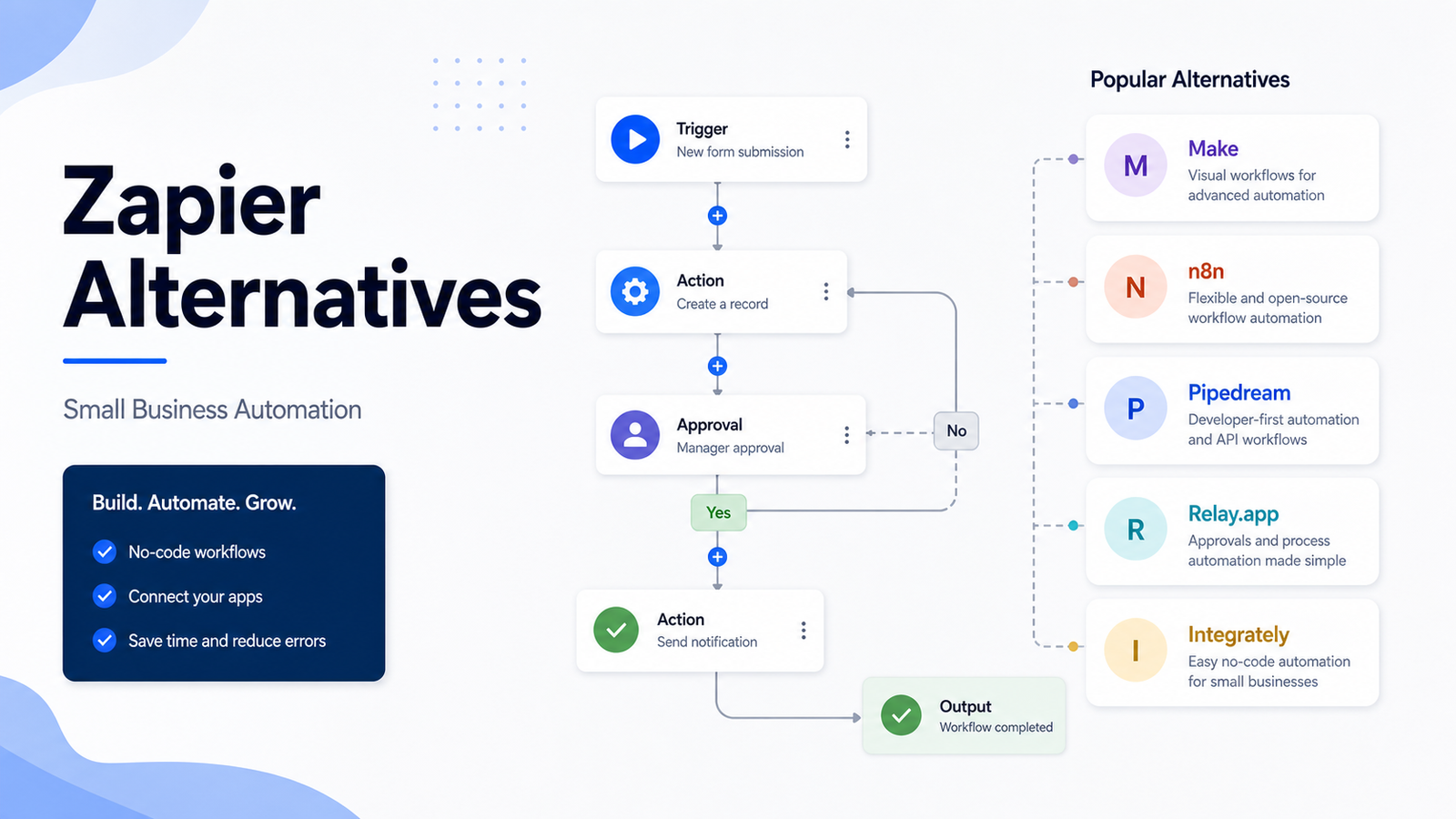
    Zapier is one of the easiest ways to connect apps and automate routine work. But it is not the only option. Small businesses often compare Zapier alternatives when they need a more visual builder, lower-cost task volume, developer flexibility, self-hosting, human approvals, or different AI automation features.

    This guide compares Make, n8n, Pipedream, Relay.app, and Integrately as practical Zapier alternatives.

    Quick Answer

    Choose Make if you want a visual automation builder with flexible scenarios. Choose n8n if you have technical users and want deeper control or self-hosting options. Choose Pipedream if developers need API-first workflows. Choose Relay.app if approvals and human-in-the-loop steps matter. Choose Integrately if you want simpler automation templates.

    Stay with Zapier if your team already uses it reliably and the pricing fits your workflow volume.

    Comparison Table

    Tool Best For Main Strength Limitation
    Make Visual workflow automation Scenario builder and flexible credits More complex than simple Zap workflows
    n8n Technical teams Deep logic, self-hosting option, execution model Less beginner-friendly
    Pipedream Developers API and code-friendly automation Not the best no-code-only choice
    Relay.app Human approvals Collaborative workflows and review steps Narrower fit than broad automation platforms
    Integrately Simple app automations Fast setup for common workflows May be less flexible for complex logic
    Zapier Broad app automation Very accessible and widely supported Pricing and task model may not fit every team

    Our Evaluation Criteria

    We evaluated these alternatives by workflow builder quality, pricing clarity, app ecosystem, AI automation support, approval workflows, developer flexibility, governance, error handling, and small-business adoption risk.

    Make

    Make is the strongest Zapier alternative for teams that want a visual-first automation builder. Its scenarios can be easier to reason about when workflows branch, filter, transform data, or connect multiple services.

    Make's official pricing page lists a Free plan with up to 1,000 credits per month and a Make plan starting at $9 per month for 5,000 credits per month. It also lists Company custom pricing for organizations running critical business processes.

    Pricing last checked on June 23, 2026.

    n8n

    n8n is a strong option for technical teams. Its official pricing page states that plans include unlimited users and workflows and that pricing is based on monthly workflow executions. It lists Starter at 20 euros per month billed annually, Pro at 50 euros per month billed annually, Business at 667 euros per month billed annually, and Enterprise by sales contact.

    n8n is especially relevant when developers or operations teams want more control than a simple no-code tool provides. It can fit internal automations, API workflows, data transformations, AI agents, and more technical integrations.

    Pipedream

    Pipedream is best for developers and technical operators who want automation close to APIs and code. It is useful when workflows need custom logic, event handling, data transformation, and developer-friendly control.

    Pipedream is not the first choice for non-technical users who only want to connect common apps through templates. It is stronger when someone on the team is comfortable with technical workflow design.

    Relay.app

    Relay.app is worth comparing when automation needs human approval, handoff, or review. Some workflows should not run completely unattended. A lead qualification process, refund request, contract step, or customer escalation may need a person to confirm the next action.

    Relay.app fits teams that want automation to support collaboration rather than replace every manual decision.

    Integrately

    Integrately is useful when the team wants simpler automation setup and common app workflows. It can fit small businesses that do not want to spend time designing complex scenarios.

    The tradeoff is flexibility. As automations become more conditional, multi-step, and business-critical, the team should compare it carefully with Make, n8n, and Zapier.

    Real Use Cases

    Lead Capture

    A small business could send form submissions to a CRM, notify sales, create a task, and add a row to a reporting sheet. Zapier, Make, and Integrately are all relevant.

    Email Alerts

    Operations teams can send alerts when invoices are paid, orders are delayed, or support tickets hit specific rules. This is a low-risk first automation to migrate.

    CRM Updates

    Sales teams can move deal stages, enrich leads, and trigger follow-ups. More complex CRM workflows need careful error handling and ownership.

    Reporting Workflows

    Marketing teams can move ad, form, and customer data into dashboards. Make and n8n are strong options when transformations matter.

    Human Approval

    Refunds, contract steps, and sensitive customer replies should include human review. Relay.app is relevant when approvals are the core need.

    Pricing Snapshot

    Tool Official Pricing Notes
    Zapier Free at $0/month; Professional starts at $19.99/month; Team starts at $69/month; Enterprise contact pricing
    Make Free up to 1,000 credits/month; Make plan starts at $9/month for 5,000 credits; Company custom pricing
    n8n Starter 20 euros/month annually; Pro 50 euros/month annually; Business 667 euros/month annually; Enterprise contact sales

    Pricing last checked on June 23, 2026.

    Pros And Cons Of Switching

    Pros

    • You may get better workflow visibility with visual builders.
    • Technical teams can gain more control with n8n or Pipedream.
    • Some alternatives fit approvals better than Zapier.
    • Pricing models may fit your workflow volume better.
    • Migration can reduce dependency on one automation platform.

    Cons

    • Migration takes time and can break important workflows.
    • The team must learn a new builder.
    • App support differs by platform.
    • Debugging and error handling can change.
    • Some alternatives are less beginner-friendly.

    Final Recommendation

    Do not migrate because a tool looks cheaper in a simple plan table. Map your active workflows, monthly volume, app dependencies, and failure risk. Choose Make for visual scenarios, n8n for technical control, Pipedream for developers, Relay.app for approvals, and Integrately for simple setup.

    For broader automation context, see our Zapier vs Make comparison and AI marketing workflow guide.

    FAQs

    What is the best Zapier alternative?

    Make is the strongest visual automation alternative for many small businesses, n8n is strongest for technical teams and self-hosting, Pipedream is useful for developer workflows, Relay.app is useful for human-in-the-loop automation, and Integrately is useful for simpler app automations.

    Why look for a Zapier alternative?

    Teams usually look for alternatives because they want different pricing, more visual scenario control, self-hosting, developer flexibility, approval steps, or simpler automation templates.

    Is Make cheaper than Zapier?

    Make and Zapier use different pricing models. Make prices around credits and scenarios, while Zapier prices around tasks and platform features. Compare real workflow volume before deciding.

    Is n8n better than Zapier?

    n8n can be better for technical teams that want deeper control, self-hosting options, and execution-based pricing. Zapier is often easier for business users who want broad app automation without managing infrastructure.

    Which alternative is best for developers?

    Pipedream and n8n are the strongest options to compare for developer-heavy workflows because they support more technical logic and API-oriented work.

    Which alternative is easiest?

    Zapier and Integrately are usually easier starting points for non-technical users. Make is visual but can become more complex as scenarios grow.

    Can I replace Zapier completely?

    Yes, but only after mapping your active automations, app connections, error handling, and business-critical workflows. Migration should be staged, not rushed.

    Do Zapier alternatives support AI workflows?

    Many automation platforms now include AI-related features or integrations. Review official feature pages for each tool before buying for an AI-specific workflow.

    What should I migrate first?

    Start with low-risk automations such as internal alerts, form notifications, or spreadsheet updates before moving billing, CRM, or customer-facing workflows.

    Should small businesses stay with Zapier?

    Stay with Zapier if it works reliably, the team understands it, and pricing is acceptable. Switch only when a specific alternative solves a real limitation.

    Migration Plan

    Start by exporting or documenting all active Zapier workflows. Group them by risk: low-risk internal alerts, medium-risk CRM or reporting workflows, and high-risk customer, billing, or sales operations. Migrate low-risk workflows first.

    For each migrated workflow, test trigger behavior, data mapping, error handling, retries, owner notifications, and rollback plan. Keep the old workflow disabled but available until the replacement has run correctly for a full cycle.

    Decision Rules

    If non-technical users own automation, choose the tool they can maintain. If developers own automation, choose the platform with enough control. If approvals are central, choose a workflow system that treats human review as part of the automation rather than a workaround.

    How To Choose An Automation Platform

    The right Zapier alternative depends on who owns automation. If operations staff own the workflows, ease of use matters more than developer flexibility. If engineers own the workflows, deeper control, logs, API handling, and self-hosting options may matter more. If the workflows include approvals, human handoff, or sales follow-up, choose a platform that makes review steps easy to maintain.

    Small businesses often start with simple tasks: send form leads to a CRM, alert a Slack channel, create a task, update a spreadsheet, and notify the owner. As automation grows, the hard parts become error handling, duplicate prevention, permissions, and knowing who fixes a broken workflow. A cheaper platform is not cheaper if nobody can debug it.

    Real Automation Scenarios

    For lead capture, compare how each tool handles form triggers, CRM field mapping, duplicate contacts, and failed runs. For reporting, compare scheduled workflows, spreadsheet updates, and notification logic. For customer onboarding, compare conditional paths, email triggers, task creation, and handoff to a human. For internal operations, compare approvals, logs, and owner notifications.

    Risk Management

    Never migrate all automations at once. Start with low-risk internal alerts, then medium-risk reporting, then customer-facing workflows. Document trigger, action, owner, fallback, and expected result for every automation. This documentation matters more as the company grows because automation failures can quietly break sales, support, billing, or reporting.

    What To Audit Before Switching

    Before choosing a Zapier alternative, audit every active workflow. List the trigger app, action app, owner, business purpose, failure impact, monthly run volume, required fields, and handoff points. This audit prevents a common mistake: replacing the tool before understanding the system it supports.

    A small company may discover that only a few workflows are business-critical. Lead routing, billing alerts, customer onboarding, and support escalations deserve more careful testing than simple internal notifications. Once workflows are grouped by risk, the team can choose a platform based on the automation types that actually matter.

    Maintenance And Ownership

    Automation tools fail when no one owns them. Every workflow should have a named owner, a fallback process, and a review schedule. If a CRM field changes, a form is renamed, or an app permission expires, someone must know how to fix the workflow. Choose a platform your owner can maintain.

    This is where the decision between no-code and technical platforms becomes practical. A technical tool may be more powerful, but it is not a good fit if the team depends on non-technical staff for daily maintenance. A simple no-code tool may be less flexible, but it can be better when business users need to edit workflows quickly.

    Final Buying Advice

    Choose Make if you want visual automation depth at a lower entry cost than many teams expect. Choose n8n if technical control, workflow ownership, and execution-based planning matter. Consider other alternatives only after checking whether their app support, logs, permissions, and error handling fit your actual workflows.

    Implementation Notes

    After choosing a platform, create a workflow register. Each automation should have a name, owner, trigger, actions, connected apps, expected result, failure notification, and last review date. This lightweight register prevents hidden automation debt.

    Review the register monthly. Remove workflows nobody uses, update workflows attached to changed apps, and check whether errors are being ignored. Good automation programs stay useful because they are maintained, not because the first setup was clever.

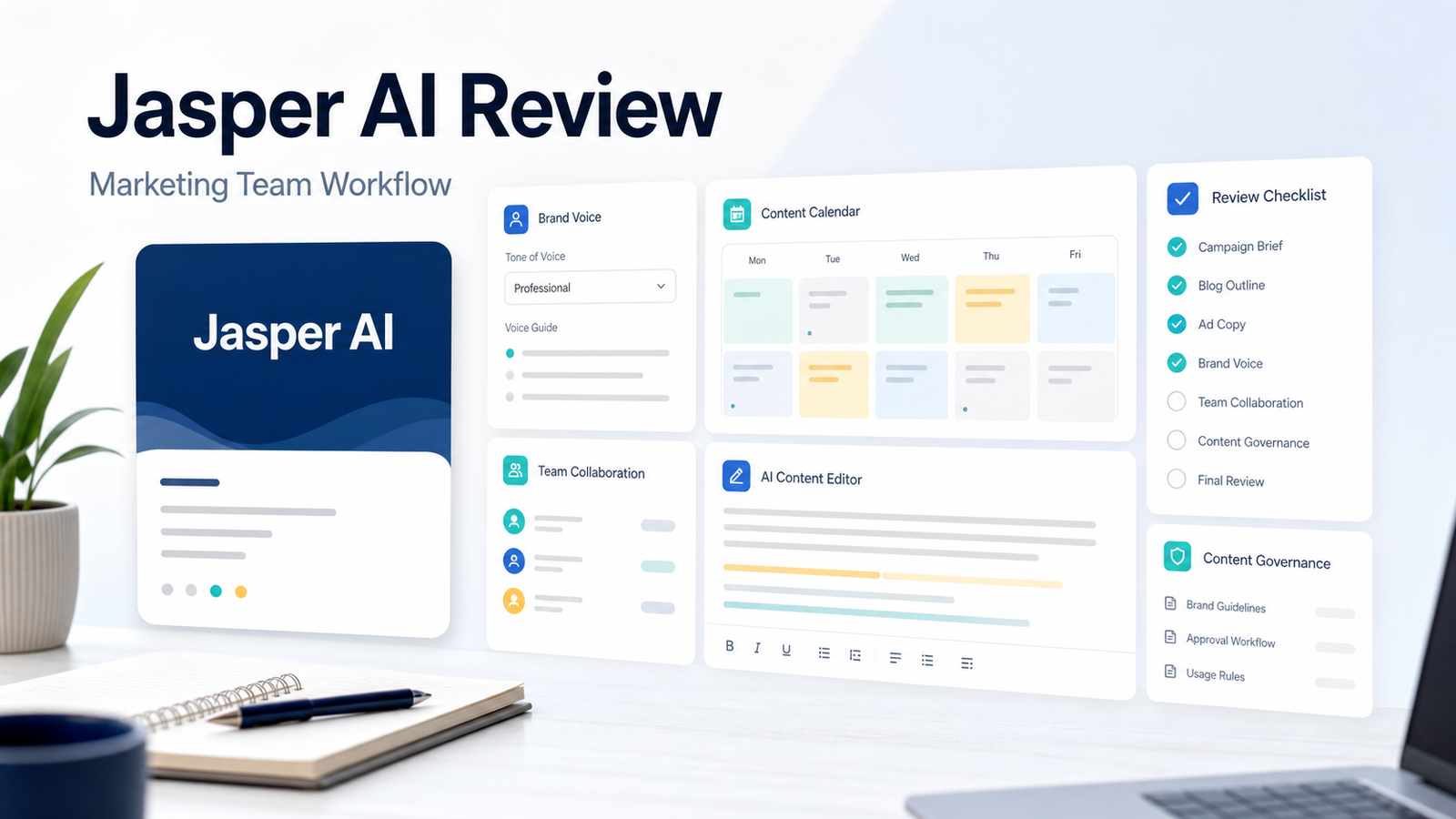
  • Jasper AI Review: Is It Worth It for Marketing Teams?

    Jasper AI Review: Is It Worth It for Marketing Teams?

    Jasper AI is no longer just a general AI writing assistant. Its official positioning is focused on marketing teams that need brand-aware content, campaign workflows, audience context, governed output, and team collaboration. That makes the buying decision different from choosing a simple chatbot.

    This Jasper AI review is written for small businesses, agencies, and marketing teams deciding whether Jasper fits their content workflow.

    Quick Verdict

    Jasper is worth evaluating if your team needs marketing-specific workflows, brand voice controls, campaign content, and collaboration around content production. It is not the cheapest way to write a blog post, and it is not necessary for every solo creator. Its value is clearest when multiple people need to create on-brand marketing assets consistently.

    Best For

    • Marketing teams producing campaign briefs, landing pages, ads, emails, and content.
    • Agencies managing different brand voices for clients.
    • Teams that need brand governance rather than only fast drafting.
    • Companies that want marketing-specific AI workflows instead of a blank chatbot.

    Not Best For

    • Casual users who only need occasional writing help.
    • Teams with no review process for AI-generated content.
    • Businesses looking for the lowest-cost writing assistant.
    • Writers who only need grammar editing or rewriting.

    Our Evaluation Criteria

    We evaluate Jasper by marketing workflow fit, brand control, ease of setup, pricing clarity, collaboration, AI output usefulness, alternatives, and value for money. This review is based on official product and pricing information, not hands-on testing.

    What Jasper AI Does

    Jasper is built for marketing work. Its official pricing page describes the Canvas platform, essential agents, brand voices, knowledge assets, audiences, business customization, custom agents, Jasper Grid, API access, governance, and support differences across plans.

    In a typical small business workflow, Jasper can help turn a campaign brief into ad variations, email copy, landing page sections, blog outlines, and social posts. The useful part is not only generating text. It is keeping content closer to the team's brand rules and campaign context.

    Key Features

    Brand Voice And Knowledge

    Jasper's Pro plan includes smart customization with brand voices, knowledge assets, and audiences. This matters because generic AI writing often fails when the team needs consistent tone, approved positioning, and repeated messaging.

    Marketing Agents

    Jasper positions agents around marketing workflows. A small team could use these for briefs, campaign drafts, optimization tasks, translation, or research support. Human review is still required for claims, compliance, and customer-facing copy.

    Campaign And Content Workflows

    Jasper is stronger when used as a system for repeated marketing work, not a one-off prompt box. Teams can use it for landing pages, nurture sequences, product launches, ads, SEO drafts, and content refreshes.

    Business Controls

    The Business plan adds advanced agents, no-code app builder, Jasper Grid, unlimited IQ customization, API access, admin controls, groups, account management, and priority support according to Jasper's official pricing page.

    Pricing

    Jasper's official pricing page listed Pro at $69 per month per seat on monthly billing and $59 per month per seat on yearly billing. The Pro plan includes one seat, Canvas platform, essential agents, two Brand Voices, five Knowledge assets, and three Audiences. Jasper Business uses custom pricing and adds more advanced team and governance capabilities.

    Pricing last checked on June 23, 2026.

    Real Use Cases

    Campaign Briefs

    A SaaS team could use Jasper to turn product positioning into campaign briefs, email angles, ad concepts, and landing page copy. The marketing lead should still approve final claims.

    Blog And SEO Drafting

    Jasper can help with outlines, first drafts, title variations, and content repurposing. It should not replace keyword research, expert review, source verification, or editorial editing.

    Ad Copy

    Performance marketers can use Jasper to create ad variations for different audiences. The team should still check platform rules, offer accuracy, and brand claims.

    Email Marketing

    Jasper can help write nurture emails, product announcements, webinar follow-ups, and newsletter drafts. The best workflow uses Jasper for drafts and humans for final segmentation, timing, and approval.

    Alternatives

    Tool Best For Main Strength Limitation
    Jasper Marketing teams Brand-aware campaign workflows Higher cost than basic writing tools
    Copy.ai GTM workflows Sales and marketing workflow support Fit depends on team process
    Writesonic Content and SEO workflows Broad writing and content features May need more manual governance
    ChatGPT Business Flexible AI workspace General research, writing, analysis Less marketing-specific by default
    Claude Long-form writing and analysis Strong drafting and reasoning Not a marketing workflow platform by default

    Pros

    • Stronger marketing focus than general writing tools.
    • Brand voice and knowledge features support consistency.
    • Business plan supports governance and team workflows.
    • Useful for campaign content, ad variations, landing pages, emails, and content refreshes.
    • Clearer fit for marketing teams than generic AI chat alone.

    Cons

    • Pro pricing may be high for casual users.
    • Business pricing is custom, which requires a sales process.
    • AI output still needs human review.
    • Teams must invest time in brand setup and workflow discipline.
    • It may be excessive if the team only needs occasional writing support.

    Final Recommendation

    Choose Jasper if your marketing team needs repeatable, brand-aware content workflows and is willing to maintain review standards. Avoid it if your needs are light, occasional, or already covered by a general AI workspace.

    For related writing coverage, see our best AI writing tools for marketing teams and Copy AI vs Jasper AI comparison.

    FAQs

    Is Jasper AI worth it for marketing teams?

    Jasper can be worth it when the team needs brand-aware marketing workflows, campaign content, collaboration, and governed content creation. It is less compelling for casual users who only need occasional generic writing help.

    Does Jasper AI have a free trial?

    Jasper's official pricing page shows a 7-day free trial for the Pro plan at the time checked.

    How much does Jasper AI cost?

    Jasper's official pricing page listed Pro at $59 per month per seat when billed yearly and $69 per month per seat on monthly billing. Business uses custom pricing. Pricing last checked on June 23, 2026.

    Who is Jasper best for?

    Jasper is best for marketing teams, content teams, performance marketers, brand teams, and agencies that need repeatable campaign content and brand controls.

    Who should avoid Jasper?

    Solo users with light writing needs, teams that do not need brand governance, and businesses that only want a basic chatbot may not need Jasper's marketing-specific platform.

    What are Jasper alternatives?

    Common alternatives include Copy.ai, Writesonic, ChatGPT Business, Claude, and Grammarly for specific writing or editing workflows.

    Does Jasper replace a marketer?

    No. Jasper can draft and repurpose content, but humans still need to set positioning, check facts, approve claims, and make final judgment.

    Can Jasper help with SEO content?

    Jasper can support content workflows, but SEO strategy still needs keyword research, source review, internal linking, and editorial judgment.

    Is Jasper good for agencies?

    It can be useful for agencies that need repeatable brand voices, campaign drafts, and client-specific workflows. Agencies should test brand setup and review workflow before buying broadly.

    What should I test first?

    Test campaign briefs, landing page copy, ad variations, brand voice behavior, approval workflow, and whether the output needs less editing than a general AI assistant.

    How To Pilot Jasper

    A good Jasper pilot should use real marketing work, not random prompt experiments. Choose one campaign brief, one blog outline, one landing page, one email sequence, and one ad set. Configure the brand voice and knowledge assets first, then compare Jasper outputs against your normal drafting workflow.

    Review the output for accuracy, brand fit, repetition, claim risk, and editing time. If Jasper reduces the first-draft burden and keeps copy closer to approved positioning, it may justify the cost. If the team still rewrites everything from scratch, the setup or tool fit is weak.

    Common Mistakes

    The biggest mistake is treating Jasper as a replacement for strategy. The tool can draft, remix, and structure content, but it does not know your real offer, competitive positioning, legal constraints, or customer objections unless your team provides that context and reviews the result.

    Workflow Fit For Marketing Teams

    Jasper is strongest when a marketing team already has positioning, offers, audience notes, and brand rules. In that environment, Jasper can help create first drafts, campaign variants, repurposed content, and internal briefs. It is weaker when the user expects the tool to invent strategy from a one-line prompt. The practical value comes from structured inputs and human review.

    A SaaS team could use Jasper to turn a product launch brief into a landing page draft, announcement email, sales enablement summary, and LinkedIn post variants. An agency could use it to keep client tone more consistent across blog outlines, ad copy, and campaign briefs. A solo founder could use it to move from rough notes to cleaner drafts faster, but still needs to check every factual claim.

    Editing And Governance

    Teams should decide who owns the final copy before using Jasper at scale. AI copy can sound polished while hiding weak claims, repeated phrasing, or unsupported benefits. A good workflow routes drafts through subject-matter review, compliance review when needed, and final brand review. This is especially important for pricing pages, product comparisons, regulated categories, and customer-facing claims.

    Value For Money

    Jasper makes the most sense when content volume is high enough to justify paid seats and setup time. If your team only writes occasional emails, a general AI assistant may be enough. If your team produces campaigns, landing pages, newsletters, social posts, and blog drafts every week, Jasper's brand and knowledge features become more relevant. The buying decision should compare subscription cost against editing time saved and consistency gained.

    Setup Checklist Before You Buy

    Before paying for Jasper, prepare the inputs that make the tool useful. Document your brand voice, target audience, product positioning, approved claims, competitor notes, offer details, and content review rules. Add examples of writing that the team considers on-brand. Decide which content types Jasper will support: blog drafts, email sequences, ad variants, social posts, landing pages, or sales enablement copy.

    The setup checklist matters because most poor AI writing comes from weak context. If a team gives Jasper vague instructions, the output will feel generic. If the team gives it approved positioning and clear constraints, the output has a better chance of becoming a useful first draft.

    Where Jasper Fits In The Content Process

    A realistic content process has several stages: brief, draft, edit, fact review, SEO review, approval, and publication. Jasper can help with brief expansion, draft creation, angle generation, and repurposing. It should not own the factual review, final recommendation, legal claims, or product accuracy. Those steps need human review.

    For small teams, the best operating model is to use Jasper for speed and structure, then assign a human editor to improve judgment, examples, and specificity. That keeps the team from publishing polished but shallow copy.

    Who Should Skip Jasper

    Skip Jasper if your team does not publish marketing content often, does not have documented positioning, or wants a low-cost general assistant for occasional writing. Also skip it if the team expects AI to replace product knowledge. Jasper is a marketing workflow tool, not a complete strategy department.

    Practical Implementation Notes

    If Jasper is adopted, start with a narrow workflow instead of rolling it out to every content task. A good first workflow is one monthly campaign: the team provides the brief, Jasper drafts the supporting assets, and an editor reviews everything for accuracy and brand fit. This creates a measurable process without overcommitting.

    Track three simple outcomes: whether first drafts are faster, whether editing time is lower, and whether final copy is more consistent with brand guidance. If those outcomes are not visible after a pilot, the team should improve its source briefs before expanding seats.

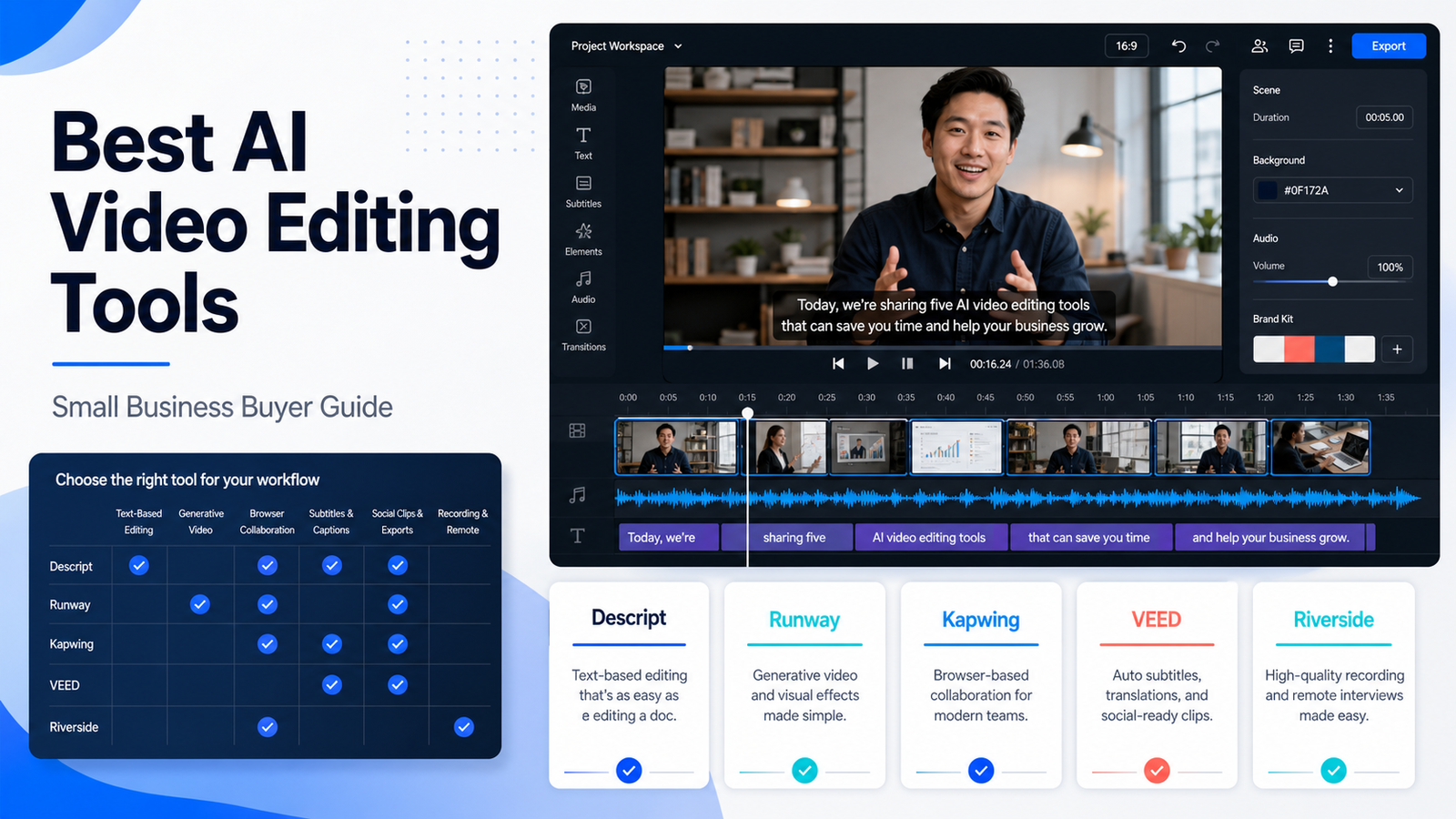
  • Best AI Video Editing Tools for Small Business

    Best AI Video Editing Tools for Small Business

    Small businesses now need video for product demos, webinars, short-form social clips, customer education, sales enablement, online courses, ads, and internal training. The problem is that video work quickly becomes slow: cutting silence, adding captions, resizing for platforms, cleaning audio, recording interviews, writing descriptions, and exporting multiple versions.

    The best AI video editing tools do not remove the need for creative judgment. They reduce repetitive production work so a small team can publish more consistently. This guide compares Descript, Runway, Kapwing, VEED, and Riverside from a practical small-business point of view.

    Quick Answer

    Choose Descript if your workflow starts with spoken content and you want transcript-based editing. Choose Runway if the goal is generative video or AI creative experiments. Choose Kapwing if your team needs a simple browser editor for social clips, captions, and repurposing. Choose VEED if you want a lightweight online editor with AI-assisted video tasks. Choose Riverside if recording interviews, webinars, or podcasts is the first step.

    There is no single winner for every team. A service business creating weekly educational clips has a different need from an agency editing client interviews or a founder experimenting with AI-generated ads.

    Comparison Table

    Tool Best For Main Strength Limitation To Consider
    Descript Podcasts, interviews, transcript editing Editing video and audio like a document Teams must adapt to transcript-first editing
    Runway Generative video and creative assets AI video, image, and model-based creation Less suited to routine business editing alone
    Kapwing Social clips and browser collaboration Simple online editor, captions, resizing Watermark and export limits matter on free plan
    VEED Fast online video editing Captions, templates, browser workflow Advanced production teams may need deeper tools
    Riverside Recording-led content Remote recording and content capture Editing is not the only reason to buy it

    Our Evaluation Criteria

    We evaluated each tool based on small-business fit: ease of setup, editing workflow, AI usefulness, caption and transcript support, collaboration, export quality, pricing clarity, learning curve, and whether the tool helps a team publish real business content rather than just experiment.

    This article is based on official product and pricing information, not hands-on testing. Pricing last checked on June 23, 2026.

    Descript

    Descript is strongest when a video is built around speech: interviews, podcasts, tutorials, webinars, customer calls, and explainers. Its key workflow is editing media through text. Delete a sentence in the transcript and the corresponding audio or video section can be removed from the timeline.

    In a typical small business workflow, Descript fits a team that records a webinar, cleans up audio, removes filler, creates clips, adds captions, and prepares a final version for YouTube or social. It is also useful when non-editors need to review content because the transcript gives them a familiar way to navigate the recording.

    Descript pricing includes a Free plan, Hobbyist at $16 per person/month annually, Creator at $24 per person/month annually, Business at $50 per person/month annually, and Enterprise custom pricing according to its official pricing page.

    Runway

    Runway is the creative AI option in this group. It is not only a normal editor. It is built around generative video, image generation, model access, credits, and creative workflows. A marketing team could use it to create concept footage, product mood visuals, ad backgrounds, or short AI-generated clips that support a campaign.

    Runway is best when the team needs creative generation. It is less ideal when the main need is ordinary editing, approval, subtitles, and social repurposing. Many teams will pair it with another editor rather than using it as the only video tool.

    Runway pricing includes Free, Standard at $12 per user/month billed annually, Pro at $28 per user/month billed annually, Max at $76 per user/month billed annually, and Enterprise by contact, according to its official pricing page.

    Kapwing

    Kapwing is a practical browser-based editor for social content teams. It is useful for subtitles, resizing, templates, simple edits, brand assets, team collaboration, and turning long content into smaller clips.

    For a small marketing team, Kapwing is attractive because it does not require a heavy editing setup. A team member can upload a clip, create captions, resize it for different platforms, and export versions without opening a professional editing suite.

    Kapwing's official pricing page lists a Free plan, Pro at $16 per member/month billed annually, Business at $50 per member/month billed annually, and Enterprise custom pricing.

    VEED

    VEED is another browser-based video editor that focuses on fast creation, captions, recording, templates, and AI-assisted editing tasks. It is worth comparing with Kapwing when your team wants an online editor and needs to decide which interface and export limits fit better.

    VEED is best for teams that want a simple editing workflow. It may not replace a professional editor for high-end brand films, but it can work well for tutorials, social clips, internal explainers, and quick marketing videos.

    Riverside

    Riverside is different because it starts with recording. If your content comes from remote interviews, webinars, podcasts, or founder-led videos, recording quality and speaker capture may matter before editing.

    A small agency could record client interviews in Riverside, then use a video editor for post-production. A founder could record product explainers and repurpose them into clips. Riverside is strongest when capture quality, remote recording, and speaker workflows are central.

    Real Use Cases

    Webinar Repurposing

    A B2B company could turn a 45-minute webinar into a YouTube replay, three LinkedIn clips, a short teaser, and a transcript-based article brief. Descript, Kapwing, and VEED are especially relevant here.

    Founder-Led Product Demos

    A founder could record screen demos, clean up audio, add captions, and create short clips for product updates. Descript and VEED can fit this use case, while Riverside may help if recording quality is the bottleneck.

    Social Media Content

    Marketing teams often need resizing, captions, templates, and quick exports more than complex editing. Kapwing and VEED are strong starting points.

    AI Creative Concepts

    Runway is useful when the team needs generative footage, concept visuals, or creative video experiments. It should be reviewed carefully before relying on it for routine production.

    Pricing Summary

    Tool Official Pricing Notes
    Descript Free, Hobbyist, Creator, Business, Enterprise; paid plans include media hours and AI credits
    Runway Free, Standard, Pro, Max, Enterprise; paid plans are credit-based
    Kapwing Free, Pro, Business, Enterprise; paid plans include credits and export/collaboration features

    Pricing last checked on June 23, 2026.

    Pros And Cons

    Pros

    • These tools reduce repetitive editing tasks such as captions, resizing, trimming, and cleanup.
    • Browser-based editors make video work easier for non-specialists.
    • Transcript editing helps reviewers understand long recordings faster.
    • Generative video tools can support creative campaign concepts.
    • Recording-led tools can improve the quality of interviews and webinars before editing begins.

    Cons

    • AI editing still needs human review for brand, accuracy, legal risk, and tone.
    • Free plans often include limits such as watermarks, credits, storage, or export quality.
    • Generative outputs can be inconsistent and may need several attempts.
    • Team workflows can become messy if files, approvals, and final versions are not organized.
    • Some tools solve recording, while others solve editing, so one subscription may not cover the whole workflow.

    Final Recommendation

    If you publish spoken content, start with Descript. If you need social clips and browser collaboration, compare Kapwing and VEED. If you need generative AI video, evaluate Runway separately from your everyday editor. If remote recording quality matters, include Riverside in the buying decision.

    For related content workflows, see our AI social media content workflow and Descript vs Riverside comparison.

    FAQs

    What is the best AI video editing tool for small business?

    Descript is the strongest starting point for text-based editing, Kapwing and VEED are practical browser editors, Runway is better for generative video work, and Riverside fits recording-led workflows. The best choice depends on whether your team edits interviews, social clips, webinars, ads, or product demos.

    Is Descript better than Kapwing?

    Descript is better when transcript-based editing, podcasts, interviews, and voice cleanup matter. Kapwing is better when a browser-based team editor, subtitles, resizing, and fast social content repurposing are the main needs.

    Is Runway a normal video editor?

    Runway is more of an AI creative studio than a traditional video editor. It is useful for generative video, image-to-video, and experimental visuals, but many small businesses still need a separate editor for final assembly and routine social publishing.

    Which AI video editor is easiest for a marketing team?

    Kapwing and VEED are often easier for lightweight marketing workflows because they work in the browser and focus on captions, resizing, templates, and quick exports. Descript is easy once the team understands transcript editing.

    Can AI video tools replace a video editor?

    They can reduce repetitive editing work, but they do not replace judgment around story, brand, pacing, legal review, and final approval. Treat them as production assistants, not final decision makers.

    Do these tools include free plans?

    Several tools in this category publish free or entry-level access, but limits vary by export quality, watermark, credits, minutes, storage, and collaboration. Pricing last checked on June 23, 2026 from official sources.

    Which tool is best for podcasts?

    Descript and Riverside are the strongest options to compare for podcast or interview-led workflows. Descript focuses on editing and post-production, while Riverside is stronger when high-quality remote recording is the first step.

    Which tool is best for AI-generated video?

    Runway is the most relevant option in this list for generative video. It is best for creative experiments, concept visuals, and AI-generated clips rather than simple captioning or transcript editing.

    What should agencies test first?

    Agencies should test client approval workflow, brand kit support, subtitle accuracy, export quality, project organization, and whether non-editor teammates can make small changes without breaking the final video.

    What is the safest buying approach?

    Start with one repeated use case, such as turning webinars into short clips or editing interviews. Evaluate the tool against that workflow before paying for a larger team plan.

    Implementation Checklist

    Before buying, run a small pilot. Pick one real source video, one social clip target, one caption requirement, one approval workflow, and one export destination. Compare how long each tool takes from source file to approved output. Check whether the tool supports your actual file size, caption needs, brand assets, export quality, and teammate review process.

    A small business should also document ownership. Who uploads source footage? Who approves captions? Who checks legal claims? Who stores final exports? AI can speed production, but it cannot replace workflow ownership.

    Common Buying Mistakes

    The first mistake is buying a generative video platform when the real need is captioning and resizing. The second is buying a simple browser editor when the real need is remote recording quality. The third is letting every teammate create exports without a naming system or approval process.

    Good video operations need folders, naming conventions, approval rules, and brand standards. The tool matters, but the workflow around the tool matters just as much.

    How To Evaluate Output Quality

    Video editing tools should be judged by the final output, not by the number of AI features on the homepage. Export the same source clip from each tool and compare caption accuracy, audio clarity, visual pacing, watermark behavior, brand controls, and how many manual fixes are needed before publishing. If a tool produces attractive clips but requires heavy caption cleanup, it may still slow down a small team.

    Also compare collaboration. A founder working alone may only need fast captions and simple resizing. A marketing team needs comments, approval status, shared folders, brand kits, and predictable export settings. Agencies need client separation and a clear review process. The best AI video editor is the one that fits the approval workflow, not only the one with the most impressive demo.

    Suggested Small Business Workflow

    A practical workflow starts with one long source asset: a webinar, podcast, sales call, product demo, or customer education video. The editor creates a transcript, identifies clip candidates, adds captions, resizes for social platforms, and exports approved versions. A team member then checks claims, names, captions, and visual quality before publishing. AI can shorten the editing cycle, but final approval should stay with a human because video errors are public and visible.

    When To Avoid AI Video Editing Tools

    Avoid adding another video tool if the real issue is strategy. If your team does not know what audience it is serving, what offer it is promoting, or what channel it is publishing to, automation will not fix that. Start with a repeatable content plan first. Then use AI editing to reduce production time.

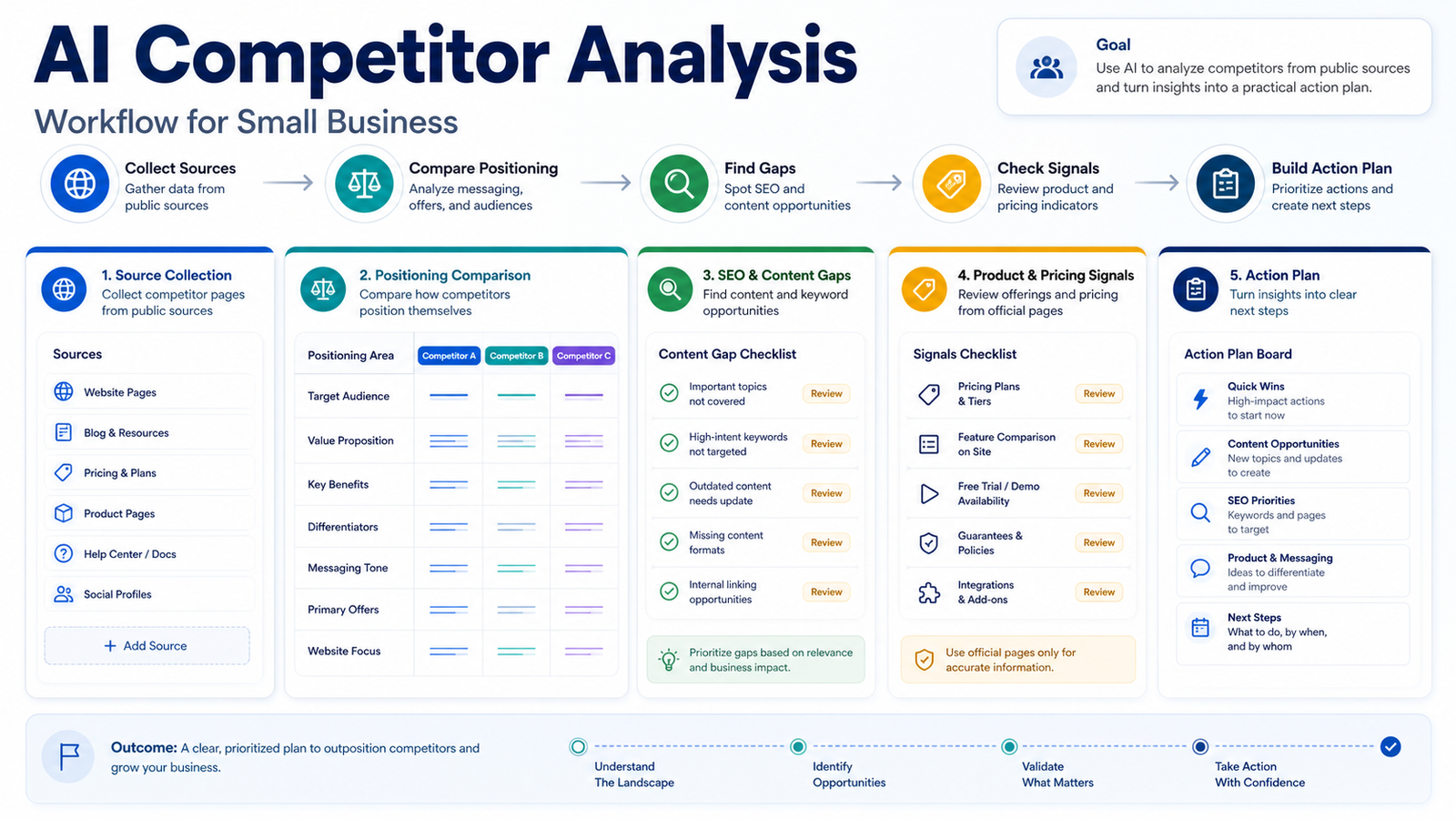
  • How to Use AI for Competitor Analysis

    How to Use AI for Competitor Analysis

    AI can make competitor analysis faster, but it can also make it sloppy if the workflow is not controlled. The goal is not to ask a chatbot to "analyze my competitors" and accept a confident summary. The goal is to collect public source material, compare it consistently, separate facts from assumptions, and turn the findings into better positioning, content, offers, and sales messaging.

    This workflow is built for small businesses, marketers, agencies, and founders who want a practical way to use AI without inventing fake market research, fake customer quotes, or fake statistics.

    Quick Answer

    To use AI for competitor analysis, collect source URLs first, then ask AI to summarize each competitor using only those sources. Compare positioning, product pages, pricing signals, SEO content, customer pain points, social messaging, and offer structure. Then turn the findings into a short action plan: what to improve, what to avoid, what content to create, and what message your business should test next.

    The safest workflow is source-led. AI should help you organize and compare evidence. It should not become the evidence.

    What You Need Before Starting

    You need a short list of competitors, a clear business goal, and a place to store findings. A simple spreadsheet or document is enough.

    Useful tools can include ChatGPT, Perplexity, Semrush, Similarweb, and SparkToro. You do not need all of them. Start with the tools your team already has access to.

    Pricing last checked on June 21, 2026. Pricing may vary based on plan, usage, or add-ons; use each official product page for current plan details.

    Step 1: Define The Competitor Set

    Start with three to five competitors. Include one direct competitor, one larger brand your customers know, one lower-cost alternative, and one company with strong content or messaging.

    Do not let AI invent the competitor list unless you manually verify each company. A better prompt is:

    “`text I will provide competitor URLs. Use only these URLs and the pasted page text. Do not add extra competitors unless I ask. “`

    For a local service business, this could mean nearby companies targeting the same city. For a SaaS team, it could mean companies solving the same job for the same user type.

    Step 2: Collect Source Material

    For each competitor, collect public pages such as:

    • homepage
    • product or service page
    • pricing page
    • features page
    • comparison or alternatives page
    • FAQ page
    • case study page, only if it is real and public
    • blog category or top articles

    Copy the page title, URL, and the relevant text into your research document. If you use Perplexity or another answer engine, ask it to provide source links and verify that the links are real before relying on the summary.

    The important rule is simple: AI should summarize what is present in the source material. If the source does not mention a feature, price, customer type, or result, do not treat it as fact.

    Step 3: Build A Positioning Snapshot

    Ask AI to summarize each competitor in the same format:

    Field What To Capture
    Primary audience Who the competitor appears to target
    Main promise The core outcome or benefit on the homepage
    Product category How the competitor describes itself
    Proof points Public proof shown on the site
    Main offer Trial, demo, plan, service package, or consultation
    Pricing signal Free plan, starting price, custom pricing, or no public pricing
    Weakness or gap Only source-supported observations

    This gives you a consistent comparison instead of six unrelated AI summaries. It also helps you spot positioning gaps. For example, if every competitor talks about automation but none talks clearly about onboarding support, that may be an angle to explore.

    Step 4: Compare Product And Pricing Signals

    Pricing is high-risk information, so treat it carefully. Only use official pricing pages, checkout pages, or official product pages when capturing pricing facts.

    Create a simple pricing signal table:

    Competitor Pricing Signal Source
    Competitor A Public starting price, free plan, trial, or custom quote Official pricing URL
    Competitor B Public starting price, free plan, trial, or custom quote Official pricing URL
    Competitor C Public starting price, free plan, trial, or custom quote Official pricing URL

    AI can help summarize plan differences, but it should not guess what is not visible. If pricing is custom or unclear, say that internally and move on. Do not turn uncertainty into a fake price.

    Step 5: Analyze SEO And Content Gaps

    Competitor analysis should not stop at homepages. Look at what competitors publish and what they ignore.

    Use an SEO tool if you have one. Semrush, Similarweb, Ahrefs, and other SEO platforms can help with traffic estimates, top pages, keyword gaps, and content opportunities. If you do not have a paid tool, you can still collect blog categories, page titles, and topic patterns manually.

    Ask AI to group competitor content into themes:

    • buying guides
    • comparison posts
    • pricing pages
    • how-to articles
    • templates or checklists
    • customer stories
    • integration pages
    • local landing pages

    Then ask:

    “`text Based only on these page titles and URLs, what topics are competitors covering repeatedly, and what useful topics are missing for a small business audience? “`

    This is especially useful if your team is planning content. You may discover that competitors publish many broad guides but few practical workflows, or that everyone compares tools but no one explains implementation.

    If you are improving your SEO workflow, our AI SEO content brief workflow can help turn these gaps into writer-ready briefs.

    Step 6: Review Messaging And Offers

    Next, compare how competitors talk to customers. Look at headlines, calls to action, product benefits, objections, and guarantees.

    A useful AI prompt is:

    “`text Compare these competitor homepage messages. Use only the pasted source text. Identify repeated claims, clear differentiators, vague claims, and opportunities for a small business to position itself more clearly. “`

    Do not ask AI which message is "best" without criteria. Instead, evaluate:

    • Is the promise specific?
    • Is the target customer clear?
    • Is the offer easy to understand?
    • Is pricing or next step visible?
    • Does the page answer common objections?
    • Is there proof, documentation, or support information?

    For a SaaS team, this might reveal that competitors focus heavily on enterprise buyers while small teams need simpler onboarding. For a local business, it might show that everyone says "trusted service" but no one explains speed, pricing, or guarantee clearly.

    Step 7: Extract Customer Pain Points Carefully

    Customer pain points are useful, but they are also easy to fake. Do not invent quotes. Do not write fake review snippets. Do not claim "customers say" unless you have real public review data and cite the source internally.

    A safer approach is to collect public review themes from trusted review platforms, support forums, product FAQs, or competitor documentation. Then summarize repeated themes as labeled observations, not as facts about all customers.

    Use language like:

    • "Public reviews often mention…"
    • "A repeated support theme appears to be…"
    • "Competitor documentation suggests users may need help with…"

    For internal planning, this can help you improve FAQs, onboarding, comparison pages, and sales scripts.

    Step 8: Create A Competitor Matrix

    Once the source material is organized, build a matrix like this:

    Area Competitor A Competitor B Your Opportunity
    Audience Source-backed summary Source-backed summary Narrower or clearer target segment
    Offer Source-backed summary Source-backed summary Simpler package or stronger CTA
    Pricing signal Official source only Official source only More transparent plan or better explanation
    Content gap Topics covered Topics covered Useful missing guide or comparison
    Objections Public FAQ/support themes Public FAQ/support themes Better FAQ, demo, proof, or onboarding

    This turns AI summaries into a decision tool. It also prevents a common mistake: collecting research but never deciding what to change.

    Step 9: Turn Findings Into Actions

    End the workflow with a short action plan:

    1. Update one homepage section. 2. Improve one product or service page. 3. Write one missing comparison or buyer guide. 4. Add one pricing or FAQ clarification. 5. Test one stronger call to action. 6. Create one sales enablement note for common objections.

    Keep the action list small. A competitor analysis that creates 50 tasks usually creates no movement. A good AI-assisted analysis should produce a few useful changes your team can make this week.

    If your competitor analysis leads to broader marketing changes, the AI marketing workflow for small business is a useful next read.

    Common Mistakes To Avoid

    The biggest mistake is letting AI invent confidence. If the model says a competitor targets a specific segment, ask which source supports that claim. If it cannot point to the source text, remove the claim.

    Other mistakes include:

    • comparing too many competitors at once
    • mixing official facts with user opinions
    • copying competitor messaging
    • treating SEO estimates as exact numbers
    • using old pricing screenshots
    • ignoring your own customer needs
    • ending with research instead of action

    AI competitor analysis is not about copying. It is about finding clearer positioning and better customer answers.

    Source Safety Checklist

    Before you act on any AI-generated competitor insight, run a quick source check. Ask whether the claim came from an official page, a public review source, an SEO tool estimate, or the model's own inference. Official pages are best for product facts and pricing signals. Review platforms can show repeated customer language, but they should not be treated as proof that every buyer has the same problem. SEO tools can suggest demand and visibility patterns, but their numbers are estimates.

    A useful internal rule is to label each finding as fact, pattern, estimate, or idea. Facts can support website copy and sales enablement. Patterns can guide content planning. Estimates can help prioritize research. Ideas should be tested before they become strategy. This small labeling step keeps the workflow honest and makes the final action plan easier to trust.

    Final Recommendation

    Use AI as a research assistant, not a market oracle. Give it source material, require structured comparisons, and force every claim back to a public source. Then use the findings to improve your website, content, pricing explanation, sales messaging, and product positioning.

    For most small businesses, the best workflow is simple: collect sources, summarize competitors, compare positioning, find content gaps, capture pricing signals from official pages, identify repeated customer pain points carefully, and choose three actions. That is enough to make competitor analysis useful without turning it into fake research.

    FAQs

    Can AI do competitor analysis?

    Yes, AI can help organize competitor research, summarize public pages, compare messaging, identify content gaps, and create action plans. It should not invent market data, pricing, customer quotes, or performance statistics.

    What is the safest way to use AI for competitor research?

    The safest method is source-led analysis. Provide competitor URLs and copied source text, then ask AI to summarize only what appears in those sources. Treat unsupported claims as assumptions, not facts.

    Which tools are useful for AI competitor analysis?

    ChatGPT and Perplexity can help summarize and compare sources. Semrush, Similarweb, SparkToro, Ahrefs, and other research tools can support SEO, audience, or traffic analysis depending on your budget and use case.

    Can AI compare competitor pricing?

    AI can summarize pricing only when the source is official and current. Use official pricing pages, official product pages, or checkout pages. Do not use random screenshots, outdated articles, or guessed pricing.

    How many competitors should I analyze?

    Start with three to five competitors. More than that can become noisy. Choose direct competitors, larger category leaders, lower-cost alternatives, and companies with strong content or messaging.

    Should I copy competitor content?

    No. Competitor analysis should help you understand gaps and improve positioning. Copying competitors can make your site less distinctive and may create quality or originality problems.

    How often should small businesses run competitor analysis?

    Quarterly is enough for many small businesses. Run it sooner when launching a new offer, entering a new market, updating pricing, rebuilding a website, or planning a content strategy.

    What should the final output be?

    The final output should be a short action plan, not a giant report. Aim for three to six practical changes such as a new page, better FAQ, clearer pricing explanation, stronger CTA, or content gap to fill.

  • Best Cursor Alternatives for AI Coding

    Best Cursor Alternatives for AI Coding

    Cursor is one of the best-known AI code editors, but it is not the only serious option for developers. Some teams want deeper GitHub integration, some need browser-based app building, some want stronger privacy controls, and some prefer open-source customization instead of moving fully into a new editor.

    This guide compares practical Cursor alternatives for developers, small engineering teams, technical founders, and agencies. The tools covered are Windsurf, GitHub Copilot, Replit, Tabnine, Continue, and Sourcegraph Cody.

    Quick Answer

    The best Cursor alternative depends on why Cursor is not the right fit. Choose Windsurf if you want an AI-native coding environment with agentic workflows. Choose GitHub Copilot if your team already works heavily inside GitHub and wants broad IDE support. Choose Replit if you want a browser-based coding workspace for building, hosting, and collaborating. Choose Tabnine if privacy, compliance, and controlled AI code assistance matter most. Choose Continue if you want an open-source AI coding assistant that can connect to different models and workflows. Choose Sourcegraph Cody if your team needs AI assistance connected to large codebases and code search context.

    Do not choose an alternative only because it looks cheaper. The real decision is whether the tool fits your editor, repository workflow, security requirements, review process, and deployment habits.

    Cursor Alternatives Comparison

    Alternative Best For Main Strength Pricing Snapshot Main Limitation
    Windsurf Developers who want an AI-native editor experience Agentic coding and editor-first workflows Official plans include free access and paid plans such as Pro and higher tiers Requires adopting another AI coding environment
    GitHub Copilot Teams already using GitHub and mainstream IDEs Deep GitHub ecosystem fit and broad IDE availability Copilot Pro is listed at $10/month; Business at $19/user/month; Enterprise at $39/user/month Best value is strongest when your workflow already lives in GitHub
    Replit Founders, students, and teams building in the browser Cloud development, collaboration, app creation, and deployment Replit Core is listed at $25/month or $20/month billed annually Not every professional team wants browser-first development
    Tabnine Teams with privacy and compliance requirements Private, personalized AI code assistant positioning Official pricing includes Dev and Enterprise options with per-user plans May be less appealing if you want a full AI-native editor
    Continue Developers who want open-source customization Open-source assistant with flexible model and IDE workflows Open-source project; paid/team details may vary by deployment and provider Requires more setup discipline than a packaged SaaS workflow
    Sourcegraph Cody Teams with larger codebases and code search needs Codebase context and Sourcegraph integration Official Sourcegraph plans vary by product and team needs Best fit is larger codebase context, not lightweight solo use

    Pricing last checked on June 21, 2026. The official pages linked below were used for the pricing and plan details in this article.

    How We Evaluated These Alternatives

    This article does not claim hands-on testing. It is based on official product pages, official pricing pages, and source-backed product positioning available at the time of writing.

    The evaluation criteria were:

    • Editor fit: Does the tool work where developers already code?
    • AI workflow: Does it support autocomplete, chat, agentic edits, or codebase questions?
    • Team fit: Is it realistic for small teams, agencies, or larger engineering groups?
    • Privacy and control: Does the product speak to private repositories, compliance, or deployment control?
    • Pricing clarity: Are public prices or plan paths visible from official sources?
    • Learning curve: Does adopting the tool require a major workflow change?
    • Best use case: Does the tool solve a specific problem better than Cursor?

    1. Windsurf

    Windsurf is the closest alternative if you like the idea of an AI-native coding environment but want a different product direction from Cursor. Its official site positions it around AI coding, developer flow, and agentic software work.

    In a typical small development workflow, Windsurf can be used for writing features, asking questions about the codebase, generating edits, and moving faster inside an AI-first editor. A solo founder or small app team could use it when they want the editor itself to guide more of the development process.

    Windsurf is not the best choice if your team refuses to change editors or if your workflow is already standardized around an existing IDE plus GitHub Copilot. It is strongest for developers willing to adopt an AI-native coding environment.

    Windsurf Pricing

    Windsurf's official pricing is published through the product's current official pricing surface. Public plans and model access can change as the product evolves, so the safest buying step is to compare the current plan limits directly on the official page before switching a team.

    Windsurf pricing page

    Windsurf Pros

    • Strong fit for developers who want an AI-native editor.
    • Useful when agentic coding is part of the workflow.
    • Good alternative for users comparing Cursor-style tools.
    • Can support focused coding sessions rather than scattered plugin workflows.
    • Relevant for solo developers and small teams building new software quickly.

    Windsurf Cons

    • Requires adopting another coding environment.
    • Team rollout can be harder if developers prefer different IDEs.
    • Public pricing and plan details vary by plan, model access, and team needs.
    • It may overlap heavily with Cursor for users who only need basic AI autocomplete.

    2. GitHub Copilot

    GitHub Copilot is the safest Cursor alternative for teams already built around GitHub. It works across popular development environments and is backed by a mature developer ecosystem.

    For a small engineering team, Copilot can help with code suggestions, explanations, pull request workflows, and everyday development assistance. The key advantage is that it does not require the team to adopt a completely new editor. Developers can keep their IDE and add Copilot into the workflow.

    Copilot is not always the best fit if you specifically want an AI-native editor experience. It is better when your main priority is broad compatibility, GitHub integration, and predictable team adoption.

    GitHub Copilot Pricing

    GitHub lists Copilot Pro at $10/month or $100/year, Copilot Pro+ at $39/month or $390/year, Copilot Business at $19/user/month, and Copilot Enterprise at $39/user/month.

    GitHub Copilot plans page

    GitHub Copilot Pros

    • Strong fit for GitHub-centered teams.
    • Broad IDE availability makes adoption easier.
    • Public pricing is clear on official GitHub pages.
    • Business and Enterprise options support team management.
    • Good option when you want AI coding help without switching editors.

    GitHub Copilot Cons

    • Less of a full AI-native editor than Cursor or Windsurf.
    • Best value depends on how deeply your team uses GitHub.
    • Developers still need code review and security checks.
    • It may feel less experimental than newer agentic coding tools.

    3. Replit

    Replit is a different kind of Cursor alternative. It is best for developers, founders, educators, and small teams that want to build in the browser, collaborate quickly, and move from code to hosted app without a traditional local setup.

    In a typical startup workflow, Replit can be useful for prototypes, internal tools, demos, learning projects, and small apps where collaboration and hosting matter as much as the coding assistant itself. It is also useful for non-traditional developers who want less setup friction.

    Replit is not the best fit if your team has a complex local development environment, strict infrastructure requirements, or a mature deployment pipeline outside Replit.

    Replit Pricing

    Replit's official pricing page lists Starter as free, Replit Core at $25/month or $20/month billed annually, and higher team or enterprise options depending on use case.

    Replit pricing page

    Replit Pros

    • Browser-based development reduces setup friction.
    • Good for prototypes, demos, education, and collaborative building.
    • Helpful when hosting and app creation are part of the workflow.
    • Free and paid plans make it accessible to solo builders.
    • Different enough from Cursor to be a real workflow alternative.

    Replit Cons

    • Browser-first coding is not right for every engineering team.
    • Larger production workflows may need more infrastructure planning.
    • It may not replace a preferred local IDE.
    • Teams should confirm plan limits and deployment needs before committing.

    4. Tabnine

    Tabnine is best for teams that care about privacy, compliance, and controlled AI assistance. Its official product positioning emphasizes AI code assistance for professional development teams, with deployment and enterprise-oriented options.

    A SaaS team working with private repositories could consider Tabnine when they want AI code suggestions but also need a stronger conversation around security, customization, and control. This makes it different from tools that focus mainly on flashy agentic demos.

    Tabnine is not the strongest choice if you want a full AI-native editor, browser IDE, or end-to-end app-building environment. It is better as an AI assistant layer for teams that care about governance.

    Tabnine Pricing

    Tabnine publishes pricing and plan information on its official pricing page, including developer and enterprise-oriented options. Teams should compare the listed seat pricing, plan limits, deployment options, and enterprise terms on the linked official source.

    Tabnine pricing page

    Tabnine Pros

    • Strong privacy and enterprise positioning.
    • Useful for teams with compliance or repository-control concerns.
    • Works as an assistant layer rather than forcing a full editor switch.
    • Good fit for professional development teams.
    • Useful when governance matters more than novelty.

    Tabnine Cons

    • May feel less like a complete AI coding environment.
    • Teams focused on agentic editing may prefer Cursor, Windsurf, or Copilot.
    • Enterprise-oriented value depends on your security requirements.
    • Pricing and deployment fit should be checked carefully for your team.

    5. Continue

    Continue is best for developers who want an open-source AI coding assistant workflow. It can appeal to teams that want more control over models, extensions, prompts, and how AI coding help is wired into their environment.

    In a typical developer workflow, Continue can be used for chat, code editing assistance, and model-flexible AI development inside supported editors. A technical team could use it when they want to avoid being locked into one proprietary coding assistant.

    The tradeoff is setup. Open-source flexibility can be powerful, but it also requires more ownership. If your team wants a polished subscription product with less configuration, Continue may not be the fastest route.

    Continue Pricing

    Continue is an open-source project with official documentation and product information. Costs may depend on model provider, deployment choices, and any paid team features available through the official product path.

    Continue official website

    Continue Pros

    • Open-source approach gives developers more control.
    • Useful for teams that want model flexibility.
    • Good fit for technical users who like configuring their workflow.
    • Avoids a one-size-fits-all assistant model.
    • Strong option for experimentation and internal tooling.

    Continue Cons

    • Requires more setup and maintenance judgment.
    • Pricing depends on provider and deployment choices.
    • Less plug-and-play than mainstream paid assistants.
    • Non-technical teams may prefer a packaged SaaS tool.

    6. Sourcegraph Cody

    Sourcegraph Cody is best for teams that care about large codebase context. It is connected to Sourcegraph's broader code search and code intelligence ecosystem, which makes it more relevant for teams with complex repositories than for casual solo projects.

    A growing engineering team could use Cody when developers need to understand unfamiliar code, ask codebase questions, or navigate large repositories. This is different from simply getting autocomplete suggestions in a small project.

    Cody is not the first alternative for someone who only wants a lightweight coding assistant. It makes more sense when codebase scale and context are important.

    Sourcegraph Cody Pricing

    Sourcegraph's official product and pricing pages should be used for current Cody and Sourcegraph plan details. Pricing may depend on product configuration, users, deployment model, and team needs.

    Sourcegraph pricing page

    Sourcegraph Cody Pros

    • Strong fit for large codebase context.
    • Useful for teams that already value code search and repository understanding.
    • Better for codebase questions than simple autocomplete-only workflows.
    • Relevant for scaling engineering teams.
    • Complements code search and knowledge workflows.

    Sourcegraph Cody Cons

    • May be more than a solo developer needs.
    • Best value depends on Sourcegraph adoption.
    • Pricing and deployment details should be reviewed for your team.
    • It is not a direct clone of Cursor's editor-first workflow.

    Best Cursor Alternative By Use Case

    Use Case Best Alternative Why
    Staying inside GitHub and mainstream IDEs GitHub Copilot Broad IDE support and GitHub ecosystem fit.
    AI-native editor alternative Windsurf Closest match for users who like Cursor-style coding environments.
    Browser-based app building Replit Combines coding, collaboration, and hosting in the browser.
    Privacy-focused professional teams Tabnine Stronger enterprise and governance positioning.
    Open-source customization Continue Flexible assistant workflow for technical teams.
    Large codebase understanding Sourcegraph Cody Useful when code search and repository context matter.

    Practical Team Scenarios

    Solo Developer Building Side Projects

    A solo developer who wants fast help in a familiar IDE should start with GitHub Copilot. If the project is browser-friendly and deployment friction matters, Replit may be better. If the developer wants to experiment with model routing and open-source tools, Continue is worth exploring.

    Startup Building A New Product

    A startup could choose Windsurf or Cursor-style tools when speed and agentic edits matter. It could choose Replit for prototypes and internal tools. It could choose Copilot if the team already has a standard IDE workflow and wants low-friction adoption.

    Agency Working With Client Code

    An agency should care about privacy, repo boundaries, and developer consistency. Tabnine, Copilot Business, and Sourcegraph Cody may be worth reviewing depending on client requirements. The agency should avoid any tool that makes it hard to control where code context goes.

    Growing Engineering Team

    A growing team should think beyond autocomplete. Code review, onboarding, repository search, permissions, and deployment matter. Copilot Business or Enterprise, Sourcegraph Cody, Tabnine, and Windsurf team plans may be more relevant than individual-only tools.

    Pricing Notes

    Tool Official Pricing Path What To Check
    Windsurf Official Windsurf pricing page Plan names, model access, team features, and current usage limits.
    GitHub Copilot Official Copilot plans page Pro, Pro+, Business, Enterprise, model access, and organization controls.
    Replit Official Replit pricing page Core, Teams, usage, deployments, and collaboration needs.
    Tabnine Official Tabnine pricing page Dev, team, enterprise, privacy, and deployment details.
    Continue Official Continue website and docs Open-source setup, model provider costs, and team features.
    Sourcegraph Cody Official Sourcegraph pricing page Sourcegraph plan, Cody availability, deployment, users, and codebase scale.

    Pricing last checked on June 21, 2026. Pricing may vary based on plan, usage, or add-ons, so use the official links in this article for current plan details.

    Which Cursor Alternative Should You Choose?

    Choose GitHub Copilot if your team wants the least disruptive alternative and already works in GitHub.

    Choose Windsurf if you want another AI-native editor experience and are comfortable changing coding environments.

    Choose Replit if your workflow benefits from browser-based development, collaboration, and deployment in one place.

    Choose Tabnine if privacy, governance, and professional team controls matter more than novelty.

    Choose Continue if you want open-source flexibility and are comfortable owning more setup.

    Choose Sourcegraph Cody if your team needs help understanding large repositories and codebase context.

    Final Recommendation

    Cursor is still a strong option, but the best alternative depends on the kind of development work you do. For most small teams, GitHub Copilot is the safest first comparison because it fits common IDE and GitHub workflows. Windsurf is the closest editor-first alternative. Replit is the most different because it changes the development environment. Tabnine and Sourcegraph Cody are stronger when team governance or codebase context matters. Continue is best when flexibility and open-source control are more important than polish.

    The practical next step is simple: choose one real repository, one real feature, and one real code review. Try the alternative against that workflow. The right tool should reduce friction without weakening review quality, security habits, or developer understanding.

    FAQs

    What is the best Cursor alternative?

    GitHub Copilot is the safest Cursor alternative for teams that want broad IDE support and GitHub integration. Windsurf is the closest AI-native editor alternative. Replit, Tabnine, Continue, and Sourcegraph Cody are better for specific workflows such as browser development, privacy, open-source customization, or large codebase context.

    Is GitHub Copilot better than Cursor?

    GitHub Copilot is better if your team wants AI coding help inside existing IDEs and GitHub workflows. Cursor may be better if you want an AI-native editor. The best choice depends on whether you want a plugin-style assistant or a dedicated AI coding environment.

    Is Windsurf a good Cursor alternative?

    Yes, Windsurf is one of the closest Cursor alternatives for developers who want an AI-native coding environment. It is worth considering if you like the idea of agentic coding but want to compare editor workflow, pricing, and team fit against Cursor.

    Is Replit a Cursor alternative?

    Replit can be a Cursor alternative when your goal is browser-based development, collaboration, and hosting. It is not a direct editor clone. It is better for projects where building and deploying in the cloud matters more than using a local IDE.

    Which Cursor alternative is best for privacy?

    Tabnine is a strong option to review when privacy, compliance, and controlled AI assistance matter. Sourcegraph Cody may also be relevant for teams with large private codebases, depending on deployment and plan requirements.

    Which Cursor alternative is open source?

    Continue is the main open-source option in this guide. It can be useful for developers who want control over models and assistant behavior, but it requires more setup ownership than packaged SaaS tools.

    Should small teams switch away from Cursor?

    Small teams should switch only if there is a clear reason: editor preference, GitHub workflow, privacy needs, browser development, open-source flexibility, or large codebase context. If Cursor already fits your workflow, switching may add unnecessary friction.

    What should I test before choosing?

    Test one real feature, one bug fix, and one code review. Measure whether the tool helps you understand code faster, edit safely, avoid hallucinated changes, and keep review quality high. Do not choose based only on a polished demo.

  • Best AI SEO Tools for Small Business

    Best AI SEO Tools for Small Business

    Small businesses do not need the biggest SEO stack first. They need a tool that helps them choose the right topics, build useful briefs, improve pages before publishing, monitor what is losing traffic, and understand whether their brand is showing up in AI search results.

    This buyer guide compares six AI SEO tools that can fit different small-business workflows: Surfer, Frase, Clearscope, SE Ranking, Semrush Content Toolkit, and NEURONwriter.

    Quick Answer

    The best AI SEO tool for a small business depends on the job you need done most often. Choose Surfer if your team wants content optimization plus AI search visibility tracking in one SEO content workflow. Choose Frase if you want research, drafting, SEO scoring, GEO scoring, publishing, and content monitoring in a more content-operations style platform. Choose Clearscope if your priority is premium content optimization, prompt tracking, and a clean writing workflow for teams. Choose SE Ranking if you need broader SEO tools, rank tracking, audits, competitive research, and an AI writer add-on. Choose Semrush Content Toolkit if you want a simple content creation toolkit connected to Semrush data. Choose NEURONwriter if you want a lower-cost semantic SEO writing assistant for content briefs and optimization.

    For most small businesses, the right starting point is not the tool with the longest feature list. It is the tool that solves the current bottleneck: topic selection, content briefs, on-page optimization, AI visibility, or ongoing content maintenance.

    Best AI SEO Tools Comparison

    Tool Best For Main Strength Pricing Snapshot Limitation To Consider
    Surfer Teams focused on content optimization and AI visibility Content optimization, AI visibility tracking, topical maps, audits, and collaboration Discovery starts at $49/month billed yearly; Standard starts at $99/month billed yearly Can be more than a very small site needs if you only publish occasionally
    Frase SMBs that want research, drafting, optimization, and monitoring Researches topics, drafts content, scores for SEO and GEO, and monitors pages Starter is $39/month billed yearly or $49 month to month Monthly article and audit limits matter if you publish heavily
    Clearscope Teams that want a polished premium content optimization workflow Search intent recommendations, topic exploration, prompt tracking, and content monitoring Essentials is $129/month; Business is $399/month Higher starting price than lighter tools
    SE Ranking Small businesses that need broader SEO software plus AI writing Rank tracking, audits, competitive research, content editor, and AI writer add-on AI writer requires a core SE Ranking subscription starting at $65/month plus Content Marketing add-on from $29/month Content AI is part of a larger SEO suite, so setup can be broader
    Semrush Content Toolkit Small teams that want a simple Semrush-backed content workflow Topic Finder, SEO Brief Generator, AI Article Generator, and content improvement tools Content Toolkit is available for $60/month after a 7-day free trial Less specialized than dedicated content optimization platforms
    NEURONwriter Budget-conscious users focused on semantic SEO briefs NLP/semantic content optimization, content analyses, and AI credits Bronze is listed at $23/month or $19/month with annual payment Interface and workflow may feel less enterprise-polished than premium tools

    Pricing last checked on June 21, 2026. Prices above come from official pricing or product pages linked in the article.

    How We Chose These Tools

    This list focuses on AI SEO tools that are useful for small businesses, not only enterprise SEO departments. The main criteria were practical content workflow value, official product information, official pricing visibility, relevance to AI search or content optimization, and whether a small team could reasonably understand the tool without hiring a dedicated SEO operations team.

    We did not claim hands-on testing. This article is based on official product pages, official pricing pages, and source-backed product positioning available at the time of writing. It is designed to help a small-business owner or marketing lead shortlist tools for a real evaluation.

    Our Evaluation Criteria

    For each tool, we looked at how well it supports these jobs:

    • Content planning: Does it help identify topics, gaps, briefs, or content opportunities?
    • Optimization workflow: Does it help improve content before publishing?
    • AI search visibility: Does it support GEO, AI visibility, prompt tracking, or AI answer monitoring?
    • Small-business fit: Is the workflow realistic for lean teams?
    • Pricing clarity: Are plan prices and limits visible from official sources?
    • Collaboration: Does it support teams, writers, clients, or multiple sites?
    • Ongoing maintenance: Does it help update or protect existing content?
    • Value for money: Does the tool solve enough of the workflow to justify its cost?

    1. Surfer

    Surfer is best for small businesses that want a content optimization platform with AI search visibility features. Its official pricing page positions the product around winning AI search, tracking AI visibility, creating or optimizing documents, brand workspaces, topical maps, audits, and collaboration.

    A typical small business could use Surfer to plan a content cluster, create SEO briefs, optimize drafts before publishing, and track whether important prompts mention the brand across AI search surfaces. That makes it useful for companies that are no longer just asking, "Can this page rank on Google?" They also want to know whether their brand appears in AI-generated answers.

    Surfer is strongest when the team already publishes content regularly. If you only publish one blog post every few months, the platform may feel heavier than necessary. If you publish weekly and need a clear optimization workflow, Surfer becomes more attractive.

    Surfer Pricing

    Surfer lists Discovery at $49/month billed yearly, Standard at $99/month billed yearly, Pro at $182/month billed yearly, Peace of Mind at $299/month billed yearly, and Enterprise at $999/month with tailored packages. The official page lists plan limits such as documents, AI prompt tracking, brand workspaces, team seats, audits, and AI visibility features.

    Surfer pricing page

    Surfer Pros

    • Strong content optimization workflow for teams that publish frequently.
    • AI visibility tracking is useful for brands thinking beyond classic rankings.
    • Topical maps, audits, and internal linking features support content planning.
    • Multiple plan levels let a team start smaller and scale.
    • Helpful fit for agencies and content teams managing repeated SEO work.

    Surfer Cons

    • The starting price may be high for a very small site with low publishing volume.
    • Users still need editorial judgment; content scores should not replace usefulness.
    • Higher-value features sit in higher plans.
    • Teams must avoid optimizing only for scores and forgetting search intent.

    2. Frase

    Frase is best for teams that want one system for researching a topic, drafting content, scoring for SEO and GEO, publishing to a CMS, and monitoring content decay. Its official pricing page describes a content operating system for AI search, with features such as AI Agent, AI Search Tracking, Content Guard, Content Monitoring, and integrations.

    In a typical small business workflow, Frase can help a marketer turn a target topic into a draft, review SEO and GEO scores, publish to WordPress or another supported CMS, and monitor pages that begin to lose search performance. That is useful when a lean team wants to move from one-off blog writing to a more repeatable content operation.

    Frase is not the right choice if you only want a lightweight keyword tool. It is more valuable when content production, updates, and monitoring are all part of the job.

    Frase Pricing

    Frase lists Starter at $39/month billed yearly or $49 month to month, Professional at $103/month billed yearly or $129 month to month, Scale at $239/month billed yearly or $299 month to month, and Enterprise as custom pricing. Frase also lists a free 7-day trial with no credit card. Starter includes 1 seat, 1 site, 10 articles, and 50 audit pages each month. Professional and Scale add more seats, sites, articles, audit pages, visibility tracking, and team features.

    Frase pricing page

    Frase Pros

    • Strong fit for content operations rather than only single-page optimization.
    • Includes SEO and GEO scoring language on official pages.
    • CMS publishing support can reduce workflow friction.
    • Content Guard and monitoring help teams maintain existing pages.
    • Clear official pricing and plan limits.

    Frase Cons

    • Article and audit limits matter if your team publishes at high volume.
    • The broader workflow may be more than a beginner needs on day one.
    • Small businesses should confirm whether automation features fit their review process.
    • AI-generated drafts still require human editing and source checking.

    3. Clearscope

    Clearscope is best for content teams that want a polished, premium optimization workflow. Its official pricing page describes plans for SEO and AI search visibility and lists product areas such as Expand, Discover, Write, Optimize, Protect, Localize, and Linking. It also mentions prompt tracking, brand visibility tracking, query fan-out awareness, search-intent-driven recommendations, and ongoing content monitoring.

    A small agency or in-house marketing team could use Clearscope to build briefs, improve drafts, track topics, and monitor how content is performing across search and AI visibility contexts. It is especially useful when writers, editors, and SEO leads need a shared standard for content quality.

    Clearscope may not be the cheapest starting point, but it can be a good fit when content quality and team adoption matter more than getting the lowest monthly price.

    Clearscope Pricing

    Clearscope lists Essentials at $129/month, Business at $399/month, and Enterprise as custom pricing. Essentials includes 20 tracked topics, 50 tracked prompts, 50 pages, 20 monthly topic explorations, and 20 monthly drafts. Business increases tracked topics, prompts, pages, topic explorations, and adds a dedicated account manager.

    Clearscope pricing page

    Clearscope Pros

    • Premium workflow for content optimization and search-intent recommendations.
    • Useful for teams that need writer-friendly guidance.
    • AI search visibility features are included in the product positioning.
    • Unlimited users and projects are listed on the official pricing page.
    • Strong fit for editorial teams with review and approval steps.

    Clearscope Cons

    • Higher entry price than several alternatives.
    • Better for ongoing content work than occasional blog publishing.
    • Small teams need to use the workflow consistently to justify the cost.
    • It is not an all-in-one SEO suite for every technical SEO job.

    4. SE Ranking

    SE Ranking is best for small businesses that want broader SEO software with AI content features as part of a larger toolkit. Its official pages position SE Ranking as AI SEO software and include tools for rank tracking, website audit, competitive research, on-page SEO, local marketing, reporting, and content marketing.

    The AI writing feature is tied to SE Ranking's Content Marketing add-on. That makes SE Ranking different from pure content optimization tools. It can support more of the SEO workflow, including audits and ranking data, but it may also require more setup.

    A small business could use SE Ranking to track target keywords, audit the site, research competitors, create content briefs, generate draft copy, and monitor SEO performance in one platform. This is useful if the team wants one SEO suite instead of separate tools for ranking, audits, and content.

    SE Ranking Pricing

    SE Ranking's AI Writer page says the AI content generator is included in the Content Marketing add-on, and that using the add-on requires a basic SE Ranking subscription starting at $65/month. The page also says add-on plans start at $29/month for 15 articles per month, using an example of $65 + $29 = $94 for core SEO tools plus AI Writing Generator access.

    SE Ranking AI Writer page

    SE Ranking Pros

    • Broader SEO platform, not only a content writing assistant.
    • Useful for teams that need audits, rank tracking, and competitive research.
    • Content Editor and AI Writer support brief creation and drafting.
    • Good fit for small businesses that want one SEO suite.
    • Helpful when reporting and site monitoring matter alongside content.

    SE Ranking Cons

    • AI writing requires a core subscription plus content add-on access.
    • Broader SEO suites can take longer to configure.
    • Teams focused only on content briefs may prefer a dedicated content optimization tool.
    • The best value depends on whether you use the non-content SEO features too.

    5. Semrush Content Toolkit

    Semrush Content Toolkit is best for small teams that want a straightforward content creation workflow backed by Semrush data. The official Semrush content page describes Topic Finder, SEO Brief Generator, AI Article Generator, and content improvement tools, with positioning around creating and improving content for Google, social media, and AI search platforms.

    A small business could use Semrush Content Toolkit to find content ideas, create an SEO brief, generate a draft, and improve that content before publishing. It can be especially useful for teams that already trust Semrush or want a lighter entry point than a full SEO suite.

    This is not the same as hiring an SEO strategist. The value is in speeding up the early content workflow and giving a small team more structure.

    Semrush Content Toolkit Pricing

    Semrush says the Content Toolkit is available for $60/month after a 7-day free trial. The official product page says this includes access to Topic Finder, SEO Brief Generator, AI Article Generator, and related content tools.

    Semrush Content Toolkit page

    Semrush Content Toolkit Pros

    • Clear $60/month official product pricing.
    • Useful for idea generation, briefs, AI drafting, and content improvement.
    • Good fit for small teams that want a simple content workflow.
    • Backed by Semrush's broader SEO ecosystem.
    • Easier starting point than committing to a larger platform immediately.

    Semrush Content Toolkit Cons

    • May be less specialized than dedicated optimization platforms.
    • Teams still need to fact-check AI-generated drafts.
    • It may not replace technical SEO, link analysis, or deep rank tracking workflows.
    • Best fit depends on whether its content-specific workflow is enough for your needs.

    6. NEURONwriter

    NEURONwriter is best for budget-conscious users who want semantic SEO guidance, content analyses, and AI credits without starting at a premium monthly price. Its official FAQ lists plan levels and prices, including Bronze, Silver, and Gold, with project folders, content writer analyses, and AI credits.

    A freelancer, blogger, or small business owner could use NEURONwriter to create SEO content briefs, compare semantic terms, optimize a draft, and manage a few projects without buying a larger SEO suite. It can be useful when the main job is improving content relevance rather than managing an entire SEO department.

    The tradeoff is that lower-cost tools may require more manual workflow discipline. If you need polished team collaboration, client reporting, and large-scale content operations, one of the higher-priced tools may fit better.

    NEURONwriter Pricing

    NEURONwriter's official FAQ lists Bronze at $23/month or $19/month with annual payment, Silver at $45/month or $37/month with annual payment, and Gold at $69/month or $57/month with annual payment. It also lists plan limits such as projects/folders, content writer analyses, and AI credits.

    NEURONwriter pricing FAQ

    NEURONwriter Pros

    • Lower monthly entry price than many premium SEO content platforms.
    • Useful for semantic SEO briefs and content optimization.
    • Project, analysis, and AI credit limits are listed in official FAQ pricing.
    • Good fit for freelancers and small sites watching budget closely.
    • Practical option when you need content guidance more than a full SEO suite.

    NEURONwriter Cons

    • May require more manual process than premium platforms.
    • Not the strongest choice for enterprise reporting or large team operations.
    • Plan limits should be matched carefully to publishing volume.
    • Small teams should compare interface fit before committing.

    Best Tool By Use Case

    Use Case Best Fit Why
    Weekly SEO blog publishing Surfer or Frase Both support content optimization workflows and ongoing content improvement.
    Premium editorial content team Clearscope Strong writing and optimization workflow for teams.
    Broader SEO management SE Ranking Adds rank tracking, audits, competitive research, and reporting around content.
    Simple Semrush-backed content workflow Semrush Content Toolkit Good for ideas, briefs, AI drafts, and content improvement at a clear monthly price.
    Budget semantic SEO writing NEURONwriter Lower-cost entry for content briefs and optimization.
    AI search visibility focus Surfer, Frase, or Clearscope These tools now position around AI search, GEO, prompt tracking, or AI visibility features.

    Real Small-Business Use Cases

    Creating SEO Briefs Before Writing

    A small business publishing two to four posts per month could use an AI SEO tool to create consistent briefs. The brief should cover search intent, suggested headings, related terms, competitor coverage, internal link ideas, and gaps the article needs to answer.

    This is where Surfer, Frase, Clearscope, SE Ranking, Semrush Content Toolkit, and NEURONwriter can all help in different ways. The goal is not to copy competitors. The goal is to understand what a useful article must cover before a writer starts drafting.

    Updating Existing Pages

    Many small businesses already have old blog posts that still get some traffic but have become thin, outdated, or poorly structured. Tools with content audits, page monitoring, scoring, or optimization reports can help prioritize which pages need updates.

    If this is your main need, Frase's monitoring angle, Clearscope's Protect positioning, Surfer's audits, and SE Ranking's broader site audit workflow are especially relevant.

    Improving AI Search Visibility

    AI search visibility is becoming a real content concern. A small business may want to know whether its brand, product, or category pages are mentioned in AI answers. Surfer, Frase, Clearscope, Semrush, and SE Ranking all describe AI search, GEO, AI visibility, or AI answer-related capabilities on official pages.

    For a small team, the practical use case is simple: choose a few buyer prompts, monitor whether your brand appears, and improve pages that should be cited but are not.

    Creating Better Content Workflows

    An agency or lean marketing team could use these tools to create a repeatable process:

    1. Find topic opportunities. 2. Create a brief. 3. Draft the article. 4. Add expert review and source verification. 5. Optimize the page. 6. Publish. 7. Monitor rankings, decay, and AI visibility. 8. Refresh content when performance drops.

    That process matters more than the tool name. A powerful tool with no workflow will still produce inconsistent content.

    Pricing Comparison

    Tool Lowest Official Entry Mentioned Pricing Notes
    Surfer $49/month billed yearly Discovery plan; higher plans add more documents, prompt tracking, workspaces, seats, and support.
    Frase $39/month billed yearly Starter plan; month-to-month is listed at $49/month and a 7-day free trial is available.
    Clearscope $129/month Essentials plan; Business is $399/month and Enterprise is custom.
    SE Ranking $65/month base subscription plus add-on from $29/month AI Writer page describes Content Marketing add-on access on top of core SE Ranking.
    Semrush Content Toolkit $60/month Official Semrush content page lists $60/month after a 7-day free trial.
    NEURONwriter $23/month or $19/month annual Bronze plan from official FAQ; higher plans add more projects, analyses, and AI credits.

    Pricing last checked on June 21, 2026.

    Which AI SEO Tool Should You Choose?

    Choose Surfer if you publish SEO content consistently and want content optimization plus AI visibility features in one focused workflow.

    Choose Frase if you want a content operations tool that can help with research, drafting, scoring, CMS publishing, and monitoring.

    Choose Clearscope if your team cares about a premium writing and optimization experience, and the higher starting price is justified by editorial quality and team adoption.

    Choose SE Ranking if you need content tools inside a broader SEO suite with rank tracking, audits, competitor research, and reporting.

    Choose Semrush Content Toolkit if you want a clear, content-focused workflow from a well-known SEO platform without immediately buying a full SEO stack.

    Choose NEURONwriter if budget matters and your main need is semantic SEO guidance, content briefs, and optimization.

    Not Best For

    These tools are not the right choice if you expect software to guarantee rankings, replace subject-matter expertise, or publish content without review. AI SEO tools can speed up research, structure, optimization, and monitoring, but they cannot create trust by themselves.

    They are also not a substitute for technical SEO basics. If your site is slow, hard to crawl, poorly structured, or missing core business pages, a content optimization tool should not be your first expense.

    Internal Tools And Next Reads

    If you are comparing SEO content platforms specifically, our Surfer SEO vs Frase comparison is the most relevant deeper read.

    If your team needs a repeatable briefing process, the AI SEO content brief workflow explains how to turn keywords into usable writer instructions.

    For teams creating content beyond SEO pages, the best AI writing tools for marketing teams guide can help you compare writing-focused options.

    If SEO is part of a broader campaign system, the AI marketing workflow for small business is a useful companion.

    Final Recommendation

    For most small businesses, start with the bottleneck. If the bottleneck is optimizing posts, shortlist Surfer, Clearscope, Frase, or NEURONwriter. If the bottleneck is managing SEO data, audits, and reporting around content, shortlist SE Ranking. If the bottleneck is getting a simple content workflow running quickly, shortlist Semrush Content Toolkit.

    The best AI SEO tool is the one your team will actually use every week. Pick one real article, build a brief, optimize a draft, publish it, and monitor what happens. If the tool helps you make better decisions faster without hiding weak content behind a score, it is worth keeping.

    FAQs

    What is the best AI SEO tool for small business?

    Surfer, Frase, Clearscope, SE Ranking, Semrush Content Toolkit, and NEURONwriter can all work for small businesses. The best choice depends on whether you need content optimization, AI visibility tracking, full SEO reporting, or a lower-cost semantic writing workflow.

    Are AI SEO tools worth it?

    They are worth it if your team publishes or updates content regularly. They are less useful if you only need one occasional blog post or if your site has unresolved technical SEO problems that should be fixed first.

    Can AI SEO tools guarantee rankings?

    No. These tools can help with briefs, optimization, content gaps, and monitoring, but they cannot guarantee rankings or AI citations. Search performance depends on content quality, authority, search intent, technical SEO, competition, and ongoing updates.

    Which AI SEO tool is cheapest?

    Based on official pricing checked on June 21, 2026, NEURONwriter has the lowest monthly entry point among the tools covered here, with Bronze listed at $23/month or $19/month annually. Semrush Content Toolkit is listed at $60/month, while Frase Starter is listed at $39/month billed yearly.

    Which tool is best for AI search visibility?

    Surfer, Frase, Clearscope, Semrush, and SE Ranking all describe AI search, GEO, prompt tracking, or AI visibility-related features on official pages. The best fit depends on whether you want prompt monitoring, content scoring, content updates, or broader SEO reporting.

    Which tool is best for content briefs?

    Frase, Surfer, Clearscope, SE Ranking, Semrush Content Toolkit, and NEURONwriter can all support content briefs. Frase and Surfer are strong for SEO content workflows, Clearscope is strong for premium editorial optimization, and NEURONwriter is appealing when budget matters.

    Should small businesses use one SEO tool or multiple tools?

    Start with one tool. Multiple tools can create overlap and extra cost. Add another only when you can name the specific missing job, such as rank tracking, AI visibility monitoring, content briefs, or technical audits.

    Do these tools replace human writers?

    No. They can help with research, briefs, drafting, optimization, and monitoring, but a human editor still needs to verify facts, add business context, remove weak AI wording, and make the final article useful.

    What should I test before paying?

    Use one real article. Create a brief, optimize a draft, review the recommendations, check pricing limits, and see whether the tool saves time without lowering quality. Do not evaluate the tool only from a demo dashboard.

    Which tool is best for agencies?

    Agencies should compare Frase Scale, Clearscope Business or Enterprise, Surfer higher-tier plans, and SE Ranking depending on whether they need content operations, client reporting, AI visibility, or broader SEO suite features. The right choice depends on client volume and workflow complexity.