Tag: AI Customer Support

  • Intercom Fin Review: Is It Worth It for Small Business Support?

    Intercom Fin Review: Is It Worth It for Small Business Support?

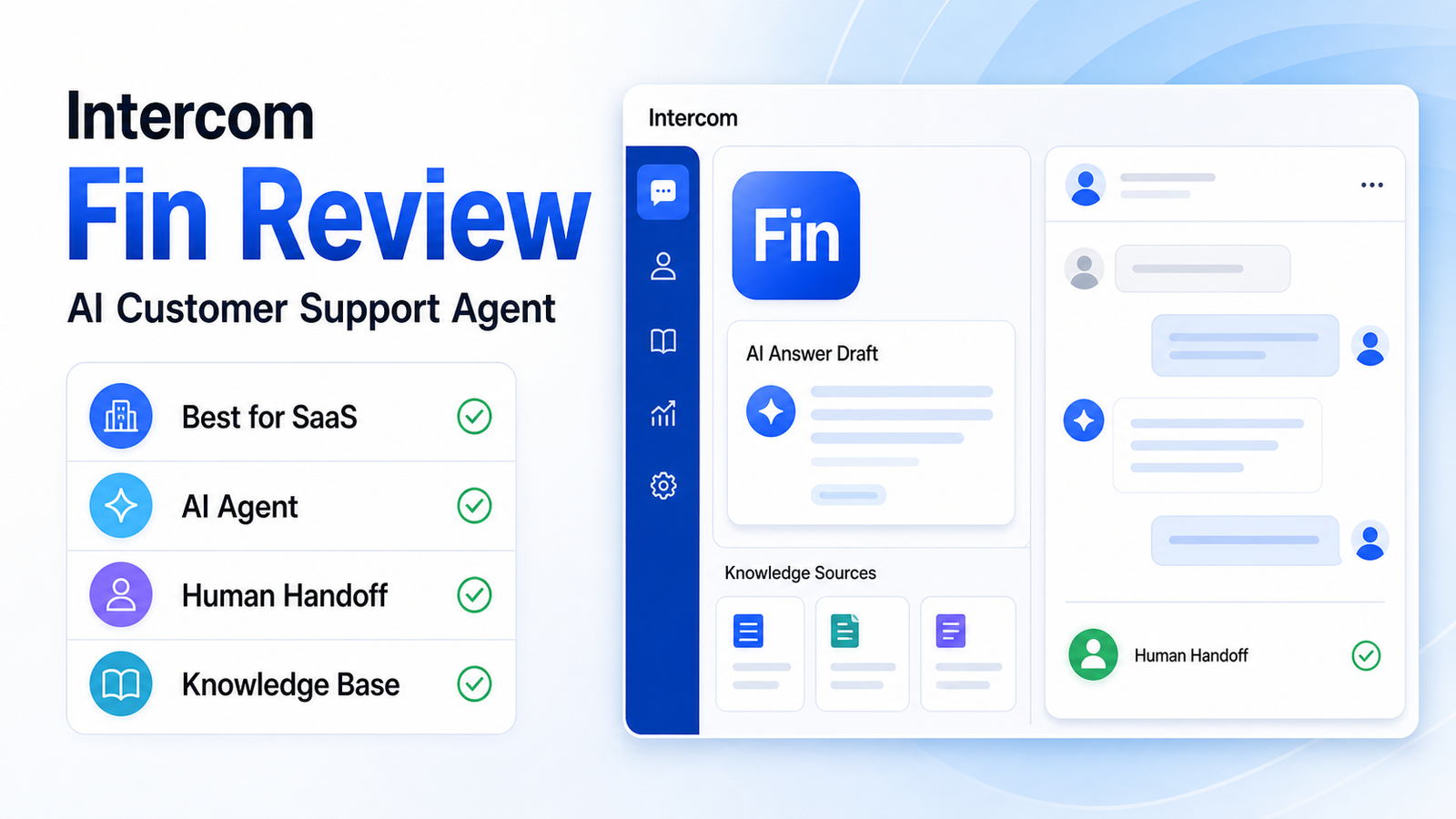
    Intercom Fin is worth considering if your team already has strong help content and wants an AI agent to answer common customer questions before a human support agent steps in. It is not the cheapest or simplest support option for every small business, but it can be a strong fit for SaaS, product-led, and chat-first teams that want AI self-service to become a real part of support.

    The short verdict: Intercom Fin is best for teams with repeatable support questions, a maintained help center, and enough conversation volume to justify outcome-based AI support. It is less ideal for very small teams with only a few support conversations per week, messy documentation, or support issues that always require human judgment.

    This review focuses on fit, strengths, limitations, pricing structure, and when to choose Fin instead of a simpler inbox or a traditional help desk. If you are comparing several platforms, our best AI customer support tools guide gives a wider shortlist.

    Quick Verdict

    Review Area Verdict
    Best for SaaS and product-led teams with repetitive support questions
    Main strength AI-agent-first support connected to knowledge sources and human handoff
    Main limitation Works best when your help content is already clean and complete
    Pricing model Outcome-based Fin pricing plus Intercom platform plan requirements
    Best alternative for simplicity Help Scout
    Best alternative for full help desk depth Zendesk

    What Is Intercom Fin?

    Intercom Fin is Intercom's AI customer support agent. It is designed to answer customer questions using approved knowledge sources, then hand over to human agents when the question needs human support.

    That positioning matters. Fin is not just an agent-assist writing feature. It is meant to sit in front of support conversations and resolve eligible questions. For teams that receive the same onboarding, billing, troubleshooting, and account questions every day, that can reduce repetitive work and give customers faster answers.

    Intercom also publishes guidance around knowledge sources for AI agents and self-serve support. That is important because Fin's value depends heavily on the quality of the information it can draw from.

    Who Intercom Fin Is Best For

    Intercom Fin is strongest for businesses that already think of support as a product experience. That usually includes SaaS companies, app businesses, product-led growth teams, and online services where customers ask many repeatable questions.

    Fin is a good fit when:

    • your support team handles the same questions repeatedly
    • your help center is reasonably complete
    • support happens through chat or messaging
    • customers expect fast answers
    • human agents need fewer repetitive tickets
    • you can maintain knowledge sources over time

    Fin is not the best first step if your business has no help center, no documented policies, and very low support volume. In that case, the real bottleneck is not AI. It is support content and process.

    Core Features That Matter

    AI Answers From Knowledge Sources

    The main reason to choose Fin is AI answering. It can use approved support content to answer customer questions. For a small SaaS team, this can be useful for onboarding questions, feature explanations, account setup, and basic troubleshooting.

    The key condition is content quality. If your knowledge base is outdated or vague, the AI experience will be weaker. Fin does not remove the need to maintain help content. It makes that content more valuable.

    Human Handoff

    A good AI support tool should know when not to answer. Fin is useful because it sits inside Intercom's broader support environment, where customers can be handed to human agents when needed.

    This is important for sensitive issues such as billing disputes, account access, cancellation problems, technical bugs, and angry customers. A support tool should reduce repetitive work without making customers feel trapped.

    Support Inbox Context

    Because Fin is part of Intercom, teams can use it alongside customer conversations, support workflows, and help center content. This makes it more practical than a standalone chatbot that does not fit into the agent workflow.

    For many teams, the deciding factor is not whether the AI can write a nice answer. It is whether the answer, escalation, and conversation history live in the same support system.

    Outcome-Based Pricing

    Intercom's official pricing page presents Fin with outcome-based pricing. This means teams should evaluate Fin based on how many useful AI resolutions it can produce, not only the monthly software subscription.

    That model can be attractive if Fin resolves enough repetitive questions. It can feel less attractive if your volume is low, your questions are complex, or customers frequently need human escalation.

    Pros And Cons

    Pros Cons
    Strong fit for AI-first support Requires clean support content to work well
    Good for chat-first SaaS teams May be more than a tiny team needs
    Human handoff is part of the support flow Pricing should be modeled against real support volume
    Useful for repetitive onboarding and product questions Not ideal for support that always requires human judgment
    Works inside Intercom's broader customer communication system Teams must maintain knowledge sources over time

    Where Fin Works Best

    Fin works best when support questions are frequent, repeatable, and answerable from source content. Examples include account setup, feature usage, plan limits, onboarding steps, product documentation, policy questions, and common troubleshooting.

    A SaaS team with hundreds or thousands of monthly support conversations could use Fin to reduce repetitive tickets while keeping human agents focused on complex cases. A small ecommerce store could use an AI chat tool too, but Intercom Fin is most compelling when support is tied to a product experience rather than only order questions.

    Where Fin May Not Be The Right Choice

    Fin is not a magic layer over messy support. If the business has unclear policies, incomplete docs, or a product that requires custom answers for every customer, Fin will have less room to help.

    It may also be too much for very small teams that only answer a handful of emails each week. In that case, a simpler shared inbox or lighter support tool may be a better starting point.

    Avoid Fin if:

    • your help center is not ready
    • most questions require judgment or account review
    • support volume is too low to justify AI outcomes
    • your team wants only a basic email inbox
    • you are not ready to monitor AI answer quality

    Intercom Fin Pricing: What To Know

    Fin uses outcome-based pricing, so the real question is whether the AI agent can resolve enough support conversations to make the cost worthwhile. Intercom's pricing page should be treated as the source of truth for current plan requirements and Fin outcome pricing.

    For a small business, the pricing decision should start with three numbers:

    1. monthly support conversation volume 2. percentage of questions that are repetitive and answerable from documentation 3. expected human time saved per useful AI resolution

    If your team receives many repeated questions, Fin can make sense faster. If volume is low or support questions are mostly custom, the value case is weaker.

    Intercom Fin vs Simpler Support Tools

    Intercom Fin is not trying to be the simplest support inbox. It is a better fit for teams that want AI self-service and customer messaging to be a strategic part of support.

    Choose Fin over a simpler inbox if:

    • live chat is central to customer support
    • the product has repeatable support questions
    • customers expect immediate answers
    • your team can maintain support articles
    • AI resolution is a business priority

    Choose a simpler tool instead if your team mainly wants a clean shared inbox, basic docs, and light AI writing assistance.

    Buying Checklist Before You Choose Fin

    Before choosing Fin, do a simple readiness check. List your top support questions, confirm that each answer exists in your help center, and decide which questions should always go to a human. Then estimate how many monthly conversations are repetitive enough for an AI agent to handle. This gives you a cleaner value model than comparing AI features in isolation.

    A team that already maintains documentation will get more value from Fin than a team that expects the AI agent to fix missing policies. Treat Fin as a support layer on top of good knowledge management, not as a replacement for the support knowledge itself.

    Final Verdict

    Intercom Fin is a strong AI customer support agent for teams that are ready for it. The product makes the most sense when support content is organized, customer questions repeat often, and the team wants AI to resolve conversations rather than only help agents draft replies.

    It is not the right first step for every small business. If your documentation is weak, fix that first. If support volume is low, start with a simpler inbox. But if your team has enough repetitive questions and wants AI self-service as a serious support channel, Intercom Fin deserves a close look.

    FAQs

    Is Intercom Fin good for small business?

    Intercom Fin can be good for small businesses with enough support volume and clean help content. It is less ideal for very small teams with only a few weekly conversations or support issues that always need human judgment.

    What does Intercom Fin do?

    Fin answers customer questions using approved knowledge sources and can hand conversations to human agents when needed. It is designed as an AI support agent rather than only an agent-writing assistant.

    Is Intercom Fin a chatbot?

    Fin behaves like an AI support agent inside customer conversations. It is more advanced than a simple rules-based chatbot because it can use knowledge sources to generate answers, but it still needs strong source content and oversight.

    How is Intercom Fin priced?

    Intercom presents Fin with outcome-based pricing on its official pricing page. Teams should model the cost against support volume, expected AI resolutions, and the amount of repetitive agent work that can be reduced.

    Does Intercom Fin replace support agents?

    Fin can reduce repetitive tickets, but it should not replace human agents for sensitive, complex, billing, account, or relationship-heavy support. The best setup uses Fin for common questions and humans for judgment.

    What is the biggest limitation of Intercom Fin?

    The biggest limitation is knowledge quality. If the help center is outdated, thin, or unclear, the AI agent has less reliable information to work from. Fin works best when support content is maintained like a real product asset.

    Who should avoid Intercom Fin?

    Teams should avoid Fin if they have low support volume, no help center, highly customized support issues, or no process for reviewing AI answer quality. Those teams may get more value from improving documentation and support operations first.

    What are the best Intercom Fin alternatives?

    Zendesk is better for broader help desk depth, Help Scout is better for a simpler shared inbox, Freshdesk is useful for budget-conscious ticketing, and Tidio Lyro is a focused option for ecommerce chat automation.
  • Best AI Customer Support Tools for Small Business

    Best AI Customer Support Tools for Small Business

    Small businesses do not need the most complicated support platform. They need a customer support tool that can answer common questions, organize conversations, protect the team from inbox chaos, and still let a human step in when the issue matters.

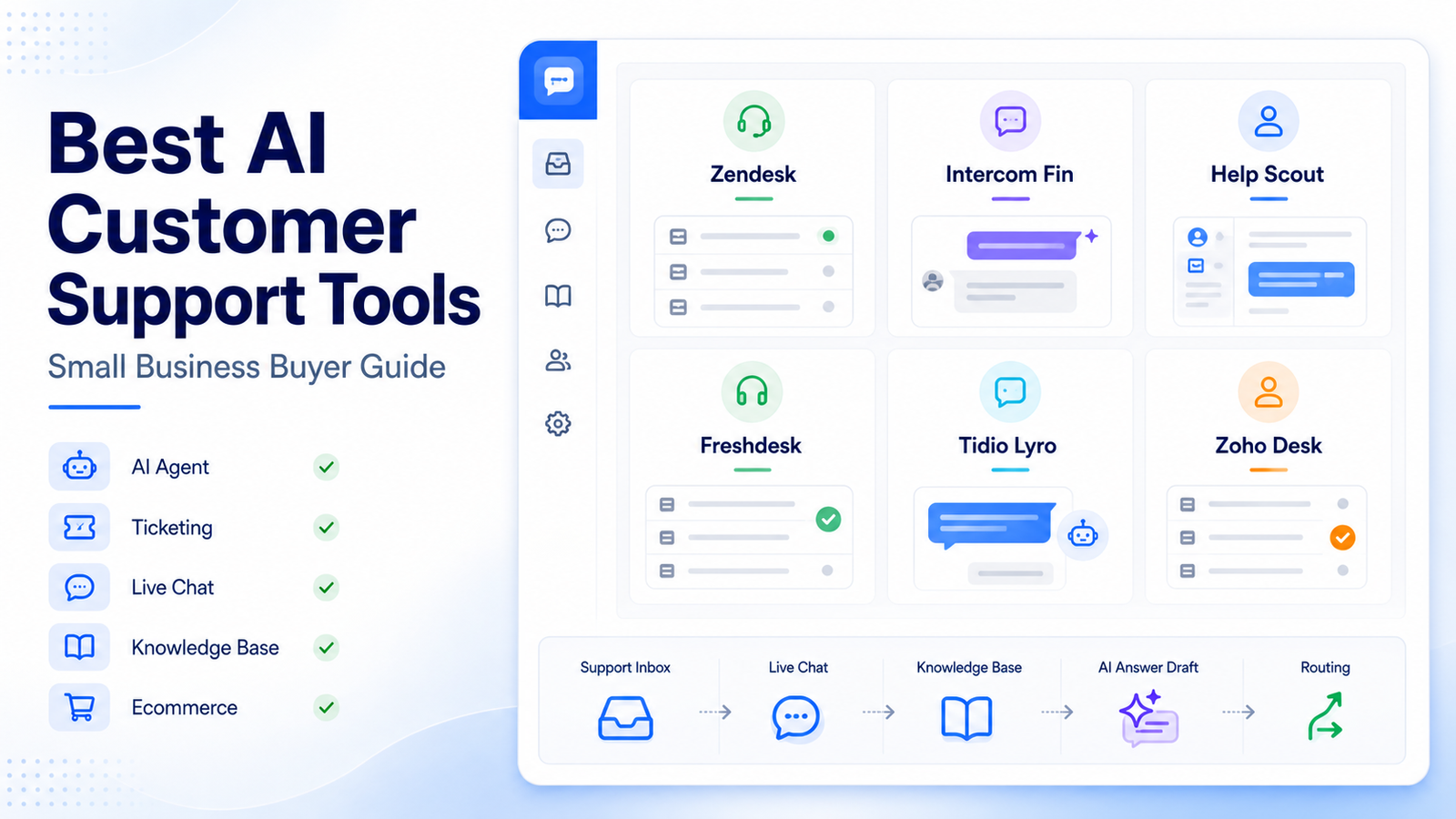
    For most teams, the best AI customer support tools fall into six practical groups: full help desk platforms, AI-agent-first platforms, simple shared inboxes, budget ticketing systems, ecommerce chat tools, and ecosystem tools for companies already using a broader business suite.

    Here is the short version: choose Zendesk if your support operation is growing and needs serious ticketing depth. Choose Intercom Fin if you want an AI agent at the center of support. Choose Help Scout if you want a simple, human-feeling support inbox with AI assistance. Choose Freshdesk if you need a budget-conscious help desk with automation. Choose Tidio Lyro if ecommerce live chat is your priority. Choose Zoho Desk Zia if your company already uses Zoho and wants support inside that ecosystem.

    If your team is still designing the process around the software, our AI customer support workflow guide is a useful companion. This article focuses on the software shortlist.

    Quick Comparison: Best AI Customer Support Tools

    Tool Best For Main Strength Watch Out For
    Zendesk Growing support teams Mature ticketing, AI agents, routing, knowledge base, analytics Can feel bigger than a very small team needs
    Intercom Fin AI-first support teams Strong AI agent experience connected to help center content Best when your support content is already clean and maintained
    Help Scout Small teams that value simplicity Shared inbox, docs, customer context, and AI help without heavy complexity Less suited to very complex enterprise routing
    Freshdesk Budget-conscious support teams Ticketing, automation, Freddy AI features, multichannel support Advanced AI and automation may depend on plan fit
    Tidio Lyro Ecommerce and chat-heavy teams Live chat, chatbot automation, Lyro AI agent for common questions Not a full replacement for deep help desk operations
    Zoho Desk Zia Zoho ecosystem users Help desk plus Zia AI inside the broader Zoho suite Best fit when your team already likes Zoho products

    How To Choose The Right AI Support Tool

    Before comparing features, decide what problem you are actually solving. A two-person ecommerce team with many repetitive shipping questions needs a different tool than a SaaS company managing account issues, billing questions, and product bugs.

    Use these criteria first:

    • Ticket volume: if volume is high, prioritize routing, assignment, SLAs, reporting, and a strong knowledge base.
    • Support channels: if most conversations happen through chat, prioritize live chat and AI agent handoff. If email is the main channel, a shared inbox may be enough.
    • Knowledge base quality: AI support works best when help articles are accurate, current, and easy to retrieve.
    • Human handoff: the tool should make escalation clear instead of trapping customers in automation.
    • Team size: small teams need fast setup. Larger teams need controls, analytics, permissions, and routing.
    • Ecommerce fit: stores need chat, order context, and fast answers around shipping, returns, and product questions.

    The mistake many small businesses make is buying the tool with the longest feature list. A better approach is to choose the tool that matches your support maturity for the next 12 months.

    1. Zendesk: Best Overall For Growing Support Operations

    Zendesk is the strongest choice when your support team is moving beyond a basic inbox. It is built around ticketing, customer conversations, help center content, routing, reporting, and AI support features that can scale with a growing team.

    Zendesk is a good fit when you have several agents, multiple support channels, or a support process that needs clear ownership. Its AI agent and automation features are useful when common issues can be answered from a maintained help center, while more complex tickets still need escalation to human agents.

    Why Zendesk Works Well

    Zendesk is useful because it does not treat AI as a separate toy. AI can sit inside a broader support operation that already includes tickets, macros, routing, knowledge base content, customer history, and reporting. That matters for small businesses that are growing quickly and do not want to rebuild the support stack later.

    Zendesk is especially strong for teams that need:

    • email, messaging, and help center support in one system
    • AI answers based on support content
    • routing and assignment logic
    • reporting for managers
    • room to grow into more advanced support operations

    Where Zendesk May Be Too Much

    Zendesk can be more platform than a tiny team needs. If you only answer a few emails per day, a lighter tool may feel faster. Zendesk makes the most sense when support already has structure or when the team knows that volume will grow.

    Choose Zendesk if you want a long-term customer service platform. Avoid it if you mainly need a lightweight live chat widget or a very simple shared inbox.

    2. Intercom Fin: Best For AI-Agent-First Support

    Intercom Fin is designed for teams that want AI to answer a meaningful share of customer questions before a human agent steps in. It works best when your help center, product docs, and support content are already clean enough for an AI agent to use safely.

    Intercom is a strong option for SaaS businesses, product-led companies, and teams that care about conversational support. Fin can fit into a support setup where customers ask questions through chat, and the support team wants fewer repetitive tickets without losing the human handoff.

    Why Intercom Fin Works Well

    Intercom Fin is compelling because it is built around the idea that an AI agent should be part of the support experience, not just a writing assistant. That makes it useful for teams with repeated questions about onboarding, billing, account settings, product limits, or troubleshooting steps.

    Intercom is especially useful when you need:

    • AI answers from approved support content
    • a modern chat-first customer experience
    • human handoff when AI cannot resolve the issue
    • support workflows tied to product conversations
    • a polished customer-facing support interface

    Where Intercom Fin May Not Fit

    Intercom Fin depends heavily on the quality of the knowledge sources behind it. If your help content is outdated, incomplete, or scattered, the AI experience can become weaker. It is also not the simplest option for teams that only need a low-cost inbox.

    Choose Intercom Fin if AI self-service is a top priority. Avoid it if your support documentation is not ready yet or if ticketing depth matters more than chat automation.

    3. Help Scout: Best Simple AI Support Inbox

    Help Scout is a good fit for small businesses that want support to feel personal, organized, and easy for the team to manage. It combines a shared inbox, help center, customer context, and AI assistance without making the software feel like an enterprise ticketing maze.

    Help Scout is especially attractive for founder-led teams, service businesses, agencies, and small SaaS teams that want to improve response quality without adding too much process.

    Why Help Scout Works Well

    Help Scout is strong because it keeps the support experience simple. The AI features are useful for improving replies, summarizing context, and helping agents work faster, but the product still feels centered on human support.

    Help Scout is a good match when your team needs:

    • a clean shared inbox
    • docs and self-service content
    • customer context in conversations
    • AI support for response quality and speed
    • a support system that non-technical team members can learn quickly

    Where Help Scout May Not Fit

    Help Scout is not the first tool I would pick for a complex support operation with heavy routing, deeply customized SLAs, and many layers of reporting. It is best for teams that value simplicity and customer tone over heavy operational complexity.

    Choose Help Scout if you want a calm support workspace. Avoid it if you need the most advanced enterprise-style help desk controls.

    4. Freshdesk: Best Budget-Conscious AI Help Desk

    Freshdesk is a practical choice for small businesses that need ticketing, automation, and AI support features without immediately jumping into a heavier enterprise stack. Freshdesk sits inside the Freshworks product family and includes Freddy AI capabilities across support experiences.

    Freshdesk is a good fit for support teams that need a traditional help desk structure with room for automation, multichannel support, and knowledge base improvements.

    Why Freshdesk Works Well

    Freshdesk is useful because it gives small teams a recognizable help desk structure: tickets, agents, channels, rules, and customer conversations. Freddy AI can help with support automation and agent assistance depending on the product setup and plan.

    Freshdesk is worth considering when you need:

    • structured ticket management
    • automation for repetitive support work
    • multichannel customer conversations
    • knowledge base and self-service support
    • a support platform that can start lean and grow

    Where Freshdesk May Not Fit

    Freshdesk can require configuration work if your support process has many rules. Some AI and automation capabilities may also depend on plan selection, so the tool should be evaluated against the features your team actually needs.

    Choose Freshdesk if you want a capable help desk with AI assistance. Avoid it if your team wants only a lightweight chat widget or a very minimal inbox.

    5. Tidio Lyro: Best For Ecommerce Chat Automation

    Tidio Lyro is built for teams that want AI chat automation for common customer questions. It is especially relevant for ecommerce stores where shoppers ask about products, shipping, returns, discounts, and order-related questions.

    Tidio is a better fit for chat-heavy teams than for companies that need deep help desk reporting or complex back-office ticket workflows.

    Why Tidio Lyro Works Well

    Tidio Lyro is useful when the main goal is to answer common questions quickly on the website. For small stores, that can reduce repetitive chat work and help customers get answers without waiting for a support agent.

    Tidio Lyro is a good match when you need:

    • live chat on your website
    • AI responses for repetitive questions
    • ecommerce-friendly customer conversations
    • simple setup compared with larger help desk platforms
    • automation for pre-sale and post-sale questions

    Where Tidio Lyro May Not Fit

    Tidio Lyro should not be treated as a complete help desk replacement for every business. If you need advanced ticket routing, SLAs, multi-team workflows, or deep reporting, Zendesk, Freshdesk, or Zoho Desk may fit better.

    Choose Tidio Lyro if chat automation and ecommerce support matter most. Avoid it if ticket operations are the center of your support process.

    6. Zoho Desk Zia: Best For Teams Already Using Zoho

    Zoho Desk Zia is the best fit for businesses already using Zoho products. Zia brings AI assistance into Zoho Desk, while Zoho Desk provides the support system around tickets, agents, customers, and reporting.

    For companies already using Zoho CRM, Zoho Workplace, Zoho Books, or other Zoho apps, staying inside the same ecosystem can make support easier to connect with sales and operations.

    Why Zoho Desk Zia Works Well

    Zoho Desk is useful for teams that want support data connected to the wider business. Zia can help with AI assistance inside that support environment, while Zoho Desk provides the operational help desk foundation.

    Zoho Desk Zia is a good match when you need:

    • help desk software inside the Zoho ecosystem
    • AI assistance connected to support operations
    • ticketing, customer context, and reporting
    • a familiar interface for teams already using Zoho
    • support processes connected to CRM or business apps

    Where Zoho Desk Zia May Not Fit

    Zoho Desk is most attractive when your team already wants to use Zoho. If your company is not in the Zoho ecosystem and wants the most polished AI-agent-first experience, Intercom Fin may be a stronger shortlist choice.

    Choose Zoho Desk Zia if Zoho is already part of your business stack. Avoid it if you want a standalone chat-first AI support product.

    Best Tool By Use Case

    Use Case Best Pick Why
    Best overall for growing support teams Zendesk Strong help desk foundation with AI and routing depth
    Best AI-agent-first support Intercom Fin Built around AI answering customer questions from support content
    Best simple inbox Help Scout Easy shared inbox and docs experience for small teams
    Best budget-conscious help desk Freshdesk Practical ticketing and automation for teams watching cost
    Best ecommerce chat automation Tidio Lyro Strong fit for website chat and common store questions
    Best for Zoho users Zoho Desk Zia Fits naturally into the Zoho business ecosystem

    What Most Small Businesses Get Wrong

    The biggest mistake is adding AI before the support content is ready. AI customer support tools are only as useful as the answers, policies, help articles, and routing rules they can rely on.

    Before buying, make sure your team has:

    • clear answers for the top 20 support questions
    • updated refund, cancellation, shipping, billing, or account policies
    • a simple escalation rule for sensitive issues
    • ownership for maintaining help articles
    • a plan for measuring answer quality and unresolved tickets

    If you skip that work, even a strong AI support tool can feel disappointing. If you do it well, a smaller tool can sometimes outperform a bigger platform because the source content is cleaner.

    For teams that also want to analyze support themes after conversations happen, the AI customer feedback analysis workflow can help turn tickets and reviews into product insights.

    Final Recommendation

    If you want the safest overall choice for a growing support operation, start with Zendesk. It gives you the most room to grow into serious customer service operations.

    If your main goal is to automate support answers with an AI agent, Intercom Fin should be high on the shortlist. If your team wants simplicity and human tone, Help Scout is easier to like. If you need structured ticketing with budget awareness, Freshdesk deserves a close look. If ecommerce chat is the main channel, Tidio Lyro is the more focused pick. If your business already runs on Zoho, Zoho Desk Zia is the natural option.

    The right choice is not the tool with the most AI branding. It is the tool that matches your support channels, customer questions, documentation quality, and team size.

    FAQs

    What is the best AI customer support tool for small business?

    Zendesk is the strongest overall pick for growing support teams, while Help Scout is better for teams that want a simpler inbox. Intercom Fin is best when AI self-service is the main priority, and Tidio Lyro is best for ecommerce chat automation.

    Which AI customer support tool is best for ecommerce?

    Tidio Lyro is a strong fit for ecommerce teams that need live chat and AI answers for common store questions. Zendesk and Freshdesk can also work for ecommerce teams that need deeper ticketing and multichannel support.

    Is Intercom Fin better than Zendesk?

    Intercom Fin is better for teams that want an AI-agent-first support experience. Zendesk is better when the business needs a broader help desk platform with ticketing, routing, reporting, help center operations, and room to scale.

    Is Help Scout good for AI customer support?

    Help Scout is good for small teams that want AI assistance inside a simple support inbox. It is not the most complex enterprise help desk, but that simplicity is exactly why many smaller teams consider it.

    Should small businesses use AI chatbots for support?

    Small businesses should use AI chatbots when they have clear, repeatable questions and accurate support content. AI is less useful when policies are unclear, questions are highly sensitive, or every customer issue requires custom judgment.

    What should I check before buying AI support software?

    Check your support channels, ticket volume, help center quality, escalation needs, team size, reporting needs, and integration requirements. The tool should match your actual support process, not just the longest feature list.

    Can AI customer support tools replace human agents?

    They can reduce repetitive work, but they should not replace human support for sensitive, complex, billing, account, or relationship-heavy issues. The best setup uses AI for common questions and human agents for judgment.

    Which tool is easiest for a small team to start with?

    Help Scout is usually the easiest if the team wants a shared inbox and docs. Tidio can be easier if the main need is website chat. Zendesk, Freshdesk, and Zoho Desk are better when the team needs more help desk structure.

  • How to Build an AI Customer Feedback Analysis Workflow

    How to Build an AI Customer Feedback Analysis Workflow

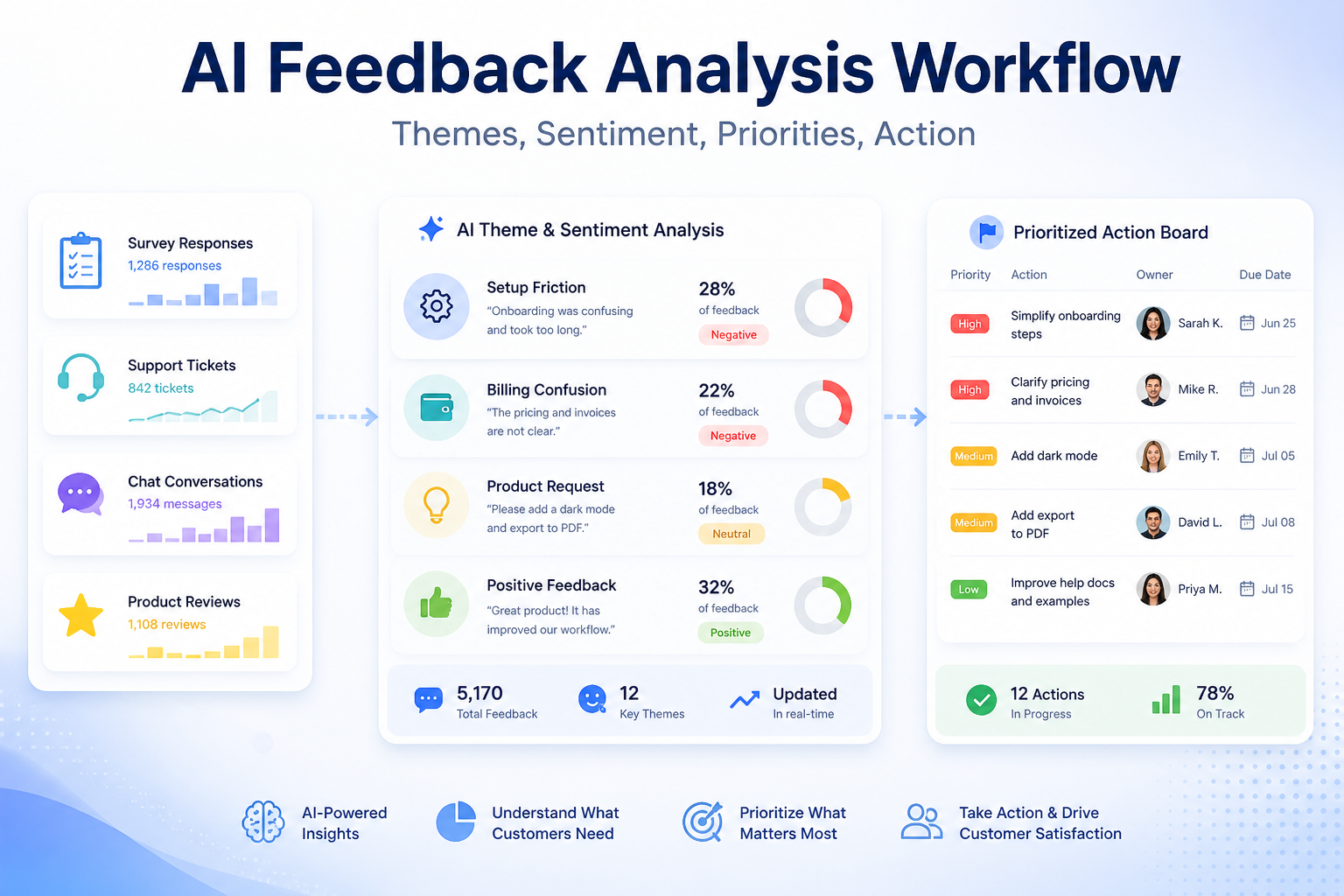
    Customer feedback is easy to collect and surprisingly hard to use. Surveys, reviews, support tickets, sales notes, cancellation reasons, and chat transcripts all contain signals, but most teams only read a few examples. An AI customer feedback analysis workflow helps turn that scattered input into themes, sentiment, priorities, and owned action items.

    The workflow should not replace customer judgment. It should make feedback easier to understand. SurveyMonkey AI survey analysis focuses on finding themes, sentiment, and insights in survey responses. Qualtrics XM describes turning feedback from multiple channels into predictive insights and recommendations. Zendesk AI supports service teams with AI agents, copilots, automation, and QA. Intercom AI insights focuses on conversation analysis and service performance.

    The Feedback Analysis Workflow

    Stage AI role Human role
    Collection Group feedback by channel and topic Confirm sources are relevant
    Theme analysis Identify repeated issues and requests Merge or rename themes
    Sentiment review Flag negative, neutral, and positive patterns Interpret severity and context
    Prioritization Suggest high-frequency or high-risk issues Decide business priority
    Action tracking Turn insights into tasks Assign owners and due dates

    Collect Feedback From The Right Places

    Start with the channels that already contain customer language. These might include survey responses, support tickets, chat conversations, public reviews, onboarding calls, churn notes, and product feedback forms. Do not wait for a perfect system. Start with two or three reliable sources and expand later.

    For each source, record the date range, customer segment, channel, and owner. AI analysis is more useful when you know where the feedback came from. A complaint from a long-term customer may mean something different from a one-line anonymous survey response.

    If the team already has support and marketing workflows, connect the analysis back to them. A support trend may feed into AI customer support workflow. A repeated objection may become content for AI marketing workflow for small business.

    Use AI To Find Themes, Not Final Truth

    AI is useful for grouping messy feedback into themes: billing confusion, setup friction, missing integrations, slow response, unclear onboarding, product quality, or feature requests. It can also summarize examples and surface representative quotes.

    But themes need human review. AI may combine different problems under one label or split the same problem into multiple labels. A customer success manager, support lead, or product owner should review the theme list and rename it in plain business language.

    A good theme is actionable. “Negative sentiment” is not enough. “Customers cannot find the export button after onboarding” is useful because someone can fix it.

    Add Sentiment Carefully

    Sentiment analysis helps identify emotion, but it can be blunt. A polite customer may still be at risk. An angry customer may be reacting to one temporary issue. Treat sentiment as a signal, not a verdict.

    Use AI sentiment to find clusters worth reviewing: strongly negative tickets, positive product mentions, recurring frustration, or confusing onboarding comments. Then read samples before making decisions.

    The strongest workflow combines frequency, sentiment, customer value, and business risk. A low-frequency issue from high-value customers may be more urgent than a common but minor annoyance.

    Turn Insights Into Work

    Feedback analysis only matters when it changes something. For each important theme, create an action item with an owner, due date, source examples, expected outcome, and review date.

    Common action types include updating help docs, changing onboarding emails, fixing a product flow, improving sales qualification, creating a comparison page, retraining support macros, or escalating a bug.

    Keep the action list short. If AI produces 40 insights, choose the five that matter now. A focused feedback workflow beats a giant dashboard nobody uses.

    Close The Loop

    When a customer issue leads to a change, close the loop internally and, when appropriate, externally. Tell the support team what changed. Update the knowledge base. Add the new issue to onboarding or sales enablement. If customers asked for the change directly, let them know.

    This is where AI can help again. It can summarize what changed, draft internal notes, and suggest a customer update. A human should approve anything customer-facing.

    FAQ

    What is an AI customer feedback analysis workflow?

    It is a repeatable process for using AI to organize feedback, identify themes, review sentiment, prioritize issues, and create action items.

    What feedback sources should I use?

    Start with surveys, support tickets, chat conversations, reviews, churn notes, and sales call notes.

    Can AI replace manual feedback review?

    No. AI can cluster and summarize feedback, but humans should validate themes and priorities.

    What is the best use of sentiment analysis?

    Use sentiment to find patterns worth reviewing, not as the only basis for decisions.

    How often should feedback be analyzed?

    Monthly works for many teams. High-volume support teams may need weekly analysis.

    Who should own the workflow?

    Customer success, support, product, or marketing can own it, but every action item needs a named owner.

    What should I do with repeated complaints?

    Group them by theme, review examples, assign a fix, and track whether the issue declines after the change.

    Can feedback analysis help content marketing?

    Yes. Customer questions and objections can become articles, FAQs, comparison pages, and onboarding content.

    What metrics should I track?

    Track theme frequency, negative sentiment clusters, resolution time, churn reasons, support volume, and action completion.

    What is the biggest limitation?

    AI can misread context when feedback is short, sarcastic, incomplete, or pulled from only one channel.

    Final Decision

    Use this workflow if your team already has the core business process in place and wants AI to remove drafting, summarizing, sorting, and follow-up friction. Do not use it as a substitute for human review, legal approval, customer-sensitive judgment, or final publishing decisions. The best setup is simple: one source of truth, one review owner, a short list of approved prompts, and a weekly check of what the AI helped create.

  • How to Build an AI Customer Support Workflow: Triage, Answers, Escalation, and QA

    How to Build an AI Customer Support Workflow: Triage, Answers, Escalation, and QA

    Quick Answer

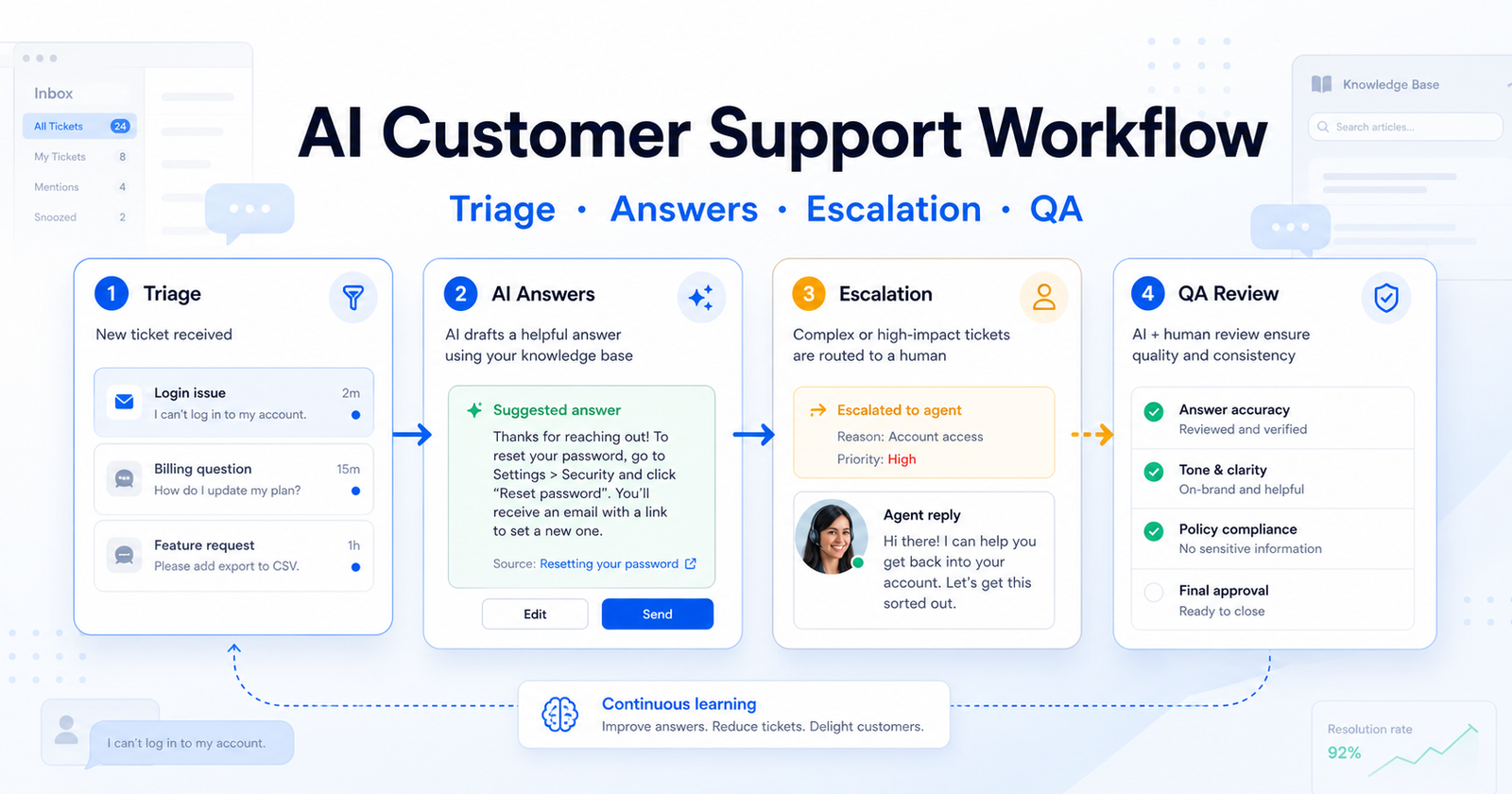
    A useful AI customer support workflow has four stages: triage the request, draft or deliver the answer, escalate risky cases to a human, and review quality after the conversation. The goal is not to let AI answer everything. The goal is to let AI handle repeatable requests while humans keep control over exceptions, customer trust, and policy-sensitive decisions.

    For most small teams, the safest setup is a help center, a shared inbox, an AI agent or answer assistant, a human handoff rule, and a weekly QA review. Intercom and Zendesk both publish AI support options, but the same workflow can also apply to other helpdesk tools if they support knowledge-base answers, routing, and review.

    If your support work connects to automation platforms, our Zapier vs Make comparison can help you decide how to move support events into other systems.

    Workflow Summary

    Stage Goal AI Role Human Role
    Triage Understand request type, urgency, and customer context Classify topic, summarize history, suggest priority Define rules and review edge cases
    Answer Resolve simple questions quickly Draft or deliver answers from approved knowledge Approve policies, update help content, handle unclear cases
    Escalation Prevent bad automation decisions Handoff when confidence, billing, security, or emotion requires care Own refunds, exceptions, complaints, and relationship-sensitive cases
    QA review Improve the system over time Score conversations, find content gaps, surface repeated issues Fix macros, docs, routing, and escalation rules

    Step 1: Start With Support Categories

    Before choosing a tool, divide support work into categories. Common buckets include billing, login problems, setup questions, plan limits, bugs, refunds, integrations, feature requests, and account security.

    AI works best when each bucket has clear source material. For example, a password-reset question can use a help-center article. A refund request may need policy logic and human review. A customer who says they are about to cancel may need an account manager, not a generated answer.

    This is where many teams get customer support AI wrong. They start with the tool instead of the support map. The result is an AI assistant that answers easy questions but mishandles edge cases because nobody defined the edges.

    Step 2: Build the Knowledge Base First

    An AI support workflow is only as good as the information it can use. Create or clean up articles for the top 20-30 repeated questions before you automate answers. Each article should have one clear answer, updated screenshots if needed, and ownership.

    Good source content includes setup guides, billing policies, troubleshooting steps, plan limits, integration instructions, refund rules, and escalation notes. Poor source content includes outdated FAQs, vague policy pages, internal chat explanations, and undocumented exceptions.

    A practical example: a small SaaS team with 80 weekly tickets might find that 35 tickets are about login, billing, and setup. Those categories are safe candidates for first-pass automation. Security complaints, enterprise billing, and angry cancellation tickets should stay human-led until the team has clear policies.

    Step 3: Choose the AI Layer

    There are two common approaches.

    The first approach is an AI-first support platform. Intercom's pricing page lists Fin AI Agent in its Essential, Advanced, and Expert plans, with Fin priced from $0.99 per outcome and seat pricing by plan. Intercom also lists a standalone Fin AI Agent option for teams that already have a helpdesk.

    The second approach is adding AI to a helpdesk suite. Zendesk's pricing page lists support and suite plans, AI agents, Copilot, quality assurance, routing, ticketing, messaging, live chat, and help center features. Zendesk also describes AI agent resolutions and add-ons as cost components.

    Do not choose only by feature count. Choose by where your support team already works, how clean your help center is, how many tickets are repetitive, and how often customers need a human decision.

    Step 4: Define Handoff Rules

    Handoff rules protect trust. AI should escalate when the request involves refunds, legal terms, security, account access, angry sentiment, medical or financial claims, enterprise contracts, repeated failed answers, or anything the company has not documented.

    A simple rule set could look like this:

    Trigger Action
    Customer asks for refund Route to billing queue
    AI cannot find a source answer Send to human support
    Customer mentions security issue Escalate to priority queue
    Customer asks a plan-limit question Answer from pricing/docs if source is approved
    Customer repeats the same question Handoff after one failed AI response
    Customer is angry or threatening churn Handoff to senior support or success owner

    The hidden limitation is that AI can sound confident even when the underlying policy is unclear. Handoff rules are the guardrail that prevents a polished but wrong answer.

    Step 5: Add Human Review Before Full Automation

    Do not launch full auto-answering on day one. Start with AI drafts that agents approve. After the team sees repeated correct drafts, move low-risk categories to direct AI responses.

    A staged rollout works well:

    1. Week one: AI drafts answers only. 2. Week two: AI answers password, setup, and simple how-to questions. 3. Week three: AI handles more categories with confidence and source checks. 4. Week four: QA reviews missed cases and updates help articles.

    This approach gives the team evidence from its own inbox without pretending to run a scientific test. It also shows which help-center articles need fixing before automation expands.

    Step 6: Connect Support to Other Systems Carefully

    Support workflows often need CRM notes, billing flags, bug reports, and product feedback. AI can help summarize the ticket, but automation should move only structured, reviewed information into other systems.

    For example, a support ticket about a broken integration can become a product bug report after an agent confirms the issue. A churn-risk conversation can update the CRM after a success manager reviews the summary. A repeated setup issue can become a documentation task.

    Do not let AI create noisy tasks for every conversation. That creates more work than it saves.

    Step 7: Run Weekly QA

    A good QA review asks practical questions:

    • Did the AI answer from approved source material?
    • Were any answers technically correct but unhelpful?
    • Which tickets should have escalated earlier?
    • Which help articles caused confusion?
    • Which categories are safe to automate next?
    • Which automations created unnecessary work?

    This is also where support leaders should update macros, help articles, routing rules, and escalation triggers. AI support improves when the operating system around it improves.

    When AI Support Is Not the Right Choice

    AI support is not the right first move if your product changes every week, your help center is outdated, your support policies are undocumented, or most tickets require negotiation. It is also risky when customers ask about regulated decisions, security, billing exceptions, or account ownership.

    In those cases, build the support knowledge base and escalation process first. Then add AI to the safest categories.

    Final Recommendation

    Use AI support for repeatable questions, routing, summarization, and quality review. Keep humans in charge of exceptions, emotional conversations, policy decisions, and account-sensitive issues.

    The best workflow is not the one with the most automation. It is the one where customers get faster answers without losing the option to reach a capable human when the situation needs judgment.

    FAQs

    What is an AI customer support workflow?

    It is a structured process that uses AI to triage requests, draft or deliver answers, route tickets, escalate risky issues, and review support quality. The workflow should define where AI can answer directly and where a human must take over.

    Should AI answer customers automatically?

    Only for categories with clear source material, low risk, and strong escalation rules. Many teams should start with AI drafts for human approval before allowing direct AI responses.

    What should be in the knowledge base before using AI support?

    Start with articles for login, billing, setup, integrations, plan limits, troubleshooting, refunds, and security basics. Each article should be accurate, specific, and owned by someone who can keep it updated.

    When should AI escalate to a human?

    Escalate when the answer is uncertain, the customer is upset, money or account access is involved, the policy is unclear, or the request involves legal, security, privacy, or enterprise terms.

    Is Intercom Fin enough by itself?

    Fin can be useful when the team has clean support content and clear outcome goals. It is not a replacement for support operations, documentation ownership, escalation rules, and QA.

    Is Zendesk better for larger support teams?

    Zendesk can be a strong fit for teams that need ticketing, routing, live chat, help center, AI agents, Copilot, quality assurance, and enterprise workflows in a broader support suite. The right choice depends on your existing stack and support process.

    What is the biggest mistake with AI support?

    The biggest mistake is automating before defining support categories, source content, and escalation rules. That creates confident answers but not necessarily correct or trusted support.

    How do you measure whether the workflow is working?

    Track resolution rate, escalation rate, reopened tickets, customer satisfaction, article gaps, agent edits to AI drafts, and the number of unnecessary tasks created by automation. These show whether AI is helping or adding noise.