Tag: AI Productivity

  • How to Build an AI Meeting Notes Workflow: Capture, Summarize, Assign, Follow Up

    How to Build an AI Meeting Notes Workflow: Capture, Summarize, Assign, Follow Up

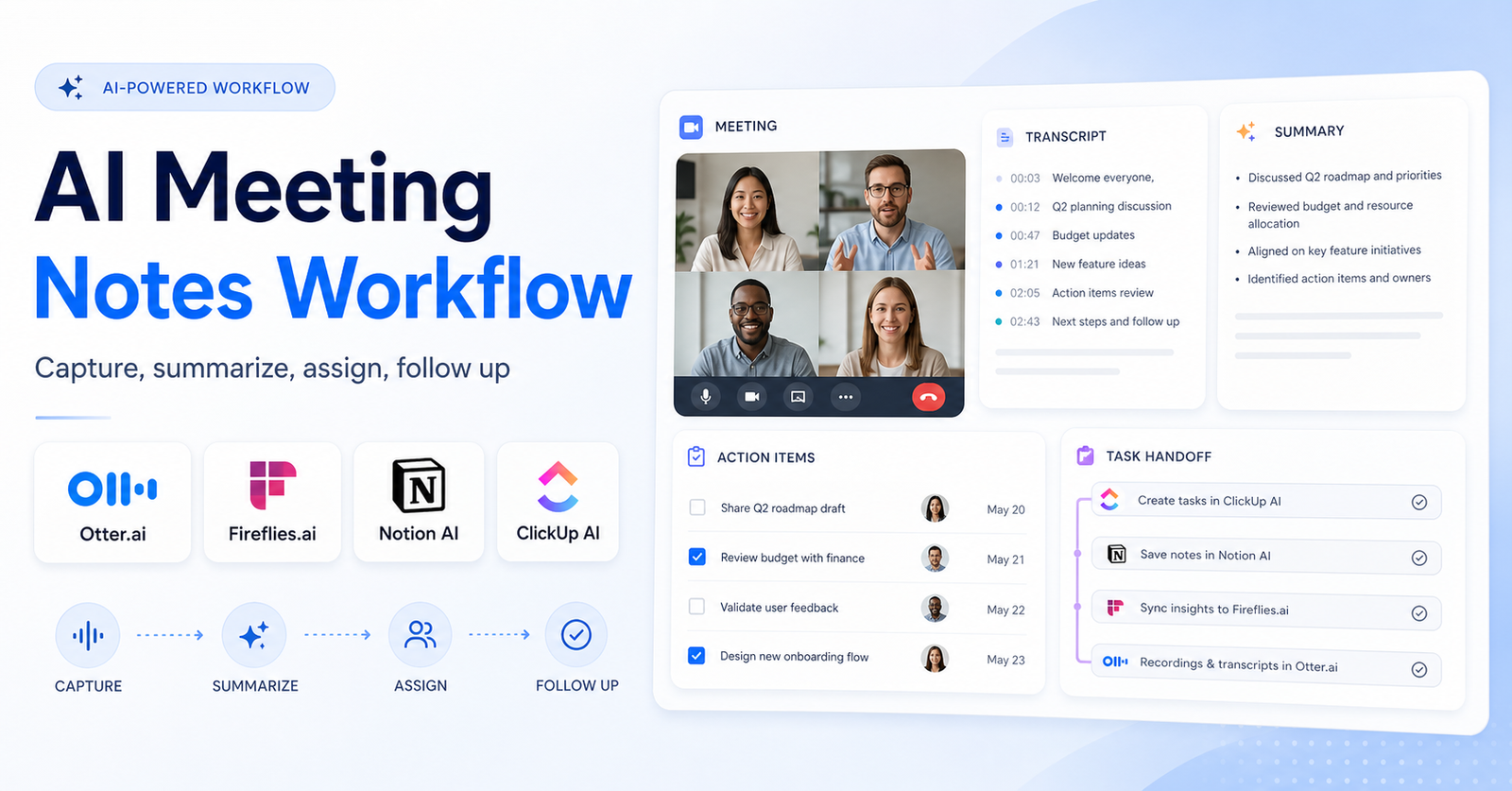
    An AI meeting notes workflow helps teams turn conversations into useful follow-up work. The goal is not just to record a transcript. The real value comes from capturing the meeting, summarizing decisions, assigning action items, sending follow-ups, and keeping the notes connected to the tools your team already uses.

    This matters because meetings often create hidden work. Someone promises to send a proposal. Someone else agrees to update a roadmap. A customer raises a risk. A manager asks for a decision by Friday. If those details stay buried in a call recording, the meeting still creates friction.

    A good workflow uses AI meeting assistants such as Otter.ai and Fireflies.ai for capture and summaries, then routes important notes into tools such as Notion AI, ClickUp AI, or your project management system. If you are deciding between the two main meeting assistants first, read our Otter.ai vs Fireflies.ai comparison. This guide focuses on the workflow around those tools.

    Quick Workflow Summary

    Step Purpose Output
    1. Define meeting types Decide which calls need AI notes Recording and note policy
    2. Capture the meeting Record transcript and speakers Searchable meeting record
    3. Generate a summary Extract decisions and key points Short team-readable notes
    4. Pull action items Identify owners, due dates, and next steps Task-ready checklist
    5. Store source notes Keep context in a shared workspace Reusable knowledge base
    6. Assign work Move tasks into the execution tool Clear owner and deadline
    7. Review and improve Check accuracy and close the loop Cleaner follow-up system

    1. Decide Which Meetings Need AI Notes

    Not every meeting needs a full AI notes workflow. Start by choosing which meeting types are worth capturing. Sales calls, customer onboarding sessions, hiring interviews, strategy meetings, product reviews, and recurring project check-ins usually benefit the most.

    For low-value calls, AI notes can create more noise than clarity. A short internal sync may only need a manual decision note. A client call with pricing, deadlines, objections, and commitments probably deserves a transcript, summary, and action-item workflow.

    Create a simple policy before connecting tools:

    • Which meetings can be recorded
    • Who should be notified before recording
    • Where transcripts and summaries are stored
    • Which meetings require human review
    • Who owns action-item cleanup
    • How long meeting records should be retained

    This makes the workflow more reliable and avoids treating AI recording as an afterthought.

    2. Capture The Meeting With The Right Tool

    The capture tool should fit the meeting environment. Otter.ai is commonly used for recording, transcription, summaries, and collaboration around meeting notes. Fireflies.ai is also built for meeting transcription, summaries, search, and workflow integrations.

    The right choice depends on where your team meets, how many calls you record, how you search past meetings, and whether your follow-up process depends more on notes, CRM updates, or project tasks.

    Before rolling it out broadly, test the tool on five real meetings. Review transcript quality, speaker labels, summary usefulness, permissions, calendar behavior, integrations, and how easy it is to find a specific decision one week later.

    3. Turn Transcripts Into Short Summaries

    A transcript is useful for auditability, but most team members will not read a full transcript. The workflow should produce a short summary that answers the obvious questions:

    • What was discussed?
    • What decisions were made?
    • What risks or blockers came up?
    • What should happen next?
    • Who owns each next step?

    This is where AI meeting assistants can save real time. Still, summaries should be reviewed before they are sent to clients, executives, or public-facing teams. AI can miss nuance, assign the wrong owner, or make a soft discussion sound like a firm commitment.

    A good summary should be short enough to scan in under one minute. If the meeting needs deep context, link back to the transcript or source notes rather than stuffing everything into the summary.

    4. Extract Action Items Separately

    Action items should not be hidden inside a paragraph summary. They need their own section with owner, task, due date, and context. If the AI cannot confidently identify the owner or deadline, mark it as unassigned instead of guessing.

    A clean action-item format looks like this:

    Owner Action Item Due Date Source Context
    Sarah Send revised onboarding checklist Friday Client asked for implementation steps
    Ahmed Confirm analytics access Before next call Reporting dashboard is blocked
    Team Decide between two workflow options Next planning meeting Product owner asked for tradeoff review

    The source context matters. A task without context becomes another vague to-do. Context helps the owner understand why the task exists.

    5. Store Meeting Knowledge In A Workspace

    Meeting notes become more valuable when they are stored in a searchable workspace. Notion AI Meeting Notes can help teams capture and organize notes inside a Notion workspace. ClickUp also offers an AI Notetaker workflow for turning meetings into summaries, action items, and connected work.

    If your team already uses Notion, the workspace can become the source of truth for meeting notes, decisions, and project context. If your team runs execution in ClickUp, moving action items into ClickUp may reduce handoff friction.

    For a broader workspace decision, our Notion AI vs ClickUp AI comparison can help clarify which system fits your team better.

    6. Assign Tasks Where Work Actually Happens

    A meeting note is not complete until the follow-up task lives where the team works. If your team uses ClickUp, create ClickUp tasks. If your team uses Notion, add tasks or database items. If your team uses a CRM, move customer follow-ups into the CRM.

    Avoid building a workflow where action items live in five places. That creates confusion and makes it hard to know whether the task was completed. The meeting assistant should capture and summarize; the execution tool should track ownership and deadlines.

    For automation-heavy teams, a tool such as Zapier or Make can help route notes into the right destination. Our Zapier vs Make comparison is useful if you want to automate handoffs between meeting notes, task tools, CRMs, and documents.

    7. Create A Review Loop

    AI notes need a review loop, especially for high-stakes meetings. The reviewer does not need to rewrite everything. They should check the summary, decisions, action items, owners, deadlines, sensitive details, and any client-facing language.

    A simple review checklist works well:

    • Is the summary accurate?
    • Are the action items clear?
    • Are owners correct?
    • Are deadlines real or guessed?
    • Does any private information need removal?
    • Are follow-up messages ready to send?
    • Were tasks created in the correct system?

    This is also where the team improves the workflow. If summaries are too long, change the prompt. If action items are vague, update the template. If notes are ignored, move them closer to the team's daily work.

    Recommended Tool Roles

    Otter.ai

    Use Otter.ai when your team needs meeting transcription, summaries, collaboration around notes, and a searchable meeting record. It is useful for recurring meetings, interviews, customer calls, and internal discussions where the transcript may need to be reviewed later.

    Fireflies.ai

    Use Fireflies.ai when meeting notes need strong search, summaries, and integrations with follow-up workflows. It can be useful for sales, customer success, recruiting, and cross-functional teams that want meeting intelligence connected to other systems.

    Notion AI

    Use Notion AI when meeting notes should become part of a broader knowledge base. It is helpful when teams already document projects, decisions, briefs, and research inside Notion.

    ClickUp AI

    Use ClickUp AI when meeting notes need to become tasks, project updates, or work items. It is a strong fit when your team already manages delivery, deadlines, owners, and project status inside ClickUp.

    Common Mistakes To Avoid

    The biggest mistake is stopping at transcription. A transcript alone does not guarantee follow-up. The workflow needs summaries, action items, storage, task assignment, and review.

    Avoid these mistakes:

    • Recording every meeting without a purpose
    • Sending summaries without checking accuracy
    • Letting AI guess owners or deadlines
    • Storing notes where nobody searches
    • Creating tasks in a tool the team does not use
    • Treating meeting notes as a replacement for project management
    • Keeping sensitive or private details longer than needed

    AI should reduce meeting admin, not create a second layer of messy documentation.

    Best AI Meeting Notes Workflow Template

    Use this template for recurring team meetings:

    1. Add the AI meeting assistant only to meetings that need a record. 2. Notify participants that the meeting may be recorded or summarized. 3. Capture transcript, speakers, summary, and action items. 4. Review the summary within 24 hours. 5. Move action items into the team's execution tool. 6. Store the summary in the project workspace. 7. Link the meeting note to the related project, client, or decision. 8. Send a short follow-up message to stakeholders. 9. Review unfinished action items before the next meeting. 10. Improve the template based on repeated misses.

    If your team also uses meeting notes as research input, pair this workflow with our AI research workflow for teams so transcripts become useful source material instead of forgotten recordings.

    Final Verdict

    The best AI meeting notes workflow is simple: capture the meeting, summarize the important points, extract action items, store the source notes, assign tasks in the right tool, and review before follow-up.

    Otter.ai and Fireflies.ai are strong capture tools. Notion AI and ClickUp AI are stronger as workspace and execution layers. The best setup is not the tool with the longest feature list. It is the setup that turns conversations into clear, completed work.

    FAQs

    What is an AI meeting notes workflow?

    An AI meeting notes workflow is a repeatable process for recording meetings, creating summaries, extracting action items, storing notes, assigning tasks, and reviewing follow-up work.

    Which AI tool is best for meeting notes?

    Otter.ai and Fireflies.ai are two common options for AI meeting notes. The better choice depends on your meeting platform, transcript quality needs, search requirements, integrations, and follow-up workflow.

    Should AI meeting notes replace manual notes?

    AI meeting notes can reduce manual note-taking, but they should not remove human review. Important decisions, owners, and deadlines should still be checked by a person.

    Can AI meeting tools create action items?

    Yes, many AI meeting tools can identify action items. Teams should review the owner, due date, and context before treating those action items as final.

    Where should AI meeting notes be stored?

    Store meeting notes where your team already works. That may be Notion, ClickUp, a CRM, a project management tool, or a shared documentation system.

    Are AI meeting notes accurate?

    Accuracy depends on audio quality, speakers, accents, meeting structure, and the tool. Always review summaries and action items before sending them to clients or leadership.

    Should every meeting be recorded?

    No. Record meetings only when there is a clear business reason, and make sure participants understand the recording or note-taking policy.

    How do teams use AI meeting notes after the call?

    Teams can use AI meeting notes to send recap emails, update CRMs, create project tasks, document decisions, and prepare for the next meeting.

    Can AI meeting notes connect to project management tools?

    Yes. Some tools offer direct integrations, and teams can also use automation platforms to move notes and tasks into project management systems.

    What is the biggest risk with AI meeting notes?

    The biggest risk is trusting summaries without review. AI can miss nuance, assign the wrong owner, or turn a discussion into a decision that was never actually made.
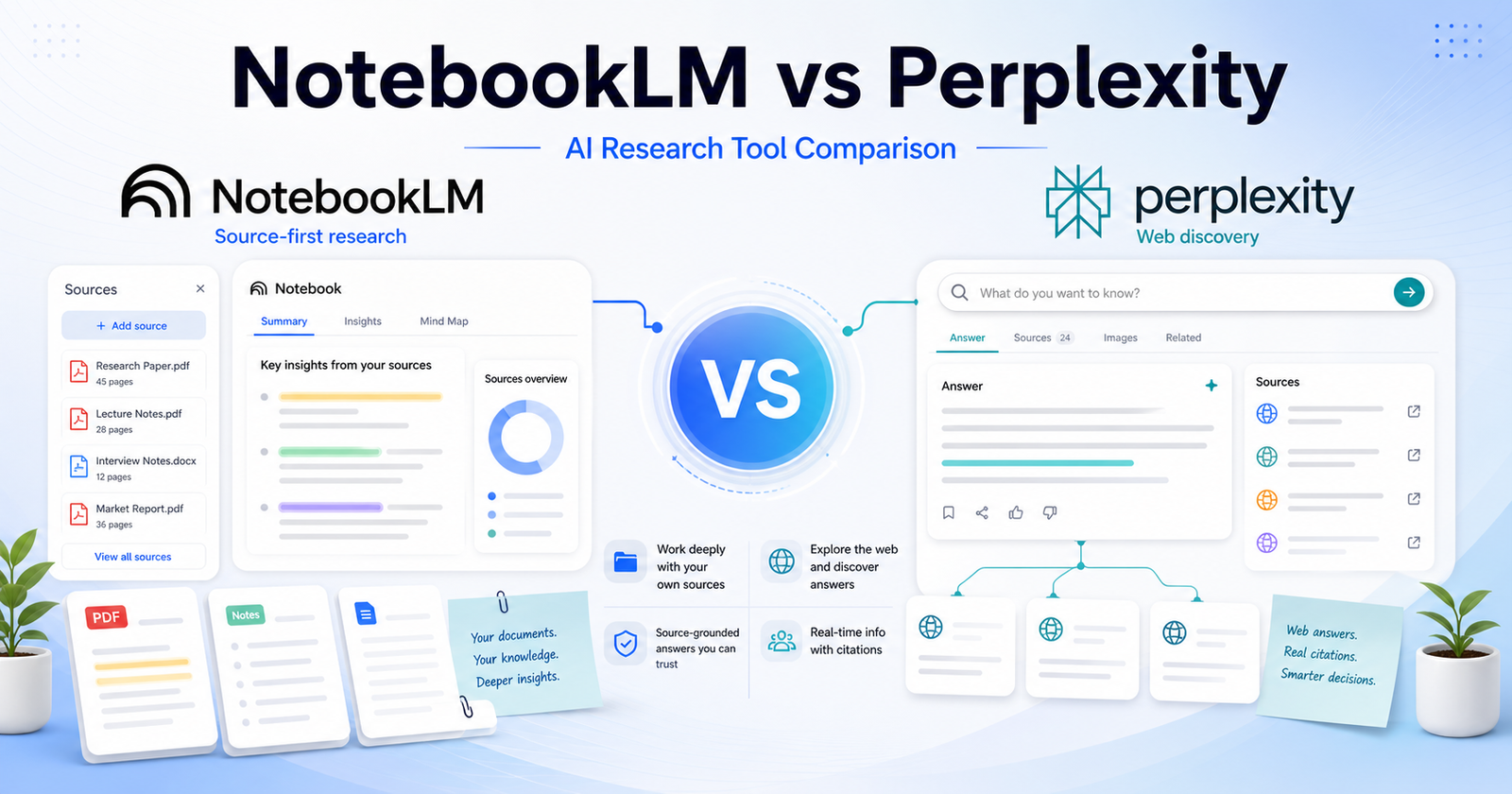
  • Best AI Research Workflow for Teams: 7 Steps From Sources to Final Draft

    Best AI Research Workflow for Teams: 7 Steps From Sources to Final Draft

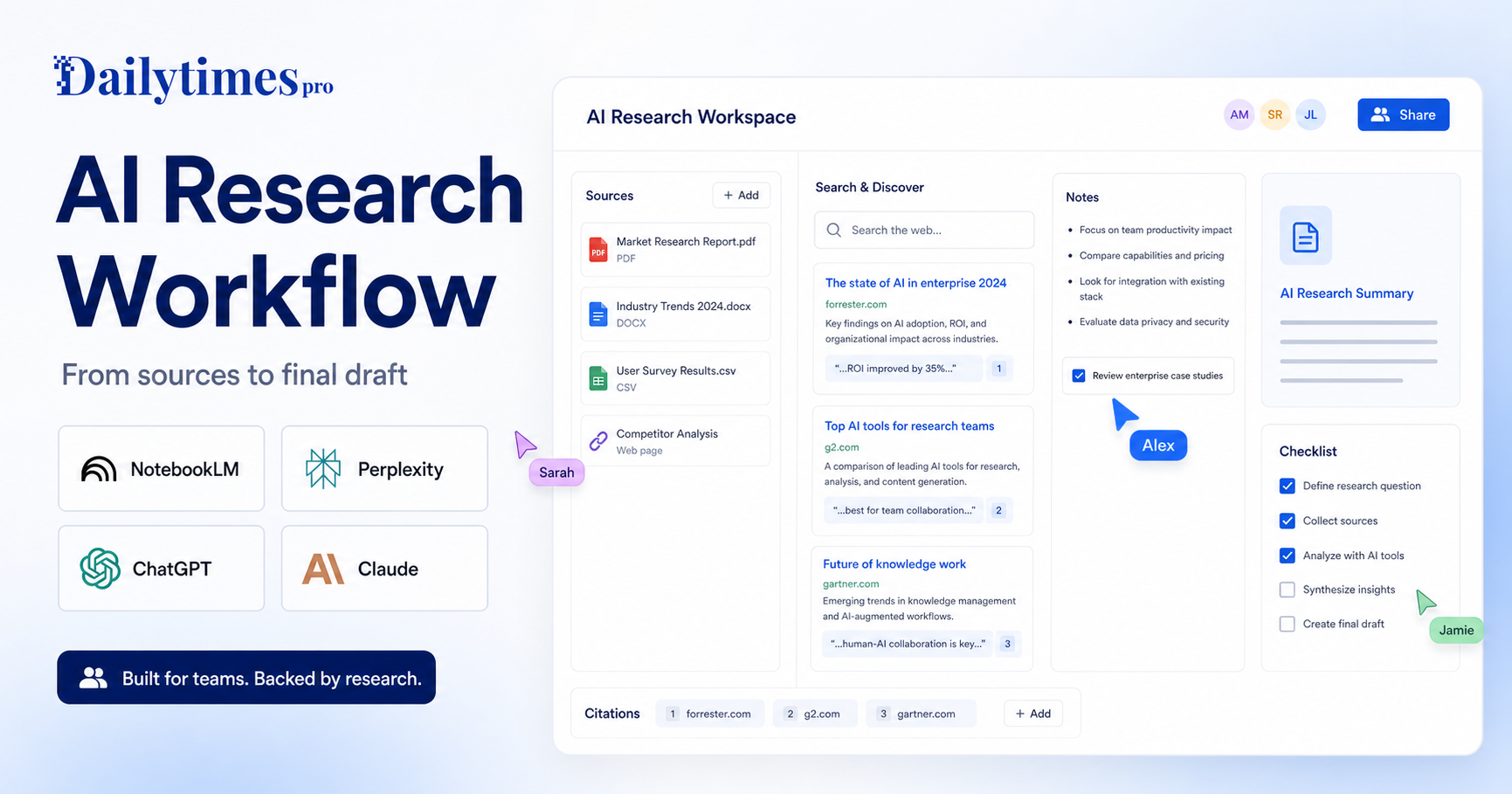
    A strong AI research workflow is not about asking one chatbot for an answer and copying the result. For teams, the better approach is to separate the work into stages: collect trustworthy sources, explore the topic, summarize evidence, challenge weak points, draft the final asset, and review everything before publication.

    That workflow matters because AI tools are good at different jobs. NotebookLM is useful when your team wants to work from uploaded sources. Perplexity is useful when you need web research with visible citations. ChatGPT is useful for turning messy notes into structured outlines, briefs, and drafts. Claude is useful for long-context review, synthesis, and careful rewriting. Used together, these tools can reduce research time without weakening editorial standards.

    If you are choosing between research tools, our NotebookLM vs Perplexity comparison is a useful companion. This guide is different: it shows how to build a repeatable process around AI research tools instead of treating every research task as a one-off prompt.

    Quick Workflow Summary

    Step Goal Best-fit AI role
    1. Define the question Prevent vague research Turn the topic into clear research questions
    2. Build the source set Keep evidence organized Collect official pages, documents, and notes
    3. Explore the web Find gaps and current context Use cited search and discovery tools
    4. Summarize sources Reduce reading time Extract themes, claims, and contradictions
    5. Create the outline Shape the final asset Build headings, argument flow, and audience angle
    6. Draft with controls Write without losing accuracy Use source notes and editorial rules
    7. Review and publish Protect quality Verify claims, links, tone, and missing context

    1. Define The Research Question First

    Most weak AI research starts with a vague request. A prompt like “research this topic” gives the model too much freedom and too little direction. Before opening any AI tool, write one primary question and three to five supporting questions.

    For example, instead of asking for “AI tools for sales teams,” define the research question as: “Which AI tools help small sales teams reduce manual follow-up work without adding a complex CRM migration?” That version gives the research a clearer audience, job, constraint, and buying context.

    A good research brief should include:

    • The audience you are writing for
    • The decision they need to make
    • The tools, categories, or workflows included
    • The date sensitivity of the topic
    • The type of final output needed
    • Any sources that must be used or avoided

    This step is where ChatGPT or Claude can help, but the human editor should own the final brief. AI can suggest angles; it should not decide the business objective alone.

    2. Build A Source Set Before Drafting

    The source set is the foundation of the whole workflow. Start with official websites, product pages, docs, pricing pages, help centers, changelogs, and public policy pages. For AI tools, that usually means checking the vendor’s own product information first.

    Useful official starting points include NotebookLM, Perplexity, ChatGPT, and Claude. If the article involves buying decisions, include the official plan pages in the research folder as source material rather than relying on memory.

    NotebookLM is especially useful at this stage because it is designed around source-grounded work. Add PDFs, notes, docs, web pages, or transcripts when the project needs a controlled knowledge base. Then use the tool to ask questions against those sources rather than against the open web.

    3. Use Web Research For Discovery, Not Final Truth

    Web research tools are excellent for discovery. They can uncover terminology, competitor pages, recent announcements, and gaps in your source set. Perplexity is useful here because it presents answers with cited sources, making it easier to inspect where a claim came from.

    The mistake is treating the first AI answer as final truth. Instead, use web research to build a candidate list of sources. Then open the most important sources yourself, especially when the claim affects pricing, product limits, security, compliance, or availability.

    This is also where a general assistant can help compare findings. For broader assistant selection, see our Claude vs ChatGPT comparison and Gemini vs ChatGPT comparison. Those articles help when the research workflow depends on the assistant your team already uses every day.

    4. Summarize Each Source Into Evidence Notes

    Once sources are collected, do not jump straight into drafting. Create evidence notes first. Each note should contain the source name, URL, what the source proves, what it does not prove, and any language that should be quoted or paraphrased carefully.

    A practical evidence note can look like this:

    • Source: official product page
    • Claim supported: the tool supports a specific workflow or feature
    • Claim not supported: exact plan limits or future roadmap
    • Editorial use: explain the feature in plain language
    • Risk: source is promotional, so avoid overclaiming

    This keeps the final article from sounding like a stitched-together AI answer. It also makes QA easier because every important claim has a source trail.

    Claude and ChatGPT are both useful for turning long source notes into clean summaries. Claude is often strong for long-context synthesis, while ChatGPT is flexible for outlines, rewriting, and transforming notes into different formats. The right choice depends on your team’s review habits and the type of source material.

    5. Create A Decision-Focused Outline

    A good research article should not simply list facts. It should help the reader make a decision or complete a task. After summarizing the sources, ask the AI to create an outline that answers the reader’s most likely next questions.

    For a tool article, that may include:

    • What the tool does
    • Who it is best for
    • When it is not a good fit
    • How it compares with alternatives
    • What workflow it supports
    • What limitations buyers should notice
    • Which sources support the article’s claims

    For a guide or tutorial, the outline should focus more on sequence and outcomes. For a comparison, it should focus on decision criteria. For a listicle, it should focus on use cases and tool fit. This is how you avoid producing the same generic AI article again and again.

    6. Draft With Source Boundaries

    When drafting, tell the AI exactly what it can and cannot use. Give it the brief, the outline, the evidence notes, internal links, and editorial rules. Ask it to write from those materials rather than inventing missing details.

    A good drafting instruction might say: “Use only the source notes below. Do not invent pricing, limits, benchmarks, test results, user numbers, or roadmap claims. If a point is not supported, omit it. Write for small business teams that need a practical decision-making workflow.”

    This matters for trust. Readers can tell when an article is padded with vague claims. Strong AI-assisted writing still needs constraints, judgment, and a clear editorial standard.

    If the research task involves meeting notes or team knowledge capture, our Otter.ai vs Fireflies.ai comparison is another useful internal reference because meetings often become part of the source library for later research.

    7. Review Claims, Links, And Reader Value

    The final review should be separate from drafting. Use AI to help inspect the article, but do not let AI be the only reviewer. Check whether every major claim is supported, whether external links point to official or authoritative sources, and whether internal links genuinely help the reader.

    A strong QA pass should ask:

    • Does the article answer the search intent?
    • Are official sources linked where they matter?
    • Are any prices, limits, or feature claims unsupported?
    • Are internal links relevant and naturally placed?
    • Does the article include enough practical detail?
    • Does the introduction say something specific?
    • Are FAQs useful rather than repetitive?
    • Is the final recommendation clear?

    This is where many AI articles fail. They look complete, but they do not help the reader act. The goal is not to publish more words. The goal is to publish a better decision path.

    Recommended Tool Roles

    NotebookLM

    Use NotebookLM when the research depends on a defined source set. It is a strong fit for policy docs, course material, transcripts, PDFs, and internal notes. It helps teams ask questions against known material instead of mixing controlled sources with broad web assumptions.

    Perplexity

    Use Perplexity for discovery, web context, and source finding. It works well when the team needs to understand what is available online and then inspect cited pages. It is strongest when the reviewer follows the citations and validates key claims.

    ChatGPT

    Use ChatGPT for briefs, outlines, draft structure, rewriting, and formatting. It can turn evidence notes into article sections, social posts, checklists, and summaries. It is useful when the team needs flexible content transformation after research is complete.

    Claude

    Use Claude for long-context synthesis, careful rewriting, and review of dense material. It can be helpful when the team needs a second-pass editor that can hold a large amount of context and identify weak reasoning or unclear structure.

    Common Mistakes To Avoid

    The biggest mistake is asking one AI tool to do the whole job from a single prompt. That usually creates generic content with weak sourcing. Another mistake is adding source links after writing, which can lead to links that do not actually support the claims.

    Avoid these habits:

    • Starting with a broad prompt instead of a research brief
    • Mixing official sources with random blog summaries without labeling them
    • Asking AI to invent feature comparisons from memory
    • Publishing pricing or plan details without a source trail
    • Using citations as decoration instead of evidence
    • Adding internal links only because SEO tools recommend them
    • Skipping human review because the draft sounds fluent

    Fluency is not the same as accuracy. A polished paragraph can still be unsupported.

    Best AI Research Workflow Template

    Use this repeatable template for team research projects:

    1. Write the research question and audience. 2. Create a source folder with official pages, docs, notes, and transcripts. 3. Use Perplexity or another cited research tool to find additional source candidates. 4. Add the strongest sources to NotebookLM or a shared research document. 5. Summarize each source into evidence notes. 6. Use ChatGPT or Claude to create an outline from the notes. 7. Draft the article with strict source boundaries. 8. Add natural internal links only where they help the reader. 9. Review every important claim before publishing. 10. Save the final source list for future article updates.

    Final Verdict

    The best AI research workflow for teams is a layered process, not a single tool choice. Use NotebookLM for controlled source work, Perplexity for cited discovery, ChatGPT for structure and drafting, and Claude for synthesis and review. The combination works because each tool has a clear job.

    If your team publishes research-based content, build the workflow before choosing the tool. A clear process will produce better articles than a powerful AI assistant used without source discipline.

    FAQs

    What is an AI research workflow?

    An AI research workflow is a repeatable process for using AI tools to collect sources, summarize evidence, build outlines, draft content, and review claims before publication.

    Which AI tool is best for source-based research?

    NotebookLM is strong for source-based research because it is built around uploaded or selected materials. It works best when the team already has documents, notes, transcripts, or web sources to analyze.

    Which AI tool is best for web research?

    Perplexity is useful for web research because it surfaces answers with citations. The citations still need human review, especially for important product, pricing, legal, or technical claims.

    Should teams use ChatGPT for research?

    Yes, ChatGPT can help with research briefs, outlines, draft structure, rewriting, and content transformation. It should be used with source notes and clear boundaries for important research work.

    Is Claude good for research articles?

    Claude can be useful for long-context synthesis, careful rewriting, and reviewing dense source material. It is especially helpful when the research includes long notes or complex arguments.

    Can AI replace human research review?

    No. AI can speed up research and drafting, but a human editor should review claims, sources, links, tone, and final recommendations before publication.

    How do you avoid fake AI research claims?

    Use official sources, keep evidence notes, avoid unsupported details, and ask the AI to omit anything that is not backed by the supplied material.

    Should every AI article include pricing?

    Only include pricing when it is relevant to the article and confidently verified from official sources. Workflow articles may not need a pricing table if the reader is trying to improve a process rather than choose a paid plan.

    How many internal links should a research article include?

    Use internal links only where they help the reader continue the same decision path. Two to five relevant links are usually enough for a normal article.

    What is the safest way to publish AI-assisted research?

    Use AI for speed, but keep human control over source selection, claim verification, editorial judgment, and the final recommendation.

  • NotebookLM vs Perplexity: Which AI Research Tool Should You Use?

    NotebookLM vs Perplexity: Which AI Research Tool Should You Use?

    NotebookLM vs Perplexity: Which AI Research Tool Should You Use? is a practical comparison for people choosing an AI tool for source-grounded research, web answers, document analysis, citations, and knowledge workflows. The short version is simple: Choose NotebookLM when your main source material is already collected. Choose Perplexity when you need web research, answer discovery, and cited exploration across the open web.

    This article uses verified official product and pricing pages as the safest source of truth. You can review NotebookLM official website and Perplexity official website. Pricing changes often, so check NotebookLM pricing page and Perplexity pricing page before buying.

    Quick Verdict

    Choose NotebookLM when your main source material is already collected. Choose Perplexity when you need web research, answer discovery, and cited exploration across the open web.

    Do not choose only by the biggest feature list. Choose by the work you repeat every week, the amount of cleanup each output needs, and whether the tool fits your existing workflow.

    NotebookLM vs Perplexity: Quick Comparison

    Comparison Point NotebookLM Perplexity
    Main purpose NotebookLM is best suited for students, researchers, writers, and teams working from uploaded documents, notes, pdfs, and curated sources. Perplexity is best suited for people who need fast web-backed answers, source discovery, current-topic research, and exploratory search.
    Best audience students, researchers, writers, and teams working from uploaded documents, notes, PDFs, and curated sources. people who need fast web-backed answers, source discovery, current-topic research, and exploratory search.
    Core workflow Start inside NotebookLM and shape the output around its native workflow. Use Perplexity where its assistant, search, design, coding, or automation flow already fits your work.
    Ease of use Strong when the user understands the intended workflow and keeps the first task focused. Strong when the user has a clear task and knows how to review AI output.
    Control Good for its primary workflow, but advanced control depends on the product category. Good for users who want more flexibility or a broader assistant/workspace model.
    Team fit Useful when the team shares a clear use case and review process. Useful when team members already work in the connected ecosystem.
    Research fit Better when its source or workspace model matches the job. Better when the user needs wider exploration or repeated follow-up questions.
    Content creation Can help produce drafts or structured outputs when prompts are specific. Can help create, revise, analyze, or automate content depending on the workflow.
    Learning curve Lower for users who match the primary use case. Lower for users already familiar with the broader platform or ecosystem.
    Main limitation Not always the best choice outside its strongest workflow. May require more setup, review, or prompt discipline for complex work.
    Best decision rule Choose NotebookLM when its workflow removes the biggest bottleneck. Choose Perplexity when its strengths match the job you repeat most often.

    Pricing Comparison

    NotebookLM and Perplexity both support research workflows, but their pricing reflects different products. NotebookLM upgrades through Google AI plans, while Perplexity has individual, team, and enterprise research plans.

    Pricing Point NotebookLM Perplexity
    Free plan NotebookLM has a free experience with standard Google account access. Perplexity has a free plan.
    Primary paid plan Google AI Pro at $19.99/month includes NotebookLM access and higher limits. Perplexity Pro is $20/month or $200/year.
    Higher tier NotebookLM can be upgraded through Google AI Pro, Ultra, Google Cloud, or qualifying Workspace plans. Enterprise Pro is $40/seat/month or $400/year; Enterprise Max is $325/seat/month or $3,250/year.
    Annual pricing Google AI Pro monthly pricing is listed; education/Workspace options may use separate commitments. Pro annual billing is $200/year; Enterprise annual billing saves 16%.
    Annual discount No specific Google AI Pro annual discount was confirmed from the official plan page. Perplexity Pro is $200/year instead of $20/month, and Enterprise annual billing saves 16%.
    Notebook/source limits NotebookLM Pro shows higher limits, including up to 300 sources per notebook in the captured official plan text. Perplexity plans are based around research access, enterprise controls, and seat pricing.
    Team plan Google Workspace and education plans can provide expanded access. Enterprise Pro is $40/seat/month.
    Seat-based pricing Business access runs through Workspace, Cloud, or qualifying institutional plans rather than a simple public per-seat NotebookLM price. Enterprise Pro and Enterprise Max are published as per-seat plans.
    Enterprise plan Google Cloud or qualifying Workspace plans can provide upgraded access. Enterprise Max is $325/seat/month.
    Security/admin features Workspace and Cloud options handle business administration separately. Enterprise includes admin and security controls; some dashboard and SCIM features require 50+ members or Enterprise Max.
    Official pricing page Google AI plans Perplexity pricing

    For individual researchers, the main paid comparison is Google AI Pro at $19.99/month versus Perplexity Pro at $20/month or $200/year. For teams, Perplexity publishes clearer seat-based enterprise pricing, while NotebookLM business access depends on Google Workspace, Cloud, or qualifying plan routes.

    Pricing last checked: June 12, 2026. For the latest details, visit the Google AI plans page and Perplexity official pricing page.

    What Is NotebookLM?

    NotebookLM official website is one side of this comparison because it gives users a focused way to handle source-grounded research, web answers, document analysis, citations, and knowledge workflows. It is strongest when the user has a clear task, understands the expected output, and reviews the result before using it in business-critical work.

    The practical advantage of NotebookLM is not that it can do everything. The advantage is workflow fit. If your day-to-day work looks like students, researchers, writers, and teams working from uploaded documents, notes, pdfs, and curated sources., NotebookLM deserves a serious test.

    What Is Perplexity?

    Perplexity official website is the other side of this comparison because it approaches the same buying decision from a different workflow. It is strongest when users need people who need fast web-backed answers, source discovery, current-topic research, and exploratory search.

    The best way to evaluate Perplexity is to use the same task you would give to NotebookLM. Compare the usable output, not just the first impression. A strong AI tool should reduce the work needed after generation.

    Feature And Workflow Comparison

    Output Quality

    Both tools can produce useful output, but quality depends on the task and the review process. NotebookLM is a better fit when the task sits inside its main workflow. Perplexity is a better fit when you need the type of control, ecosystem, or assistant behavior it provides.

    Speed

    Speed matters only when the result is usable. If one tool creates a first draft faster but requires more cleanup, it may not actually save time. Test both tools with one realistic project and measure the time from prompt to publishable, shareable, or deployable output.

    Control

    Control is where many buyers make the wrong decision. Some users need a simple guided workflow. Others need deeper editing, collaboration, technical control, or source review. Choose the tool that gives you enough control without making the workflow feel heavy.

    Collaboration

    For teams, the best tool is the one people will actually use consistently. Check whether your team can review outputs, share work, manage access, and keep the final result aligned with brand, quality, or technical standards.

    Best Use Cases For NotebookLM

    • students, researchers, writers, and teams working from uploaded documents, notes, PDFs, and curated sources.
    • Users who want the tool’s default workflow instead of a heavily customized setup.
    • Teams that can define a clear prompt, review output, and repeat the process.
    • Buyers who want a focused product rather than a broad collection of unrelated features.
    • People who value a faster first draft when the final output still gets human review.

    Best Use Cases For Perplexity

    • people who need fast web-backed answers, source discovery, current-topic research, and exploratory search.
    • Users who want a workflow that connects better with their existing tools.
    • Teams that need repeated output, structured review, and predictable handoff.
    • Buyers who care about flexibility and control after the first AI response.
    • People willing to compare plan limits, output quality, and cleanup time carefully.

    Pros And Cons

    NotebookLM Pros

    • Strong fit for students, researchers, writers, and teams working from uploaded documents, notes, pdfs, and curated sources.
    • Useful when the task is clear and repeatable.
    • Easier to evaluate with a small real-world project.
    • Can reduce setup time when its workflow matches the job.
    • Good candidate for teams that want a focused use case.

    NotebookLM Cons

    • May not be the best choice outside its core workflow.
    • Output still needs human review.
    • Pricing and limits should be checked before buying.
    • Some teams may need more control than the default workflow provides.

    Perplexity Pros

    • Strong fit for people who need fast web-backed answers, source discovery, current-topic research, and exploratory search.
    • Useful when users need its specific ecosystem or workflow.
    • Can be a better long-term fit for repeated work.
    • Gives buyers a different way to solve the same core problem.
    • Worth testing when the first tool feels too narrow.

    Perplexity Cons

    • May require more setup or learning for some users.
    • Output quality depends heavily on prompts and review.
    • Pricing, limits, and team features should be checked carefully.
    • It may be more tool than casual users need.

    Which One Should You Choose?

    Choose NotebookLM if your work mainly involves students, researchers, writers, and teams working from uploaded documents, notes, pdfs, and curated sources. Choose Perplexity if your work mainly involves people who need fast web-backed answers, source discovery, current-topic research, and exploratory search.

    If you are unsure, use the same project brief in both tools. Compare quality, speed, cleanup time, export or handoff options, and current official pricing. The best AI tool is the one that gives you reliable output with the least repeated friction.

    If your research workflow also involves general AI assistants, our ChatGPT vs Perplexity comparison and Gemini vs ChatGPT comparison comparisons provide useful context.

    Final Verdict

    Choose NotebookLM when your main source material is already collected. Choose Perplexity when you need web research, answer discovery, and cited exploration across the open web. Both tools can be useful, but they are not interchangeable. The safer decision is to start with the tool that matches your weekly workflow, then upgrade only when the output quality and time savings are clear.

    FAQs

    Is NotebookLM better than Perplexity?

    NotebookLM is better when your work matches its strongest use case: students, researchers, writers, and teams working from uploaded documents, notes, pdfs, and curated sources. Perplexity is better when your work matches its strongest use case: people who need fast web-backed answers, source discovery, current-topic research, and exploratory search.

    Is Perplexity better than NotebookLM?

    Perplexity can be better if you need its workflow more often. The right choice depends on the type of work you repeat, the review process on your team, and how much control you need after the first AI-generated result.

    Which tool is easier for beginners?

    NotebookLM may feel easier for users who fit its default workflow. Perplexity may feel easier for users already familiar with its ecosystem. Beginners should test the same small task in both tools before paying.

    Which tool is better for teams?

    Teams should choose the platform that fits their shared workflow, admin needs, review habits, and budget. A tool that works for one solo user may not be the best team system.

    Can I use both tools together?

    Yes. Many teams use more than one AI tool when each tool solves a different part of the workflow. The risk is paying for overlapping subscriptions without enough usage.

    Do these tools have free plans?

    Free access and trial details can change. Check the official pricing pages before making a buying decision.

    Which tool has better AI output?

    Output quality depends on the task, prompt clarity, source material, model access, and the human review process. Run one realistic project in both tools and compare cleanup time.

    Which tool is better for business use?

    For business use, compare security requirements, team controls, data handling, export options, support, and predictable pricing. Do not judge only by demo quality.

    Should I choose based on price?

    Price matters, but workflow fit matters more. The cheaper tool can become expensive if every output needs heavy cleanup or if your team does not actually use it.

    What is the fastest way to choose?

    Prepare one realistic task, run it through both tools, compare the result, check the official pricing pages, and choose the one that saves more usable time.

  • Gemini vs ChatGPT: Which AI Assistant Is Better for Everyday Work?

    Gemini vs ChatGPT: Which AI Assistant Is Better for Everyday Work?

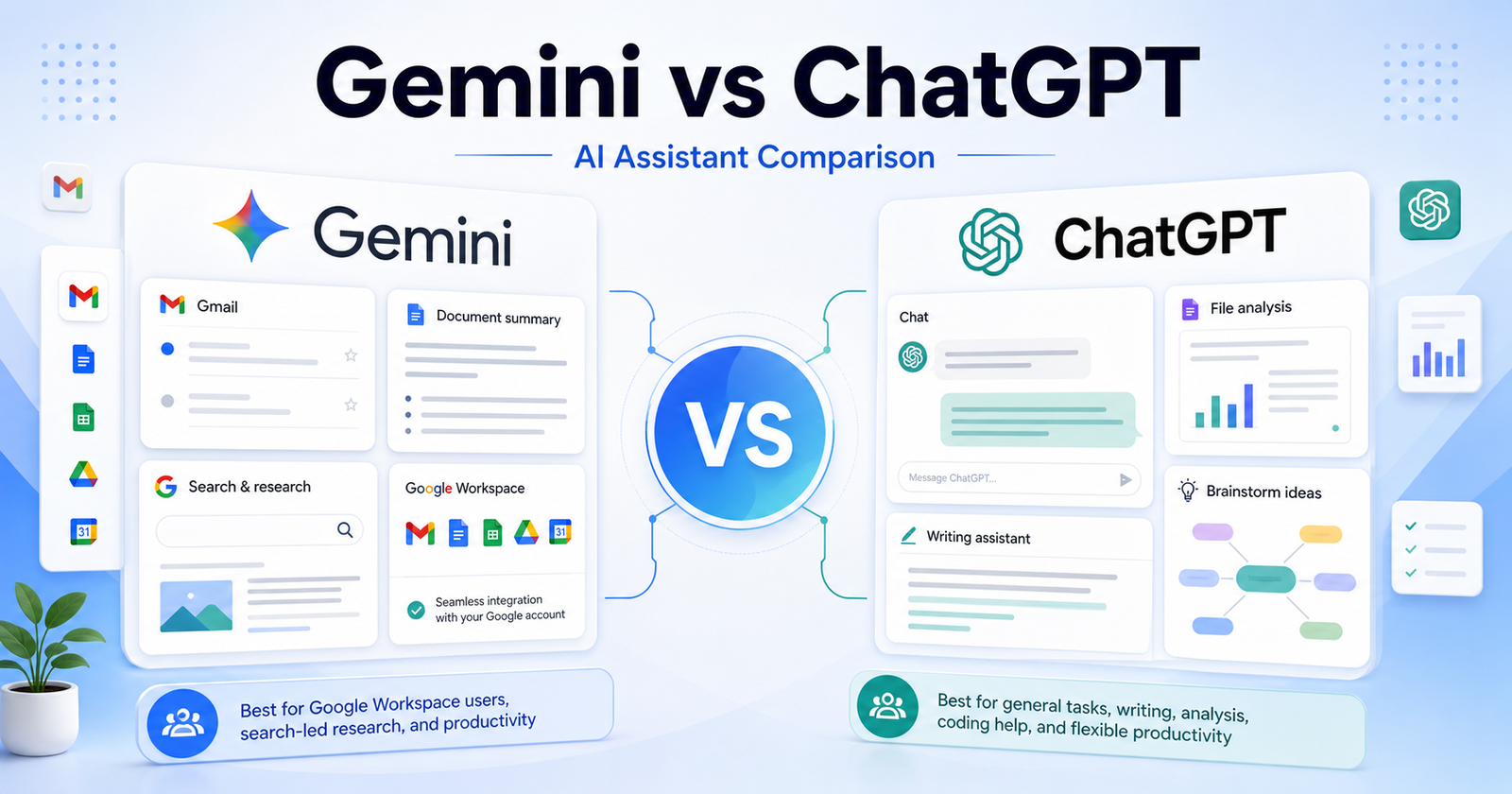
    Gemini vs ChatGPT: Which AI Assistant Is Better for Everyday Work? is a practical comparison for people choosing an AI tool for everyday productivity, research, writing, planning, and work inside Google or OpenAI ecosystems. The short version is simple: Choose ChatGPT if you want the broadest general assistant workflow. Choose Gemini if your work is strongly connected to Google apps and Google search-style research.

    This article uses verified official product and pricing pages as the safest source of truth. You can review Gemini official website and ChatGPT official website. Pricing changes often, so check Gemini pricing page and ChatGPT pricing page before buying.

    Quick Verdict

    Choose ChatGPT if you want the broadest general assistant workflow. Choose Gemini if your work is strongly connected to Google apps and Google search-style research.

    Do not choose only by the biggest feature list. Choose by the work you repeat every week, the amount of cleanup each output needs, and whether the tool fits your existing workflow.

    Gemini vs ChatGPT: Quick Comparison

    Comparison Point Gemini ChatGPT
    Main purpose Gemini is best suited for google workspace users, search-led research, email and document workflows, and people who prefer google account integration. ChatGPT is best suited for writers, marketers, students, analysts, creators, and teams that want a flexible assistant for writing, coding help, analysis, brainstorming, and file-based work.
    Best audience Google Workspace users, search-led research, email and document workflows, and people who prefer Google account integration. writers, marketers, students, analysts, creators, and teams that want a flexible assistant for writing, coding help, analysis, brainstorming, and file-based work.
    Core workflow Start inside Gemini and shape the output around its native workflow. Use ChatGPT where its assistant, search, design, coding, or automation flow already fits your work.
    Ease of use Strong when the user understands the intended workflow and keeps the first task focused. Strong when the user has a clear task and knows how to review AI output.
    Control Good for its primary workflow, but advanced control depends on the product category. Good for users who want more flexibility or a broader assistant/workspace model.
    Team fit Useful when the team shares a clear use case and review process. Useful when team members already work in the connected ecosystem.
    Research fit Better when its source or workspace model matches the job. Better when the user needs wider exploration or repeated follow-up questions.
    Content creation Can help produce drafts or structured outputs when prompts are specific. Can help create, revise, analyze, or automate content depending on the workflow.
    Learning curve Lower for users who match the primary use case. Lower for users already familiar with the broader platform or ecosystem.
    Main limitation Not always the best choice outside its strongest workflow. May require more setup, review, or prompt discipline for complex work.
    Best decision rule Choose Gemini when its workflow removes the biggest bottleneck. Choose ChatGPT when its strengths match the job you repeat most often.

    What Is Gemini?

    Gemini official website is one side of this comparison because it gives users a focused way to handle everyday productivity, research, writing, planning, and work inside Google or OpenAI ecosystems. It is strongest when the user has a clear task, understands the expected output, and reviews the result before using it in business-critical work.

    The practical advantage of Gemini is not that it can do everything. The advantage is workflow fit. If your day-to-day work looks like google workspace users, search-led research, email and document workflows, and people who prefer google account integration., Gemini deserves a serious test.

    What Is ChatGPT?

    ChatGPT official website is the other side of this comparison because it approaches the same buying decision from a different workflow. It is strongest when users need writers, marketers, students, analysts, creators, and teams that want a flexible assistant for writing, coding help, analysis, brainstorming, and file-based work.

    The best way to evaluate ChatGPT is to use the same task you would give to Gemini. Compare the usable output, not just the first impression. A strong AI tool should reduce the work needed after generation.

    Feature And Workflow Comparison

    Output Quality

    Both tools can produce useful output, but quality depends on the task and the review process. Gemini is a better fit when the task sits inside its main workflow. ChatGPT is a better fit when you need the type of control, ecosystem, or assistant behavior it provides.

    Speed

    Speed matters only when the result is usable. If one tool creates a first draft faster but requires more cleanup, it may not actually save time. Test both tools with one realistic project and measure the time from prompt to publishable, shareable, or deployable output.

    Control

    Control is where many buyers make the wrong decision. Some users need a simple guided workflow. Others need deeper editing, collaboration, technical control, or source review. Choose the tool that gives you enough control without making the workflow feel heavy.

    Collaboration

    For teams, the best tool is the one people will actually use consistently. Check whether your team can review outputs, share work, manage access, and keep the final result aligned with brand, quality, or technical standards.

    Best Use Cases For Gemini

    • Google Workspace users, search-led research, email and document workflows, and people who prefer Google account integration.
    • Users who want the tool’s default workflow instead of a heavily customized setup.
    • Teams that can define a clear prompt, review output, and repeat the process.
    • Buyers who want a focused product rather than a broad collection of unrelated features.
    • People who value a faster first draft when the final output still gets human review.

    Best Use Cases For ChatGPT

    • writers, marketers, students, analysts, creators, and teams that want a flexible assistant for writing, coding help, analysis, brainstorming, and file-based work.
    • Users who want a workflow that connects better with their existing tools.
    • Teams that need repeated output, structured review, and predictable handoff.
    • Buyers who care about flexibility and control after the first AI response.
    • People willing to compare plan limits, output quality, and cleanup time carefully.

    Pros And Cons

    Gemini Pros

    • Strong fit for google workspace users, search-led research, email and document workflows, and people who prefer google account integration.
    • Useful when the task is clear and repeatable.
    • Easier to evaluate with a small real-world project.
    • Can reduce setup time when its workflow matches the job.
    • Good candidate for teams that want a focused use case.

    Gemini Cons

    • May not be the best choice outside its core workflow.
    • Output still needs human review.
    • Pricing and limits should be checked before buying.
    • Some teams may need more control than the default workflow provides.

    ChatGPT Pros

    • Strong fit for writers, marketers, students, analysts, creators, and teams that want a flexible assistant for writing, coding help, analysis, brainstorming, and file-based work.
    • Useful when users need its specific ecosystem or workflow.
    • Can be a better long-term fit for repeated work.
    • Gives buyers a different way to solve the same core problem.
    • Worth testing when the first tool feels too narrow.

    ChatGPT Cons

    • May require more setup or learning for some users.
    • Output quality depends heavily on prompts and review.
    • Pricing, limits, and team features should be checked carefully.
    • It may be more tool than casual users need.

    Which One Should You Choose?

    Choose Gemini if your work mainly involves google workspace users, search-led research, email and document workflows, and people who prefer google account integration. Choose ChatGPT if your work mainly involves writers, marketers, students, analysts, creators, and teams that want a flexible assistant for writing, coding help, analysis, brainstorming, and file-based work.

    If you are unsure, use the same project brief in both tools. Compare quality, speed, cleanup time, export or handoff options, and current official pricing. The best AI tool is the one that gives you reliable output with the least repeated friction.

    For a second opinion on assistant choices, read our Claude vs ChatGPT comparison guide; for research-first work, the NotebookLM vs Perplexity comparison comparison is more targeted.

    Final Verdict

    Choose ChatGPT if you want the broadest general assistant workflow. Choose Gemini if your work is strongly connected to Google apps and Google search-style research. Both tools can be useful, but they are not interchangeable. The safer decision is to start with the tool that matches your weekly workflow, then upgrade only when the output quality and time savings are clear.

    FAQs

    Is Gemini better than ChatGPT?

    Gemini is better when your work matches its strongest use case: google workspace users, search-led research, email and document workflows, and people who prefer google account integration. ChatGPT is better when your work matches its strongest use case: writers, marketers, students, analysts, creators, and teams that want a flexible assistant for writing, coding help, analysis, brainstorming, and file-based work.

    Is ChatGPT better than Gemini?

    ChatGPT can be better if you need its workflow more often. The right choice depends on the type of work you repeat, the review process on your team, and how much control you need after the first AI-generated result.

    Which tool is easier for beginners?

    Gemini may feel easier for users who fit its default workflow. ChatGPT may feel easier for users already familiar with its ecosystem. Beginners should test the same small task in both tools before paying.

    Which tool is better for teams?

    Teams should choose the platform that fits their shared workflow, admin needs, review habits, and budget. A tool that works for one solo user may not be the best team system.

    Can I use both tools together?

    Yes. Many teams use more than one AI tool when each tool solves a different part of the workflow. The risk is paying for overlapping subscriptions without enough usage.

    Do these tools have free plans?

    Free access and trial details can change. Check the official pricing pages before making a buying decision.

    Which tool has better AI output?

    Output quality depends on the task, prompt clarity, source material, model access, and the human review process. Run one realistic project in both tools and compare cleanup time.

    Which tool is better for business use?

    For business use, compare security requirements, team controls, data handling, export options, support, and predictable pricing. Do not judge only by demo quality.

    Should I choose based on price?

    Price matters, but workflow fit matters more. The cheaper tool can become expensive if every output needs heavy cleanup or if your team does not actually use it.

    What is the fastest way to choose?

    Prepare one realistic task, run it through both tools, compare the result, check the official pricing pages, and choose the one that saves more usable time.

  • Gamma vs Canva AI: Which AI Presentation Tool Should You Choose?

    Gamma vs Canva AI: Which AI Presentation Tool Should You Choose?

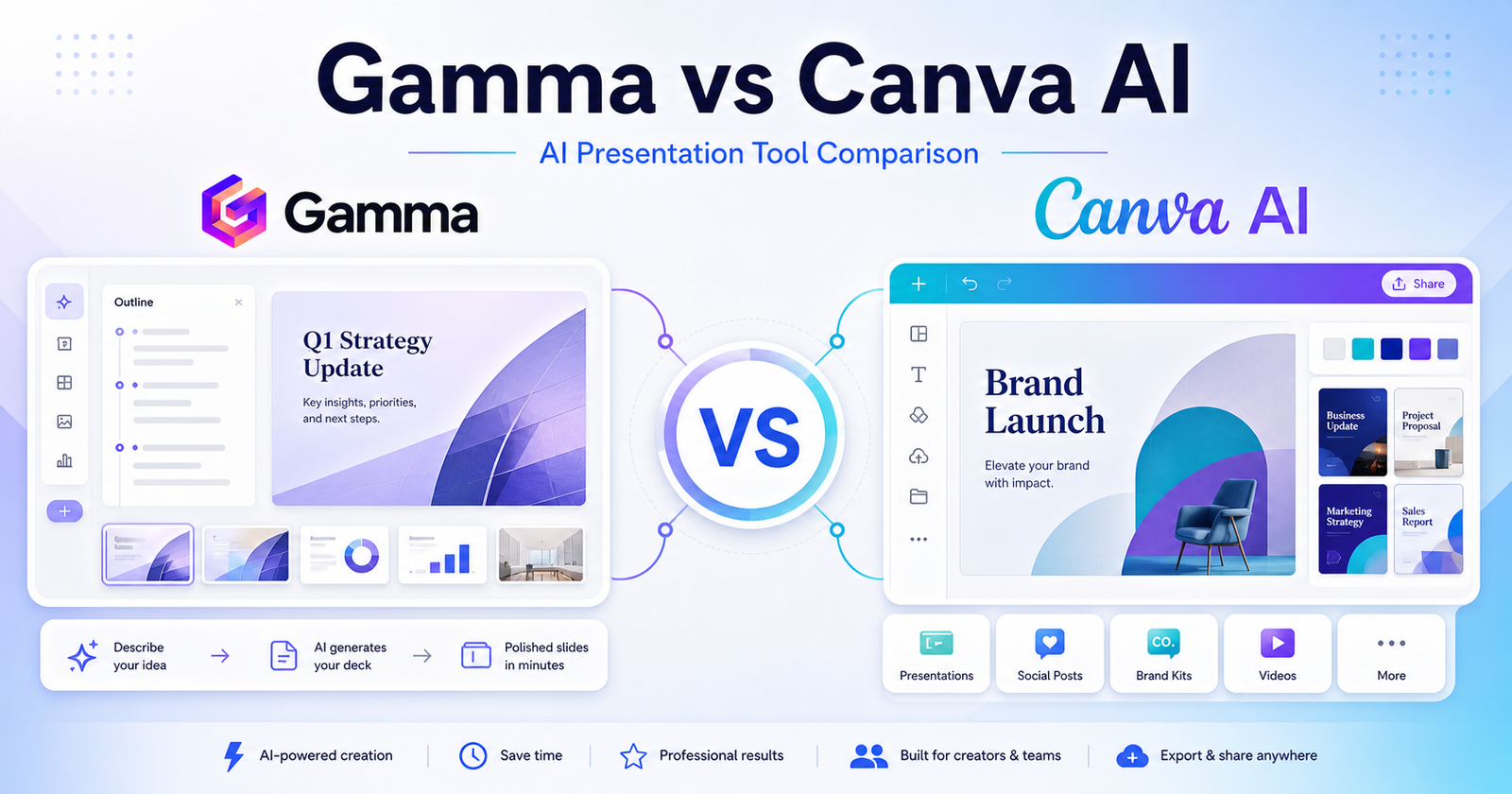
    Gamma vs Canva AI: Which AI Presentation Tool Should You Choose? is a practical comparison for people choosing an AI tool for AI-assisted slide decks, visual documents, social assets, brand design, and presentation export workflows. The short version is simple: Choose Gamma if your main job is turning ideas into polished decks and visual documents quickly. Choose Canva AI if you need presentations plus a broader design workspace for social, brand, video, and marketing assets.

    This article uses verified official product and pricing pages as the safest source of truth. You can review Gamma official website and Canva AI official website. Pricing changes often, so check Gamma pricing page and Canva AI pricing page before buying.

    Quick Verdict

    Choose Gamma if your main job is turning ideas into polished decks and visual documents quickly. Choose Canva AI if you need presentations plus a broader design workspace for social, brand, video, and marketing assets.

    Do not choose only by the biggest feature list. Choose by the work you repeat every week, the amount of cleanup each output needs, and whether the tool fits your existing workflow.

    Gamma vs Canva AI: Quick Comparison

    Comparison Point Gamma Canva AI
    Main purpose Gamma is best suited for founders, consultants, educators, and teams that create decks, documents, and shareable visual narratives. Canva AI is best suited for marketers, creators, small businesses, and teams that need ai design tools across many content formats.
    Best audience founders, consultants, educators, and teams that create decks, documents, and shareable visual narratives. marketers, creators, small businesses, and teams that need AI design tools across many content formats.
    Core workflow Start inside Gamma and shape the output around its native workflow. Use Canva AI where its assistant, search, design, coding, or automation flow already fits your work.
    Ease of use Strong when the user understands the intended workflow and keeps the first task focused. Strong when the user has a clear task and knows how to review AI output.
    Control Good for its primary workflow, but advanced control depends on the product category. Good for users who want more flexibility or a broader assistant/workspace model.
    Team fit Useful when the team shares a clear use case and review process. Useful when team members already work in the connected ecosystem.
    Research fit Better when its source or workspace model matches the job. Better when the user needs wider exploration or repeated follow-up questions.
    Content creation Can help produce drafts or structured outputs when prompts are specific. Can help create, revise, analyze, or automate content depending on the workflow.
    Learning curve Lower for users who match the primary use case. Lower for users already familiar with the broader platform or ecosystem.
    Main limitation Not always the best choice outside its strongest workflow. May require more setup, review, or prompt discipline for complex work.
    Best decision rule Choose Gamma when its workflow removes the biggest bottleneck. Choose Canva AI when its strengths match the job you repeat most often.

    What Is Gamma?

    Gamma official website is one side of this comparison because it gives users a focused way to handle AI-assisted slide decks, visual documents, social assets, brand design, and presentation export workflows. It is strongest when the user has a clear task, understands the expected output, and reviews the result before using it in business-critical work.

    The practical advantage of Gamma is not that it can do everything. The advantage is workflow fit. If your day-to-day work looks like founders, consultants, educators, and teams that create decks, documents, and shareable visual narratives., Gamma deserves a serious test.

    What Is Canva AI?

    Canva AI official website is the other side of this comparison because it approaches the same buying decision from a different workflow. It is strongest when users need marketers, creators, small businesses, and teams that need ai design tools across many content formats.

    The best way to evaluate Canva AI is to use the same task you would give to Gamma. Compare the usable output, not just the first impression. A strong AI tool should reduce the work needed after generation.

    Feature And Workflow Comparison

    Output Quality

    Both tools can produce useful output, but quality depends on the task and the review process. Gamma is a better fit when the task sits inside its main workflow. Canva AI is a better fit when you need the type of control, ecosystem, or assistant behavior it provides.

    Speed

    Speed matters only when the result is usable. If one tool creates a first draft faster but requires more cleanup, it may not actually save time. Test both tools with one realistic project and measure the time from prompt to publishable, shareable, or deployable output.

    Control

    Control is where many buyers make the wrong decision. Some users need a simple guided workflow. Others need deeper editing, collaboration, technical control, or source review. Choose the tool that gives you enough control without making the workflow feel heavy.

    Collaboration

    For teams, the best tool is the one people will actually use consistently. Check whether your team can review outputs, share work, manage access, and keep the final result aligned with brand, quality, or technical standards.

    Best Use Cases For Gamma

    • founders, consultants, educators, and teams that create decks, documents, and shareable visual narratives.
    • Users who want the tool’s default workflow instead of a heavily customized setup.
    • Teams that can define a clear prompt, review output, and repeat the process.
    • Buyers who want a focused product rather than a broad collection of unrelated features.
    • People who value a faster first draft when the final output still gets human review.

    Best Use Cases For Canva AI

    • marketers, creators, small businesses, and teams that need AI design tools across many content formats.
    • Users who want a workflow that connects better with their existing tools.
    • Teams that need repeated output, structured review, and predictable handoff.
    • Buyers who care about flexibility and control after the first AI response.
    • People willing to compare plan limits, output quality, and cleanup time carefully.

    Pros And Cons

    Gamma Pros

    • Strong fit for founders, consultants, educators, and teams that create decks, documents, and shareable visual narratives.
    • Useful when the task is clear and repeatable.
    • Easier to evaluate with a small real-world project.
    • Can reduce setup time when its workflow matches the job.
    • Good candidate for teams that want a focused use case.

    Gamma Cons

    • May not be the best choice outside its core workflow.
    • Output still needs human review.
    • Pricing and limits should be checked before buying.
    • Some teams may need more control than the default workflow provides.

    Canva AI Pros

    • Strong fit for marketers, creators, small businesses, and teams that need ai design tools across many content formats.
    • Useful when users need its specific ecosystem or workflow.
    • Can be a better long-term fit for repeated work.
    • Gives buyers a different way to solve the same core problem.
    • Worth testing when the first tool feels too narrow.

    Canva AI Cons

    • May require more setup or learning for some users.
    • Output quality depends heavily on prompts and review.
    • Pricing, limits, and team features should be checked carefully.
    • It may be more tool than casual users need.

    Which One Should You Choose?

    Choose Gamma if your work mainly involves founders, consultants, educators, and teams that create decks, documents, and shareable visual narratives. Choose Canva AI if your work mainly involves marketers, creators, small businesses, and teams that need ai design tools across many content formats.

    If you are unsure, use the same project brief in both tools. Compare quality, speed, cleanup time, export or handoff options, and current official pricing. The best AI tool is the one that gives you reliable output with the least repeated friction.

    If your presentation workflow leans more into visual design, compare this with our Canva AI vs Adobe Firefly comparison guide; research-led teams may also find NotebookLM vs Perplexity comparison helpful before creating slides.

    Final Verdict

    Choose Gamma if your main job is turning ideas into polished decks and visual documents quickly. Choose Canva AI if you need presentations plus a broader design workspace for social, brand, video, and marketing assets. Both tools can be useful, but they are not interchangeable. The safer decision is to start with the tool that matches your weekly workflow, then upgrade only when the output quality and time savings are clear.

    FAQs

    Is Gamma better than Canva AI?

    Gamma is better when your work matches its strongest use case: founders, consultants, educators, and teams that create decks, documents, and shareable visual narratives. Canva AI is better when your work matches its strongest use case: marketers, creators, small businesses, and teams that need ai design tools across many content formats.

    Is Canva AI better than Gamma?

    Canva AI can be better if you need its workflow more often. The right choice depends on the type of work you repeat, the review process on your team, and how much control you need after the first AI-generated result.

    Which tool is easier for beginners?

    Gamma may feel easier for users who fit its default workflow. Canva AI may feel easier for users already familiar with its ecosystem. Beginners should test the same small task in both tools before paying.

    Which tool is better for teams?

    Teams should choose the platform that fits their shared workflow, admin needs, review habits, and budget. A tool that works for one solo user may not be the best team system.

    Can I use both tools together?

    Yes. Many teams use more than one AI tool when each tool solves a different part of the workflow. The risk is paying for overlapping subscriptions without enough usage.

    Do these tools have free plans?

    Free access and trial details can change. Check the official pricing pages before making a buying decision.

    Which tool has better AI output?

    Output quality depends on the task, prompt clarity, source material, model access, and the human review process. Run one realistic project in both tools and compare cleanup time.

    Which tool is better for business use?

    For business use, compare security requirements, team controls, data handling, export options, support, and predictable pricing. Do not judge only by demo quality.

    Should I choose based on price?

    Price matters, but workflow fit matters more. The cheaper tool can become expensive if every output needs heavy cleanup or if your team does not actually use it.

    What is the fastest way to choose?

    Prepare one realistic task, run it through both tools, compare the result, check the official pricing pages, and choose the one that saves more usable time.