Small businesses do not need the most complicated support platform. They need a customer support tool that can answer common questions, organize conversations, protect the team from inbox chaos, and still let a human step in when the issue matters.
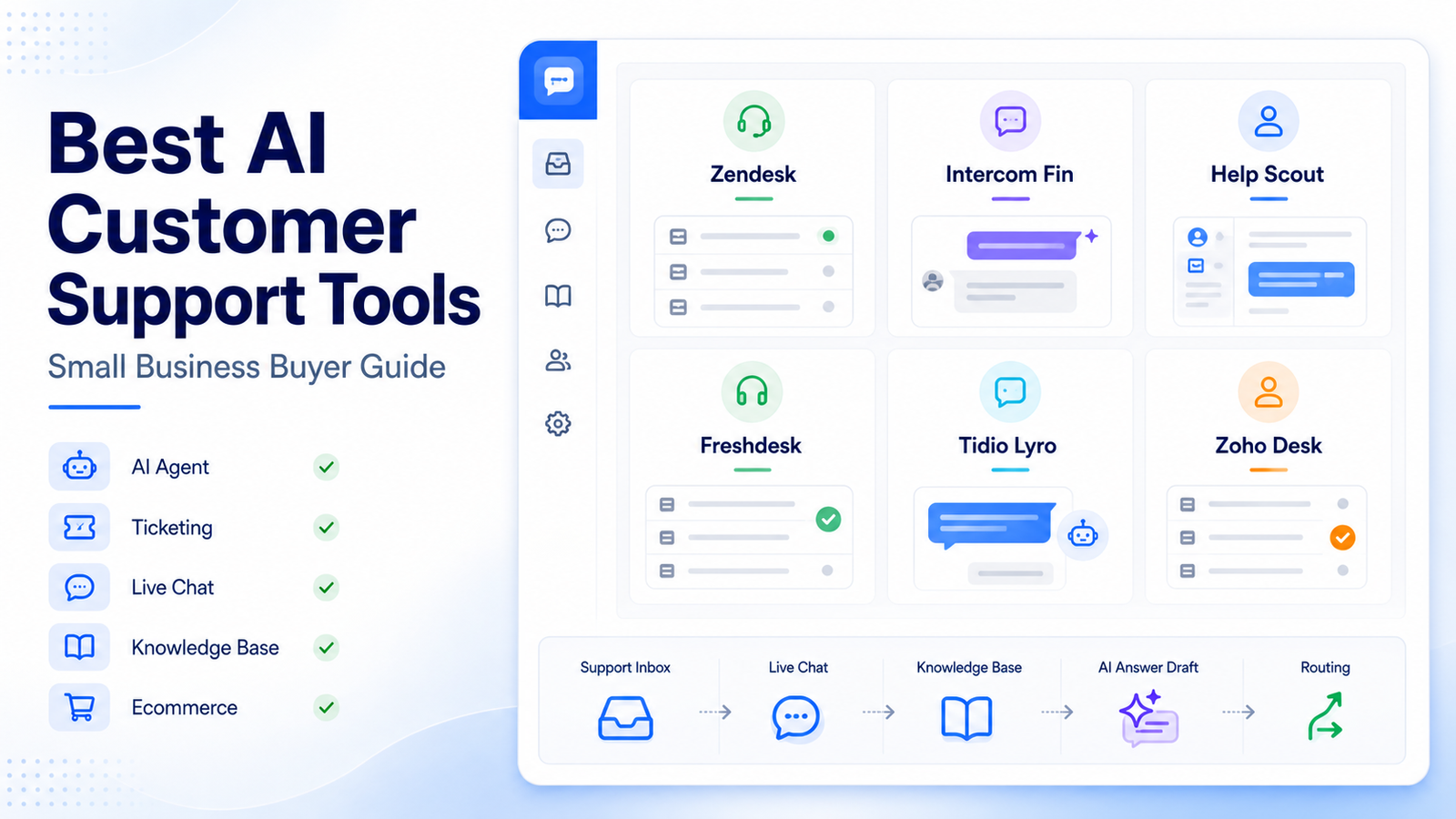
For most teams, the best AI customer support tools fall into six practical groups: full help desk platforms, AI-agent-first platforms, simple shared inboxes, budget ticketing systems, ecommerce chat tools, and ecosystem tools for companies already using a broader business suite.
Here is the short version: choose Zendesk if your support operation is growing and needs serious ticketing depth. Choose Intercom Fin if you want an AI agent at the center of support. Choose Help Scout if you want a simple, human-feeling support inbox with AI assistance. Choose Freshdesk if you need a budget-conscious help desk with automation. Choose Tidio Lyro if ecommerce live chat is your priority. Choose Zoho Desk Zia if your company already uses Zoho and wants support inside that ecosystem.
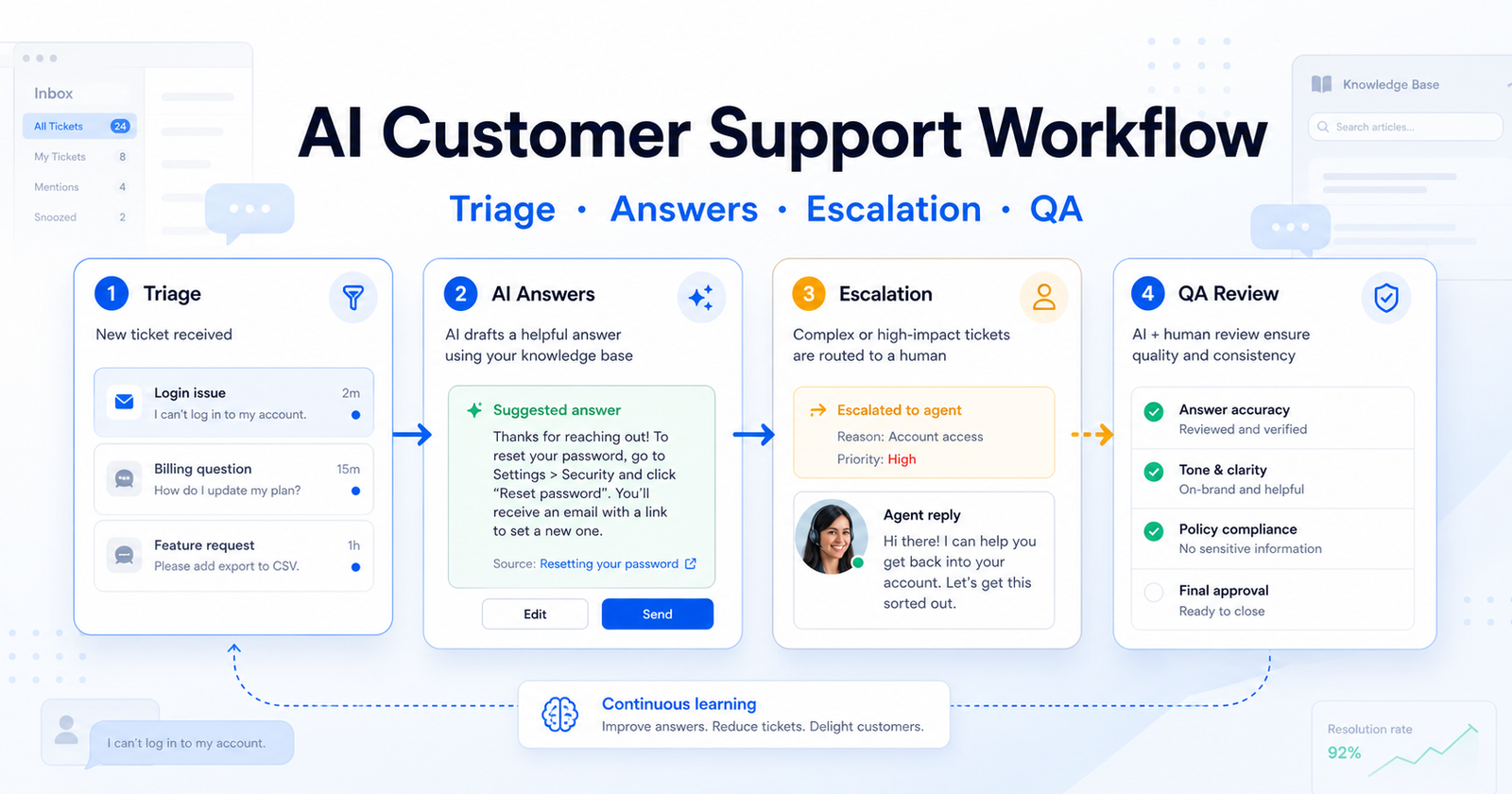
If your team is still designing the process around the software, our AI customer support workflow guide is a useful companion. This article focuses on the software shortlist.
Quick Comparison: Best AI Customer Support Tools
| Tool | Best For | Main Strength | Watch Out For |
|---|---|---|---|
| Zendesk | Growing support teams | Mature ticketing, AI agents, routing, knowledge base, analytics | Can feel bigger than a very small team needs |
| Intercom Fin | AI-first support teams | Strong AI agent experience connected to help center content | Best when your support content is already clean and maintained |
| Help Scout | Small teams that value simplicity | Shared inbox, docs, customer context, and AI help without heavy complexity | Less suited to very complex enterprise routing |
| Freshdesk | Budget-conscious support teams | Ticketing, automation, Freddy AI features, multichannel support | Advanced AI and automation may depend on plan fit |
| Tidio Lyro | Ecommerce and chat-heavy teams | Live chat, chatbot automation, Lyro AI agent for common questions | Not a full replacement for deep help desk operations |
| Zoho Desk Zia | Zoho ecosystem users | Help desk plus Zia AI inside the broader Zoho suite | Best fit when your team already likes Zoho products |
How To Choose The Right AI Support Tool
Before comparing features, decide what problem you are actually solving. A two-person ecommerce team with many repetitive shipping questions needs a different tool than a SaaS company managing account issues, billing questions, and product bugs.
Use these criteria first:
- Ticket volume: if volume is high, prioritize routing, assignment, SLAs, reporting, and a strong knowledge base.
- Support channels: if most conversations happen through chat, prioritize live chat and AI agent handoff. If email is the main channel, a shared inbox may be enough.
- Knowledge base quality: AI support works best when help articles are accurate, current, and easy to retrieve.
- Human handoff: the tool should make escalation clear instead of trapping customers in automation.
- Team size: small teams need fast setup. Larger teams need controls, analytics, permissions, and routing.
- Ecommerce fit: stores need chat, order context, and fast answers around shipping, returns, and product questions.
The mistake many small businesses make is buying the tool with the longest feature list. A better approach is to choose the tool that matches your support maturity for the next 12 months.
1. Zendesk: Best Overall For Growing Support Operations
Zendesk is the strongest choice when your support team is moving beyond a basic inbox. It is built around ticketing, customer conversations, help center content, routing, reporting, and AI support features that can scale with a growing team.
Zendesk is a good fit when you have several agents, multiple support channels, or a support process that needs clear ownership. Its AI agent and automation features are useful when common issues can be answered from a maintained help center, while more complex tickets still need escalation to human agents.
Why Zendesk Works Well
Zendesk is useful because it does not treat AI as a separate toy. AI can sit inside a broader support operation that already includes tickets, macros, routing, knowledge base content, customer history, and reporting. That matters for small businesses that are growing quickly and do not want to rebuild the support stack later.
Zendesk is especially strong for teams that need:
- email, messaging, and help center support in one system
- AI answers based on support content
- routing and assignment logic
- reporting for managers
- room to grow into more advanced support operations
Where Zendesk May Be Too Much
Zendesk can be more platform than a tiny team needs. If you only answer a few emails per day, a lighter tool may feel faster. Zendesk makes the most sense when support already has structure or when the team knows that volume will grow.
Choose Zendesk if you want a long-term customer service platform. Avoid it if you mainly need a lightweight live chat widget or a very simple shared inbox.
2. Intercom Fin: Best For AI-Agent-First Support
Intercom Fin is designed for teams that want AI to answer a meaningful share of customer questions before a human agent steps in. It works best when your help center, product docs, and support content are already clean enough for an AI agent to use safely.
Intercom is a strong option for SaaS businesses, product-led companies, and teams that care about conversational support. Fin can fit into a support setup where customers ask questions through chat, and the support team wants fewer repetitive tickets without losing the human handoff.
Why Intercom Fin Works Well
Intercom Fin is compelling because it is built around the idea that an AI agent should be part of the support experience, not just a writing assistant. That makes it useful for teams with repeated questions about onboarding, billing, account settings, product limits, or troubleshooting steps.
Intercom is especially useful when you need:
- AI answers from approved support content
- a modern chat-first customer experience
- human handoff when AI cannot resolve the issue
- support workflows tied to product conversations
- a polished customer-facing support interface
Where Intercom Fin May Not Fit
Intercom Fin depends heavily on the quality of the knowledge sources behind it. If your help content is outdated, incomplete, or scattered, the AI experience can become weaker. It is also not the simplest option for teams that only need a low-cost inbox.
Choose Intercom Fin if AI self-service is a top priority. Avoid it if your support documentation is not ready yet or if ticketing depth matters more than chat automation.
3. Help Scout: Best Simple AI Support Inbox
Help Scout is a good fit for small businesses that want support to feel personal, organized, and easy for the team to manage. It combines a shared inbox, help center, customer context, and AI assistance without making the software feel like an enterprise ticketing maze.
Help Scout is especially attractive for founder-led teams, service businesses, agencies, and small SaaS teams that want to improve response quality without adding too much process.
Why Help Scout Works Well
Help Scout is strong because it keeps the support experience simple. The AI features are useful for improving replies, summarizing context, and helping agents work faster, but the product still feels centered on human support.
Help Scout is a good match when your team needs:
- a clean shared inbox
- docs and self-service content
- customer context in conversations
- AI support for response quality and speed
- a support system that non-technical team members can learn quickly
Where Help Scout May Not Fit
Help Scout is not the first tool I would pick for a complex support operation with heavy routing, deeply customized SLAs, and many layers of reporting. It is best for teams that value simplicity and customer tone over heavy operational complexity.
Choose Help Scout if you want a calm support workspace. Avoid it if you need the most advanced enterprise-style help desk controls.
4. Freshdesk: Best Budget-Conscious AI Help Desk
Freshdesk is a practical choice for small businesses that need ticketing, automation, and AI support features without immediately jumping into a heavier enterprise stack. Freshdesk sits inside the Freshworks product family and includes Freddy AI capabilities across support experiences.
Freshdesk is a good fit for support teams that need a traditional help desk structure with room for automation, multichannel support, and knowledge base improvements.
Why Freshdesk Works Well
Freshdesk is useful because it gives small teams a recognizable help desk structure: tickets, agents, channels, rules, and customer conversations. Freddy AI can help with support automation and agent assistance depending on the product setup and plan.
Freshdesk is worth considering when you need:
- structured ticket management
- automation for repetitive support work
- multichannel customer conversations
- knowledge base and self-service support
- a support platform that can start lean and grow
Where Freshdesk May Not Fit
Freshdesk can require configuration work if your support process has many rules. Some AI and automation capabilities may also depend on plan selection, so the tool should be evaluated against the features your team actually needs.
Choose Freshdesk if you want a capable help desk with AI assistance. Avoid it if your team wants only a lightweight chat widget or a very minimal inbox.
5. Tidio Lyro: Best For Ecommerce Chat Automation
Tidio Lyro is built for teams that want AI chat automation for common customer questions. It is especially relevant for ecommerce stores where shoppers ask about products, shipping, returns, discounts, and order-related questions.
Tidio is a better fit for chat-heavy teams than for companies that need deep help desk reporting or complex back-office ticket workflows.
Why Tidio Lyro Works Well
Tidio Lyro is useful when the main goal is to answer common questions quickly on the website. For small stores, that can reduce repetitive chat work and help customers get answers without waiting for a support agent.
Tidio Lyro is a good match when you need:
- live chat on your website
- AI responses for repetitive questions
- ecommerce-friendly customer conversations
- simple setup compared with larger help desk platforms
- automation for pre-sale and post-sale questions
Where Tidio Lyro May Not Fit
Tidio Lyro should not be treated as a complete help desk replacement for every business. If you need advanced ticket routing, SLAs, multi-team workflows, or deep reporting, Zendesk, Freshdesk, or Zoho Desk may fit better.
Choose Tidio Lyro if chat automation and ecommerce support matter most. Avoid it if ticket operations are the center of your support process.
6. Zoho Desk Zia: Best For Teams Already Using Zoho
Zoho Desk Zia is the best fit for businesses already using Zoho products. Zia brings AI assistance into Zoho Desk, while Zoho Desk provides the support system around tickets, agents, customers, and reporting.
For companies already using Zoho CRM, Zoho Workplace, Zoho Books, or other Zoho apps, staying inside the same ecosystem can make support easier to connect with sales and operations.
Why Zoho Desk Zia Works Well
Zoho Desk is useful for teams that want support data connected to the wider business. Zia can help with AI assistance inside that support environment, while Zoho Desk provides the operational help desk foundation.
Zoho Desk Zia is a good match when you need:
- help desk software inside the Zoho ecosystem
- AI assistance connected to support operations
- ticketing, customer context, and reporting
- a familiar interface for teams already using Zoho
- support processes connected to CRM or business apps
Where Zoho Desk Zia May Not Fit
Zoho Desk is most attractive when your team already wants to use Zoho. If your company is not in the Zoho ecosystem and wants the most polished AI-agent-first experience, Intercom Fin may be a stronger shortlist choice.
Choose Zoho Desk Zia if Zoho is already part of your business stack. Avoid it if you want a standalone chat-first AI support product.
Best Tool By Use Case
| Use Case | Best Pick | Why |
|---|---|---|
| Best overall for growing support teams | Zendesk | Strong help desk foundation with AI and routing depth |
| Best AI-agent-first support | Intercom Fin | Built around AI answering customer questions from support content |
| Best simple inbox | Help Scout | Easy shared inbox and docs experience for small teams |
| Best budget-conscious help desk | Freshdesk | Practical ticketing and automation for teams watching cost |
| Best ecommerce chat automation | Tidio Lyro | Strong fit for website chat and common store questions |
| Best for Zoho users | Zoho Desk Zia | Fits naturally into the Zoho business ecosystem |
What Most Small Businesses Get Wrong
The biggest mistake is adding AI before the support content is ready. AI customer support tools are only as useful as the answers, policies, help articles, and routing rules they can rely on.
Before buying, make sure your team has:
- clear answers for the top 20 support questions
- updated refund, cancellation, shipping, billing, or account policies
- a simple escalation rule for sensitive issues
- ownership for maintaining help articles
- a plan for measuring answer quality and unresolved tickets
If you skip that work, even a strong AI support tool can feel disappointing. If you do it well, a smaller tool can sometimes outperform a bigger platform because the source content is cleaner.
For teams that also want to analyze support themes after conversations happen, the AI customer feedback analysis workflow can help turn tickets and reviews into product insights.
Final Recommendation
If you want the safest overall choice for a growing support operation, start with Zendesk. It gives you the most room to grow into serious customer service operations.
If your main goal is to automate support answers with an AI agent, Intercom Fin should be high on the shortlist. If your team wants simplicity and human tone, Help Scout is easier to like. If you need structured ticketing with budget awareness, Freshdesk deserves a close look. If ecommerce chat is the main channel, Tidio Lyro is the more focused pick. If your business already runs on Zoho, Zoho Desk Zia is the natural option.
The right choice is not the tool with the most AI branding. It is the tool that matches your support channels, customer questions, documentation quality, and team size.
FAQs
What is the best AI customer support tool for small business?
Zendesk is the strongest overall pick for growing support teams, while Help Scout is better for teams that want a simpler inbox. Intercom Fin is best when AI self-service is the main priority, and Tidio Lyro is best for ecommerce chat automation.
Which AI customer support tool is best for ecommerce?
Tidio Lyro is a strong fit for ecommerce teams that need live chat and AI answers for common store questions. Zendesk and Freshdesk can also work for ecommerce teams that need deeper ticketing and multichannel support.
Is Intercom Fin better than Zendesk?
Intercom Fin is better for teams that want an AI-agent-first support experience. Zendesk is better when the business needs a broader help desk platform with ticketing, routing, reporting, help center operations, and room to scale.
Is Help Scout good for AI customer support?
Help Scout is good for small teams that want AI assistance inside a simple support inbox. It is not the most complex enterprise help desk, but that simplicity is exactly why many smaller teams consider it.
Should small businesses use AI chatbots for support?
Small businesses should use AI chatbots when they have clear, repeatable questions and accurate support content. AI is less useful when policies are unclear, questions are highly sensitive, or every customer issue requires custom judgment.
What should I check before buying AI support software?
Check your support channels, ticket volume, help center quality, escalation needs, team size, reporting needs, and integration requirements. The tool should match your actual support process, not just the longest feature list.
Can AI customer support tools replace human agents?
They can reduce repetitive work, but they should not replace human support for sensitive, complex, billing, account, or relationship-heavy issues. The best setup uses AI for common questions and human agents for judgment.
Which tool is easiest for a small team to start with?
Help Scout is usually the easiest if the team wants a shared inbox and docs. Tidio can be easier if the main need is website chat. Zendesk, Freshdesk, and Zoho Desk are better when the team needs more help desk structure.