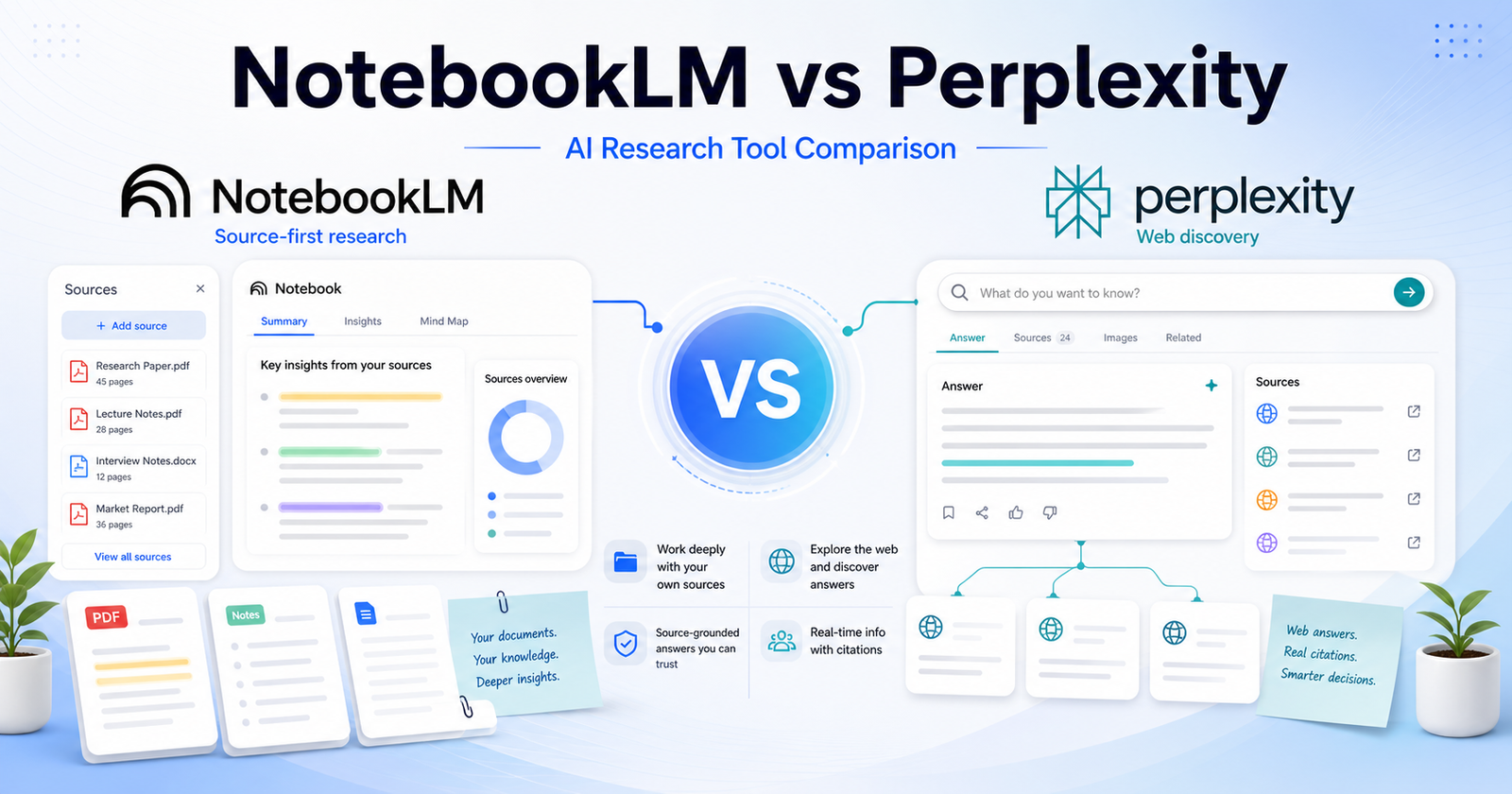
NotebookLM vs Perplexity: Which AI Research Tool Should You Use? is a practical comparison for people choosing an AI tool for source-grounded research, web answers, document analysis, citations, and knowledge workflows. The short version is simple: Choose NotebookLM when your main source material is already collected. Choose Perplexity when you need web research, answer discovery, and cited exploration across the open web.
This article uses verified official product and pricing pages as the safest source of truth. You can review NotebookLM official website and Perplexity official website. Pricing changes often, so check NotebookLM pricing page and Perplexity pricing page before buying.
Quick Verdict
Choose NotebookLM when your main source material is already collected. Choose Perplexity when you need web research, answer discovery, and cited exploration across the open web.
Do not choose only by the biggest feature list. Choose by the work you repeat every week, the amount of cleanup each output needs, and whether the tool fits your existing workflow.
NotebookLM vs Perplexity: Quick Comparison
| Comparison Point | NotebookLM | Perplexity |
|---|---|---|
| Main purpose | NotebookLM is best suited for students, researchers, writers, and teams working from uploaded documents, notes, pdfs, and curated sources. | Perplexity is best suited for people who need fast web-backed answers, source discovery, current-topic research, and exploratory search. |
| Best audience | students, researchers, writers, and teams working from uploaded documents, notes, PDFs, and curated sources. | people who need fast web-backed answers, source discovery, current-topic research, and exploratory search. |
| Core workflow | Start inside NotebookLM and shape the output around its native workflow. | Use Perplexity where its assistant, search, design, coding, or automation flow already fits your work. |
| Ease of use | Strong when the user understands the intended workflow and keeps the first task focused. | Strong when the user has a clear task and knows how to review AI output. |
| Control | Good for its primary workflow, but advanced control depends on the product category. | Good for users who want more flexibility or a broader assistant/workspace model. |
| Team fit | Useful when the team shares a clear use case and review process. | Useful when team members already work in the connected ecosystem. |
| Research fit | Better when its source or workspace model matches the job. | Better when the user needs wider exploration or repeated follow-up questions. |
| Content creation | Can help produce drafts or structured outputs when prompts are specific. | Can help create, revise, analyze, or automate content depending on the workflow. |
| Learning curve | Lower for users who match the primary use case. | Lower for users already familiar with the broader platform or ecosystem. |
| Main limitation | Not always the best choice outside its strongest workflow. | May require more setup, review, or prompt discipline for complex work. |
| Best decision rule | Choose NotebookLM when its workflow removes the biggest bottleneck. | Choose Perplexity when its strengths match the job you repeat most often. |
Pricing Comparison
NotebookLM and Perplexity both support research workflows, but their pricing reflects different products. NotebookLM upgrades through Google AI plans, while Perplexity has individual, team, and enterprise research plans.
| Pricing Point | NotebookLM | Perplexity |
|---|---|---|
| Free plan | NotebookLM has a free experience with standard Google account access. | Perplexity has a free plan. |
| Primary paid plan | Google AI Pro at $19.99/month includes NotebookLM access and higher limits. | Perplexity Pro is $20/month or $200/year. |
| Higher tier | NotebookLM can be upgraded through Google AI Pro, Ultra, Google Cloud, or qualifying Workspace plans. | Enterprise Pro is $40/seat/month or $400/year; Enterprise Max is $325/seat/month or $3,250/year. |
| Annual pricing | Google AI Pro monthly pricing is listed; education/Workspace options may use separate commitments. | Pro annual billing is $200/year; Enterprise annual billing saves 16%. |
| Annual discount | No specific Google AI Pro annual discount was confirmed from the official plan page. | Perplexity Pro is $200/year instead of $20/month, and Enterprise annual billing saves 16%. |
| Notebook/source limits | NotebookLM Pro shows higher limits, including up to 300 sources per notebook in the captured official plan text. | Perplexity plans are based around research access, enterprise controls, and seat pricing. |
| Team plan | Google Workspace and education plans can provide expanded access. | Enterprise Pro is $40/seat/month. |
| Seat-based pricing | Business access runs through Workspace, Cloud, or qualifying institutional plans rather than a simple public per-seat NotebookLM price. | Enterprise Pro and Enterprise Max are published as per-seat plans. |
| Enterprise plan | Google Cloud or qualifying Workspace plans can provide upgraded access. | Enterprise Max is $325/seat/month. |
| Security/admin features | Workspace and Cloud options handle business administration separately. | Enterprise includes admin and security controls; some dashboard and SCIM features require 50+ members or Enterprise Max. |
| Official pricing page | Google AI plans | Perplexity pricing |
For individual researchers, the main paid comparison is Google AI Pro at $19.99/month versus Perplexity Pro at $20/month or $200/year. For teams, Perplexity publishes clearer seat-based enterprise pricing, while NotebookLM business access depends on Google Workspace, Cloud, or qualifying plan routes.
Pricing last checked: June 12, 2026. For the latest details, visit the Google AI plans page and Perplexity official pricing page.
What Is NotebookLM?
NotebookLM official website is one side of this comparison because it gives users a focused way to handle source-grounded research, web answers, document analysis, citations, and knowledge workflows. It is strongest when the user has a clear task, understands the expected output, and reviews the result before using it in business-critical work.
The practical advantage of NotebookLM is not that it can do everything. The advantage is workflow fit. If your day-to-day work looks like students, researchers, writers, and teams working from uploaded documents, notes, pdfs, and curated sources., NotebookLM deserves a serious test.
What Is Perplexity?
Perplexity official website is the other side of this comparison because it approaches the same buying decision from a different workflow. It is strongest when users need people who need fast web-backed answers, source discovery, current-topic research, and exploratory search.
The best way to evaluate Perplexity is to use the same task you would give to NotebookLM. Compare the usable output, not just the first impression. A strong AI tool should reduce the work needed after generation.
Feature And Workflow Comparison
Output Quality
Both tools can produce useful output, but quality depends on the task and the review process. NotebookLM is a better fit when the task sits inside its main workflow. Perplexity is a better fit when you need the type of control, ecosystem, or assistant behavior it provides.
Speed
Speed matters only when the result is usable. If one tool creates a first draft faster but requires more cleanup, it may not actually save time. Test both tools with one realistic project and measure the time from prompt to publishable, shareable, or deployable output.
Control
Control is where many buyers make the wrong decision. Some users need a simple guided workflow. Others need deeper editing, collaboration, technical control, or source review. Choose the tool that gives you enough control without making the workflow feel heavy.
Collaboration
For teams, the best tool is the one people will actually use consistently. Check whether your team can review outputs, share work, manage access, and keep the final result aligned with brand, quality, or technical standards.
Best Use Cases For NotebookLM
- students, researchers, writers, and teams working from uploaded documents, notes, PDFs, and curated sources.
- Users who want the tool’s default workflow instead of a heavily customized setup.
- Teams that can define a clear prompt, review output, and repeat the process.
- Buyers who want a focused product rather than a broad collection of unrelated features.
- People who value a faster first draft when the final output still gets human review.
Best Use Cases For Perplexity
- people who need fast web-backed answers, source discovery, current-topic research, and exploratory search.
- Users who want a workflow that connects better with their existing tools.
- Teams that need repeated output, structured review, and predictable handoff.
- Buyers who care about flexibility and control after the first AI response.
- People willing to compare plan limits, output quality, and cleanup time carefully.
Pros And Cons
NotebookLM Pros
- Strong fit for students, researchers, writers, and teams working from uploaded documents, notes, pdfs, and curated sources.
- Useful when the task is clear and repeatable.
- Easier to evaluate with a small real-world project.
- Can reduce setup time when its workflow matches the job.
- Good candidate for teams that want a focused use case.
NotebookLM Cons
- May not be the best choice outside its core workflow.
- Output still needs human review.
- Pricing and limits should be checked before buying.
- Some teams may need more control than the default workflow provides.
Perplexity Pros
- Strong fit for people who need fast web-backed answers, source discovery, current-topic research, and exploratory search.
- Useful when users need its specific ecosystem or workflow.
- Can be a better long-term fit for repeated work.
- Gives buyers a different way to solve the same core problem.
- Worth testing when the first tool feels too narrow.
Perplexity Cons
- May require more setup or learning for some users.
- Output quality depends heavily on prompts and review.
- Pricing, limits, and team features should be checked carefully.
- It may be more tool than casual users need.
Which One Should You Choose?
Choose NotebookLM if your work mainly involves students, researchers, writers, and teams working from uploaded documents, notes, pdfs, and curated sources. Choose Perplexity if your work mainly involves people who need fast web-backed answers, source discovery, current-topic research, and exploratory search.
If you are unsure, use the same project brief in both tools. Compare quality, speed, cleanup time, export or handoff options, and current official pricing. The best AI tool is the one that gives you reliable output with the least repeated friction.
If your research workflow also involves general AI assistants, our ChatGPT vs Perplexity comparison and Gemini vs ChatGPT comparison comparisons provide useful context.
Final Verdict
Choose NotebookLM when your main source material is already collected. Choose Perplexity when you need web research, answer discovery, and cited exploration across the open web. Both tools can be useful, but they are not interchangeable. The safer decision is to start with the tool that matches your weekly workflow, then upgrade only when the output quality and time savings are clear.
FAQs
Is NotebookLM better than Perplexity?
NotebookLM is better when your work matches its strongest use case: students, researchers, writers, and teams working from uploaded documents, notes, pdfs, and curated sources. Perplexity is better when your work matches its strongest use case: people who need fast web-backed answers, source discovery, current-topic research, and exploratory search.
Is Perplexity better than NotebookLM?
Perplexity can be better if you need its workflow more often. The right choice depends on the type of work you repeat, the review process on your team, and how much control you need after the first AI-generated result.
Which tool is easier for beginners?
NotebookLM may feel easier for users who fit its default workflow. Perplexity may feel easier for users already familiar with its ecosystem. Beginners should test the same small task in both tools before paying.
Which tool is better for teams?
Teams should choose the platform that fits their shared workflow, admin needs, review habits, and budget. A tool that works for one solo user may not be the best team system.
Can I use both tools together?
Yes. Many teams use more than one AI tool when each tool solves a different part of the workflow. The risk is paying for overlapping subscriptions without enough usage.
Do these tools have free plans?
Free access and trial details can change. Check the official pricing pages before making a buying decision.
Which tool has better AI output?
Output quality depends on the task, prompt clarity, source material, model access, and the human review process. Run one realistic project in both tools and compare cleanup time.
Which tool is better for business use?
For business use, compare security requirements, team controls, data handling, export options, support, and predictable pricing. Do not judge only by demo quality.
Should I choose based on price?
Price matters, but workflow fit matters more. The cheaper tool can become expensive if every output needs heavy cleanup or if your team does not actually use it.
What is the fastest way to choose?
Prepare one realistic task, run it through both tools, compare the result, check the official pricing pages, and choose the one that saves more usable time.